Create test item and test product group
Modified on Tue, 17 Feb at 2:16 PM
During the testing phase, please sell only test items, which you should immediately cancel afterward.
Please note that sales can no longer be canceled after a cash register closure.
Create test product group
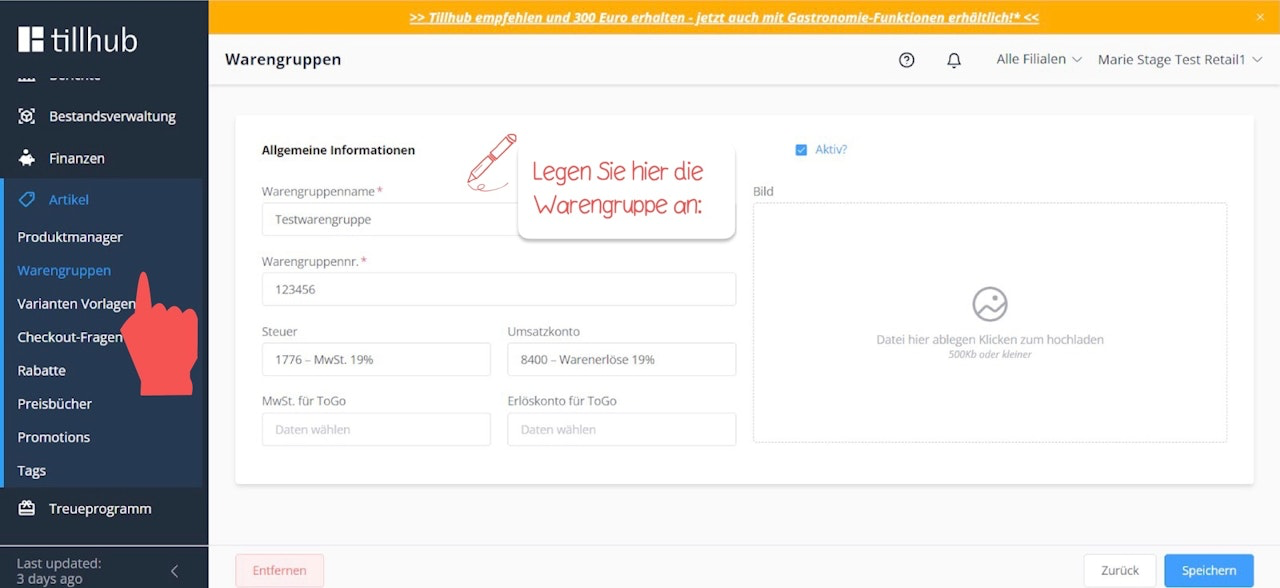
Navigate to Finance > Product Groups. Click on the blue “+New” button and create a test product group with the following data. Finally, click “Save.” For more information on how to create product groups in the dashboard, see here.
Create test item
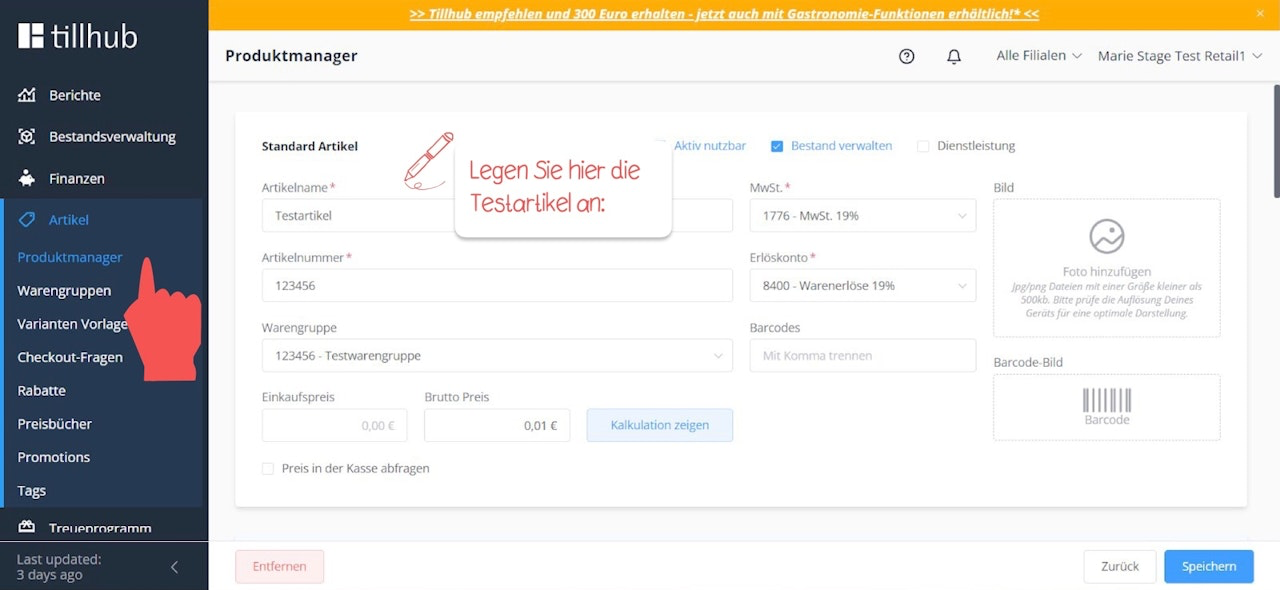
Next, navigate to Items > Product Manager, then click on the blue “+New” button and create a test item with the following data. Finally, click “Save.”
Was this article helpful?
That’s Great!
Thank you for your feedback
Sorry! We couldn't be helpful
Thank you for your feedback
Feedback sent
We appreciate your effort and will try to fix the article