Set up card payment for POS Go
Modified on Tue, 17 Feb at 2:16 PM
Step 1: Set up card payment POS Go
To be able to accept card payments with your POS Go, you need to make the following setting in your Tillhub dashboard:
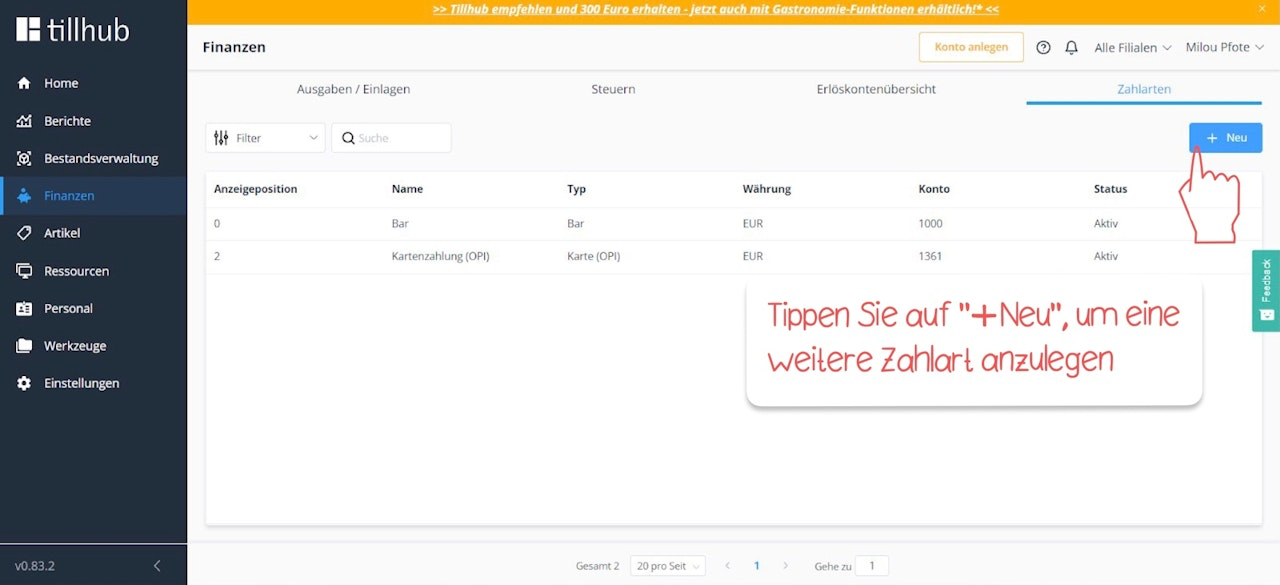
In the Tillhub dashboard, navigate to Finance > Payment Methods. By default, the payment methods “Cash” and “Card Payment (OPI)” are already available. Click on the blue “+New” button.
Step 2: Activate card payment POS Go
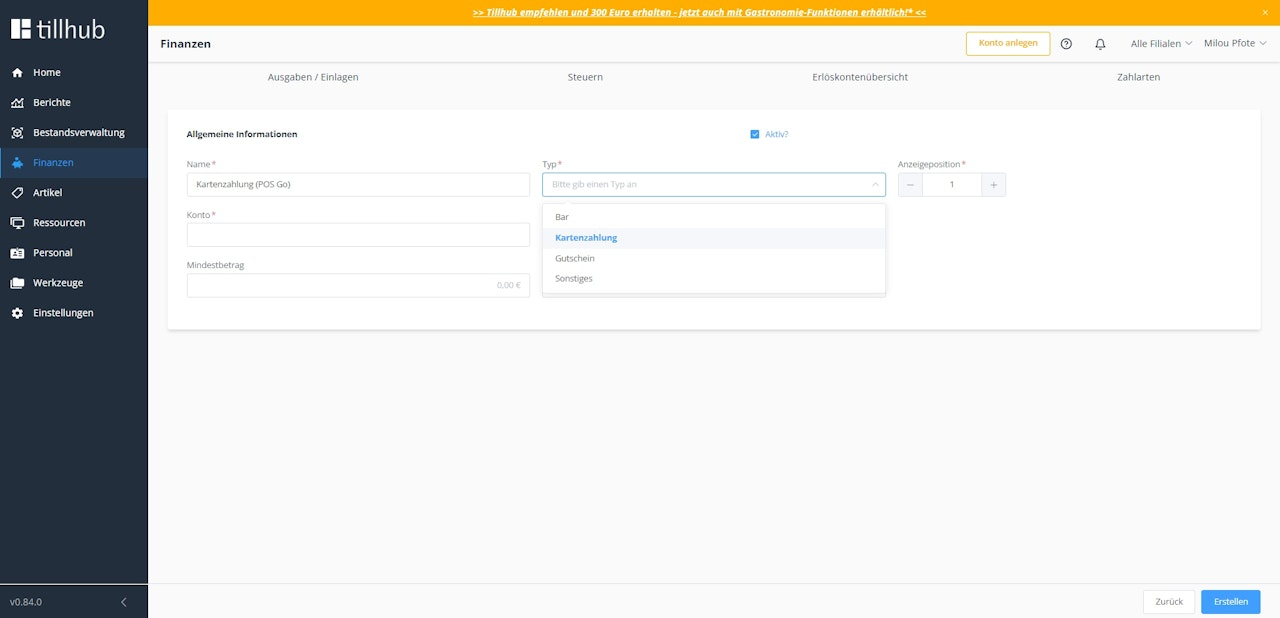
Enter a unique name in the “Name” field, for example “Card Payment (POS Go),” and select “Card Payment” as the payment type under “Type.”
Discuss with your tax advisor which account number you should enter in the “Account” field.
Finally, click “Save” to store your settings.

Was this article helpful?
That’s Great!
Thank you for your feedback
Sorry! We couldn't be helpful
Thank you for your feedback
Feedback sent
We appreciate your effort and will try to fix the article