CCV - Mobile Network Provider Selection
Modified on Wed, 4 Feb at 9:50 AM
Mobile network provider as a selection
With your inserted SIM card, the card reader is able to select the strongest network from all available mobile network providers. This may be important for you if the selected mobile network has too weak a signal at your location.
In this tutorial, we would like to show you how to select the strongest mobile network provider for your CCV Mobile Premium with a SIM card.
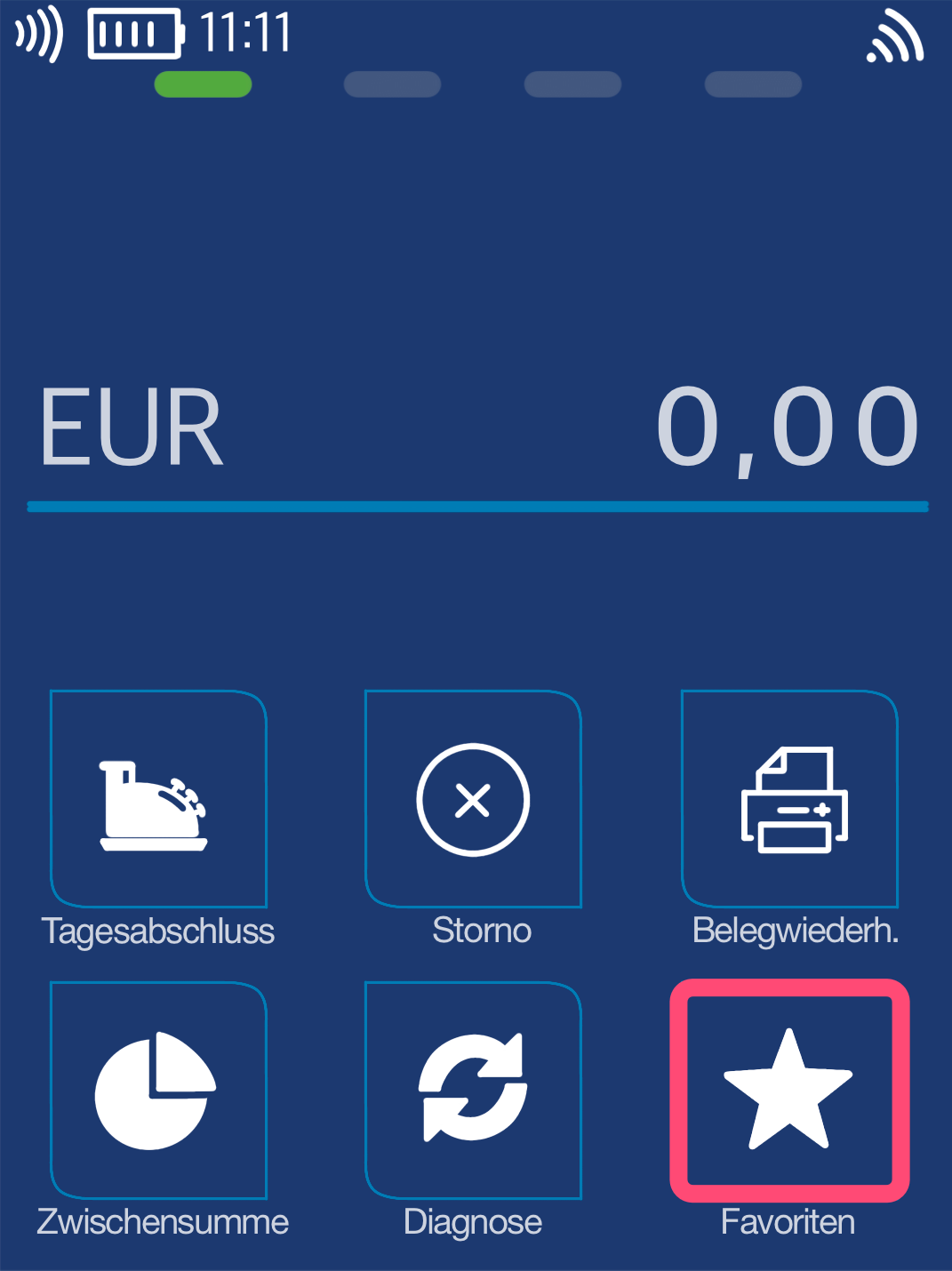
Favorites Button
You will see your main display. Please select the Favorites button.
Select by tapping.
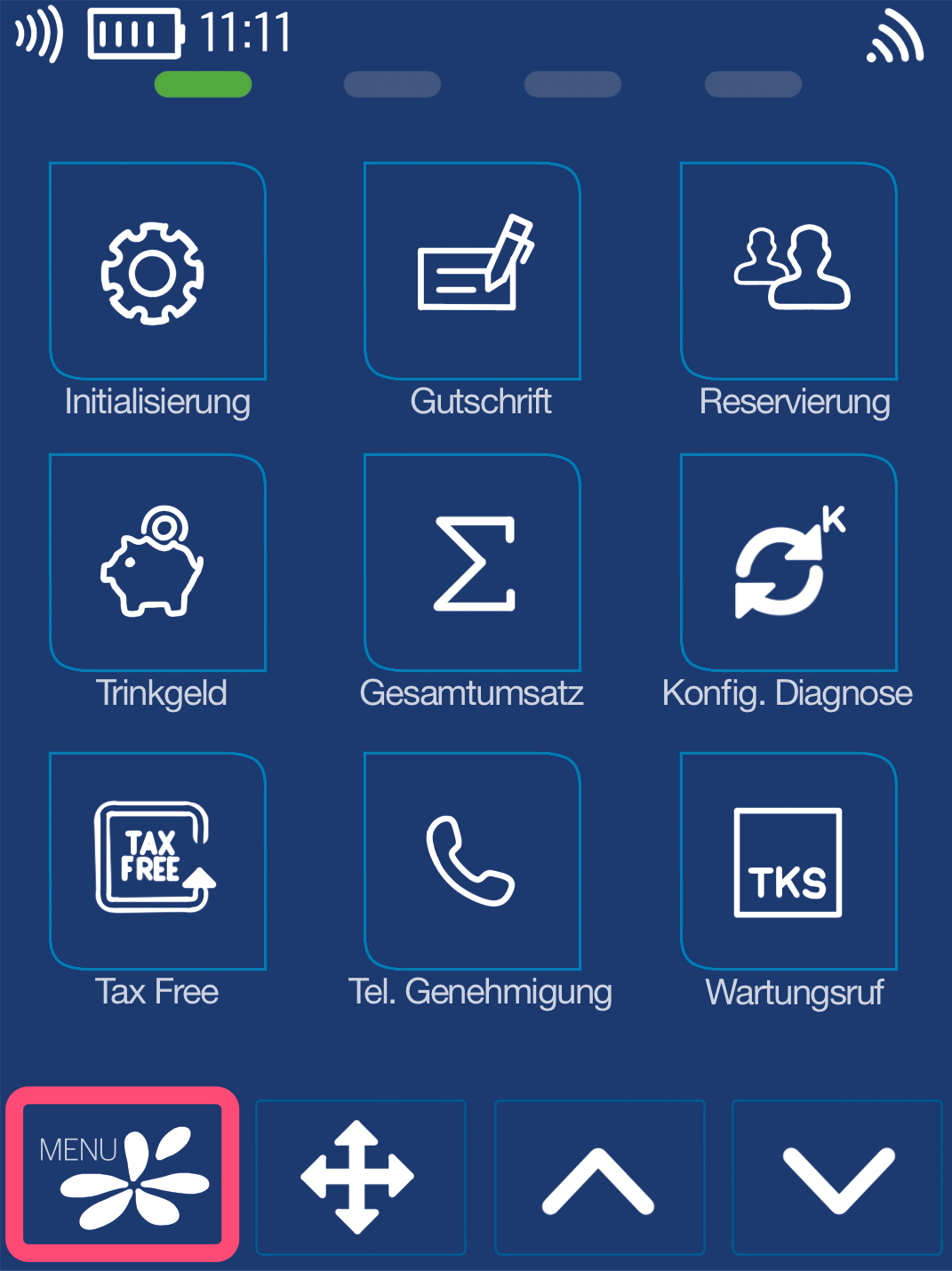
Menu Button
Now please select the Menu button.
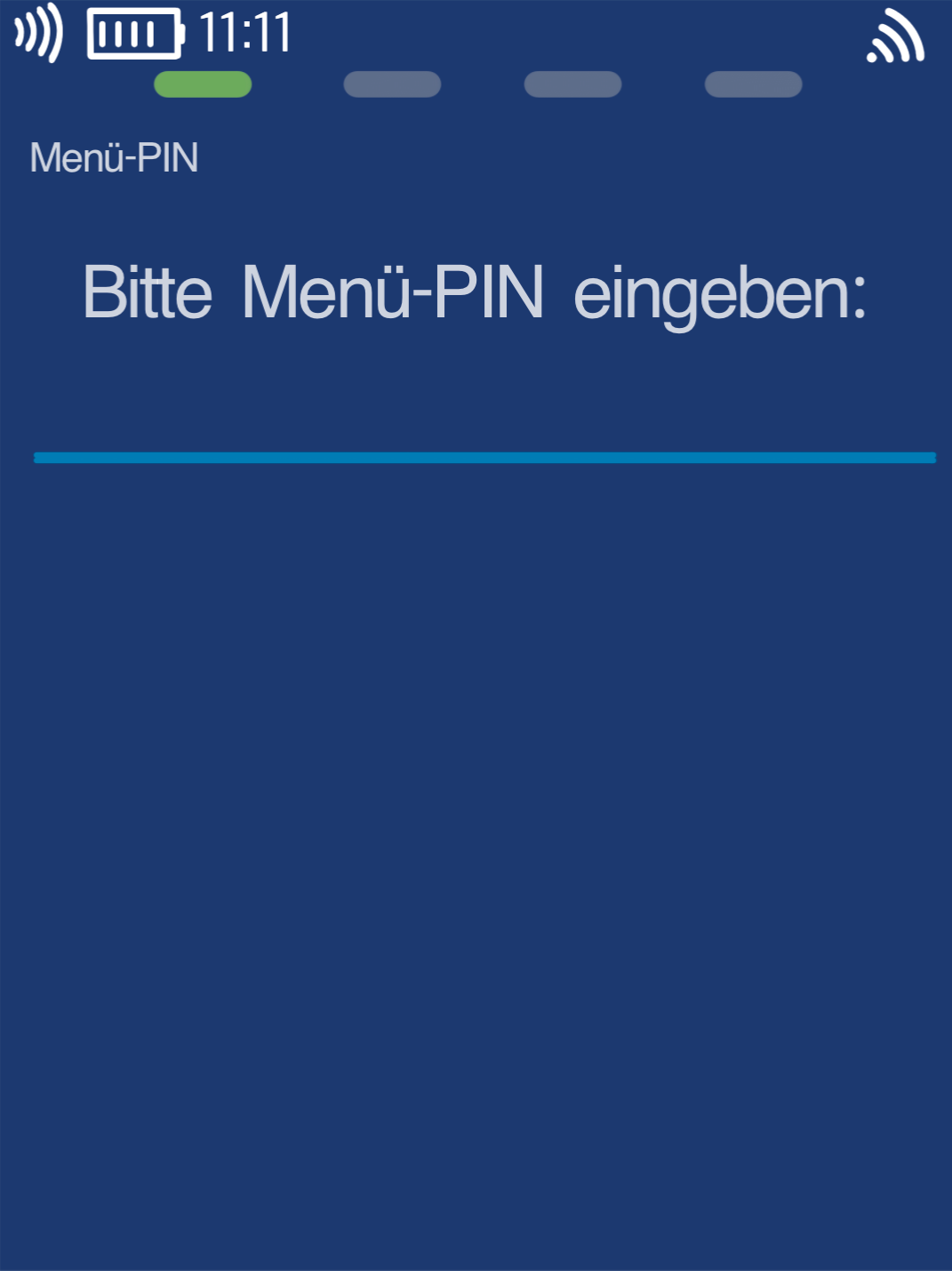
Menu PIN
Please now enter your merchant PIN.
You can find the Terminal ID on your merchant receipts or on the end-of-day report.
Terminal IDs starting with 61xxxxxx: 111111
Terminal IDs starting with 68xxxxxx: 111111
Terminal IDs starting with 526xxxxx: 0123
Please confirm the entry by pressing the green OK button.
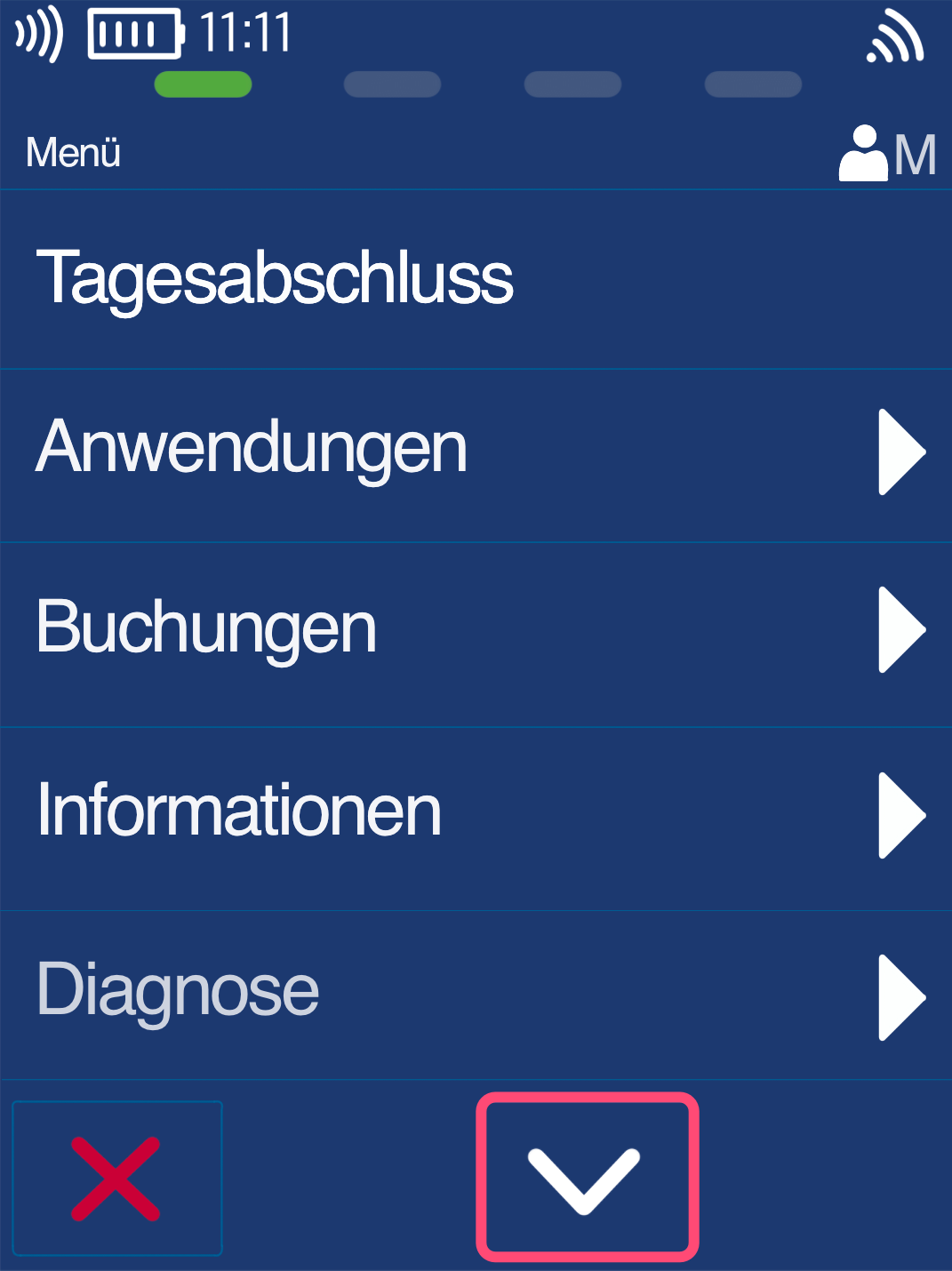
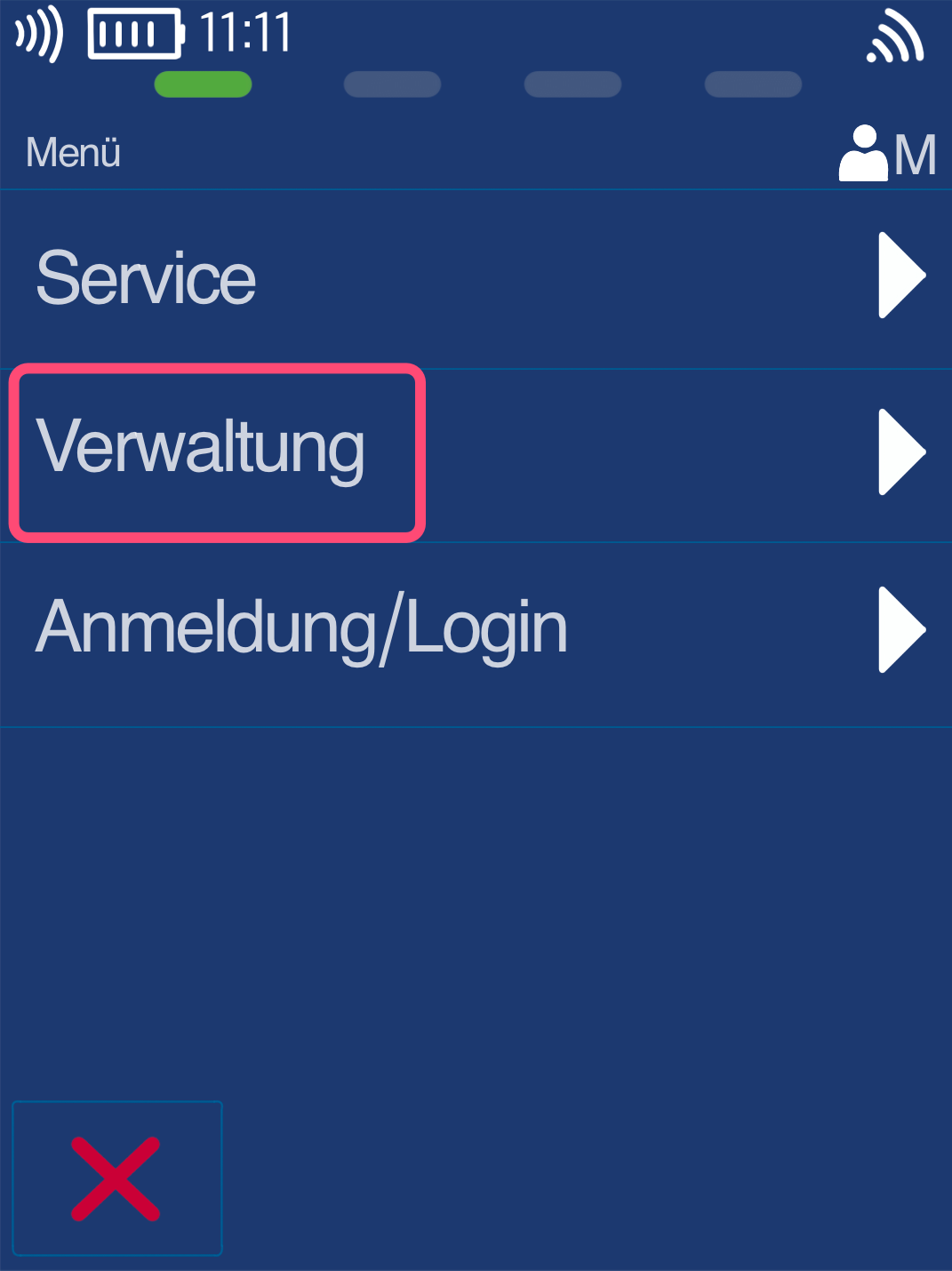
Management
Please navigate with the down arrow key to expand the menu (Fig. 1).
Fig. 2 - Please select Management.
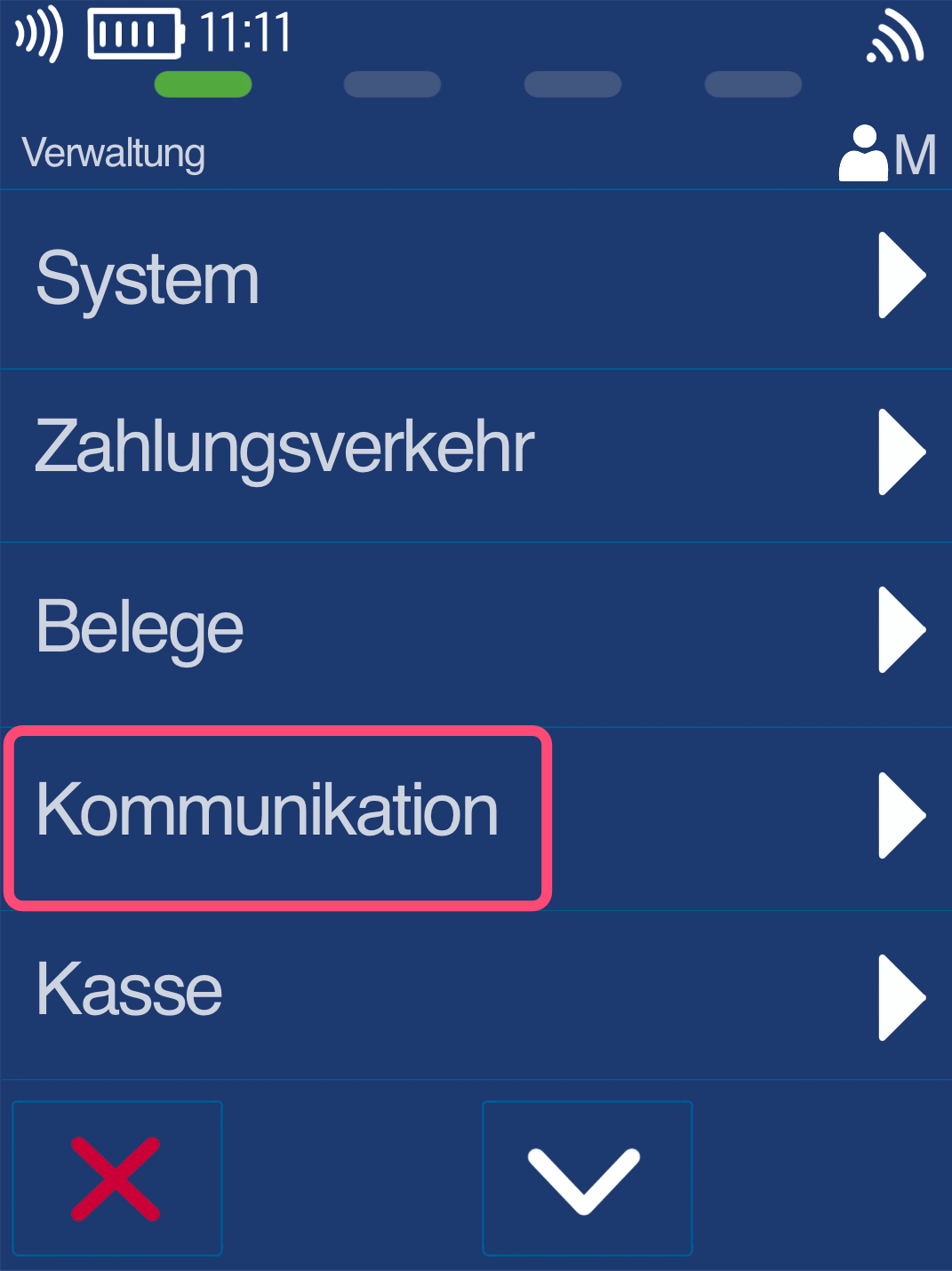
Communication
Please select the Communication menu item here.
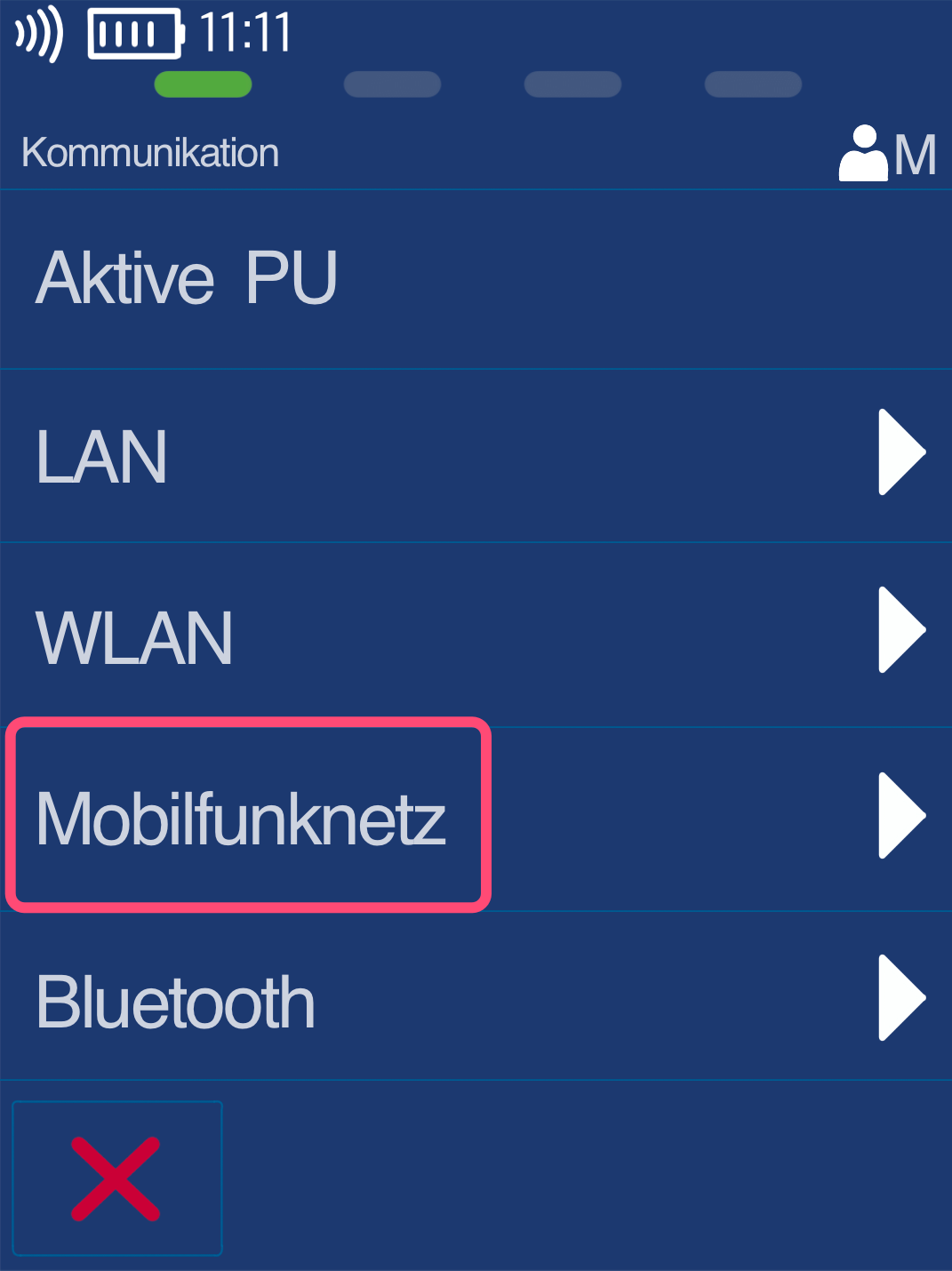
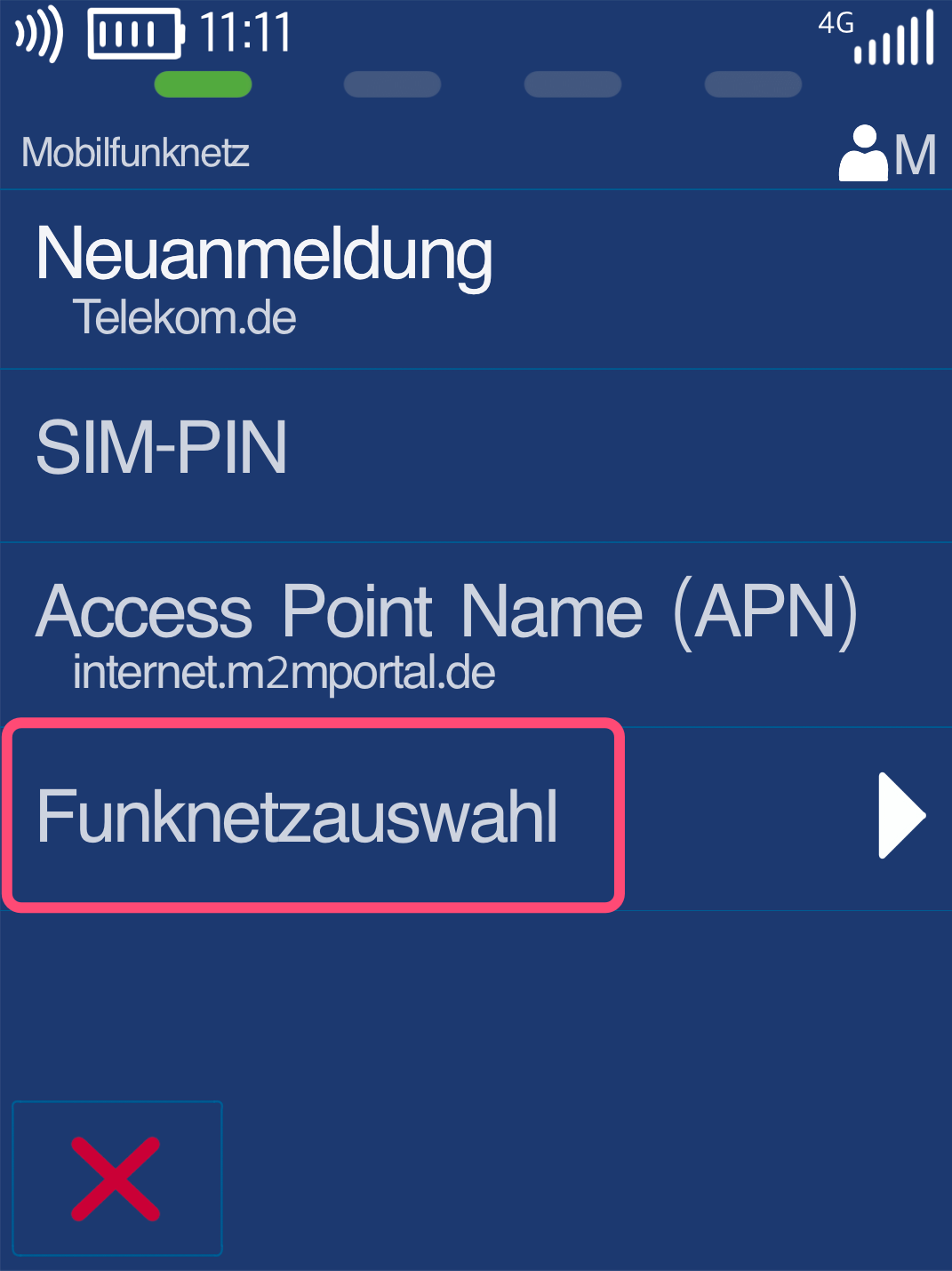
Mobile Network
Fig. 1 - In this illustration, please select the Mobile Network menu item.
Fig. 2 - Here, please select Network Selection.
Selection of the Mobile Network Provider
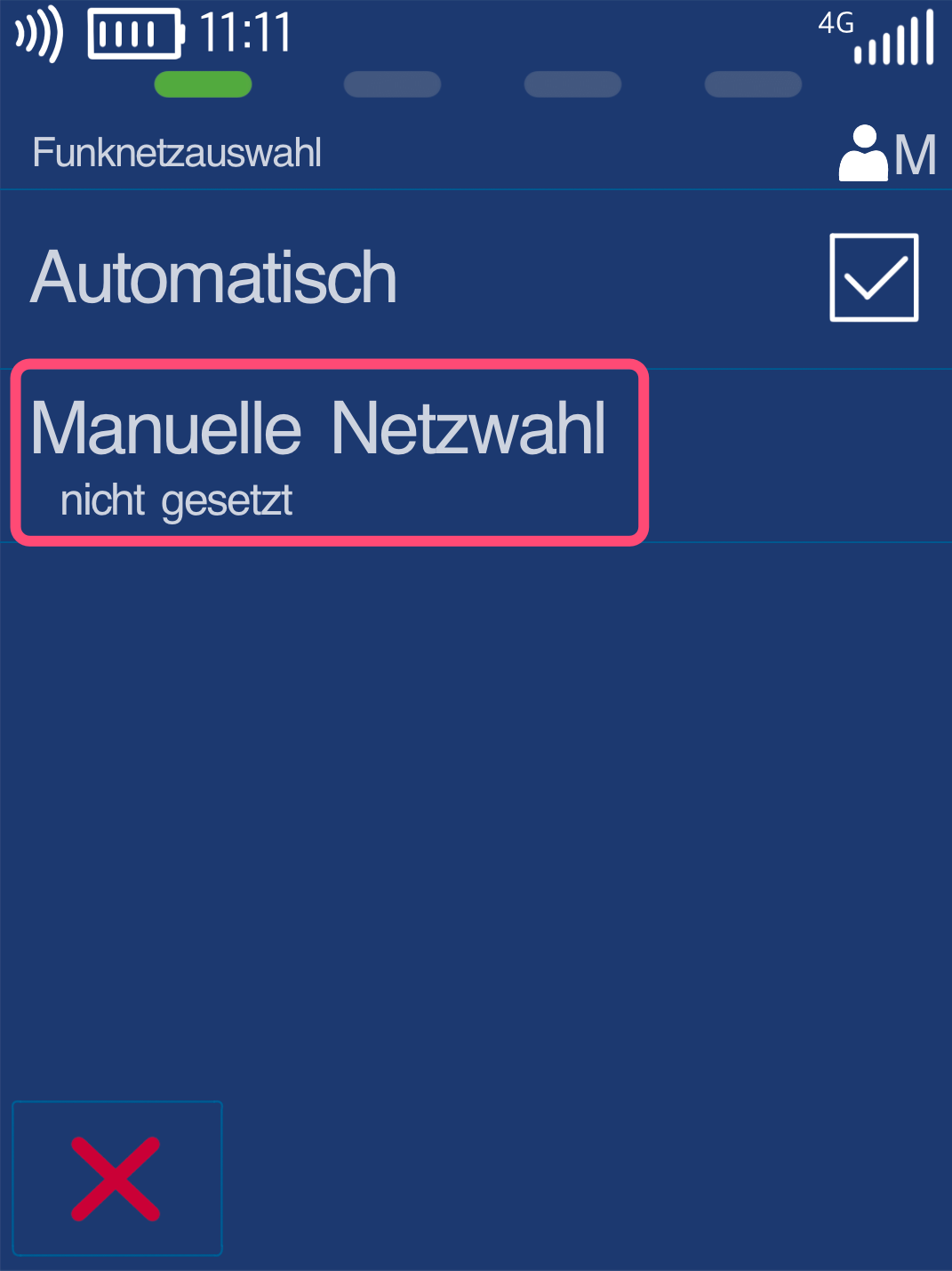
To now display all mobile network providers in your area, please select Manual Network Selection (Fig. 1).
The card reader will need a moment to search for all available mobile network providers.
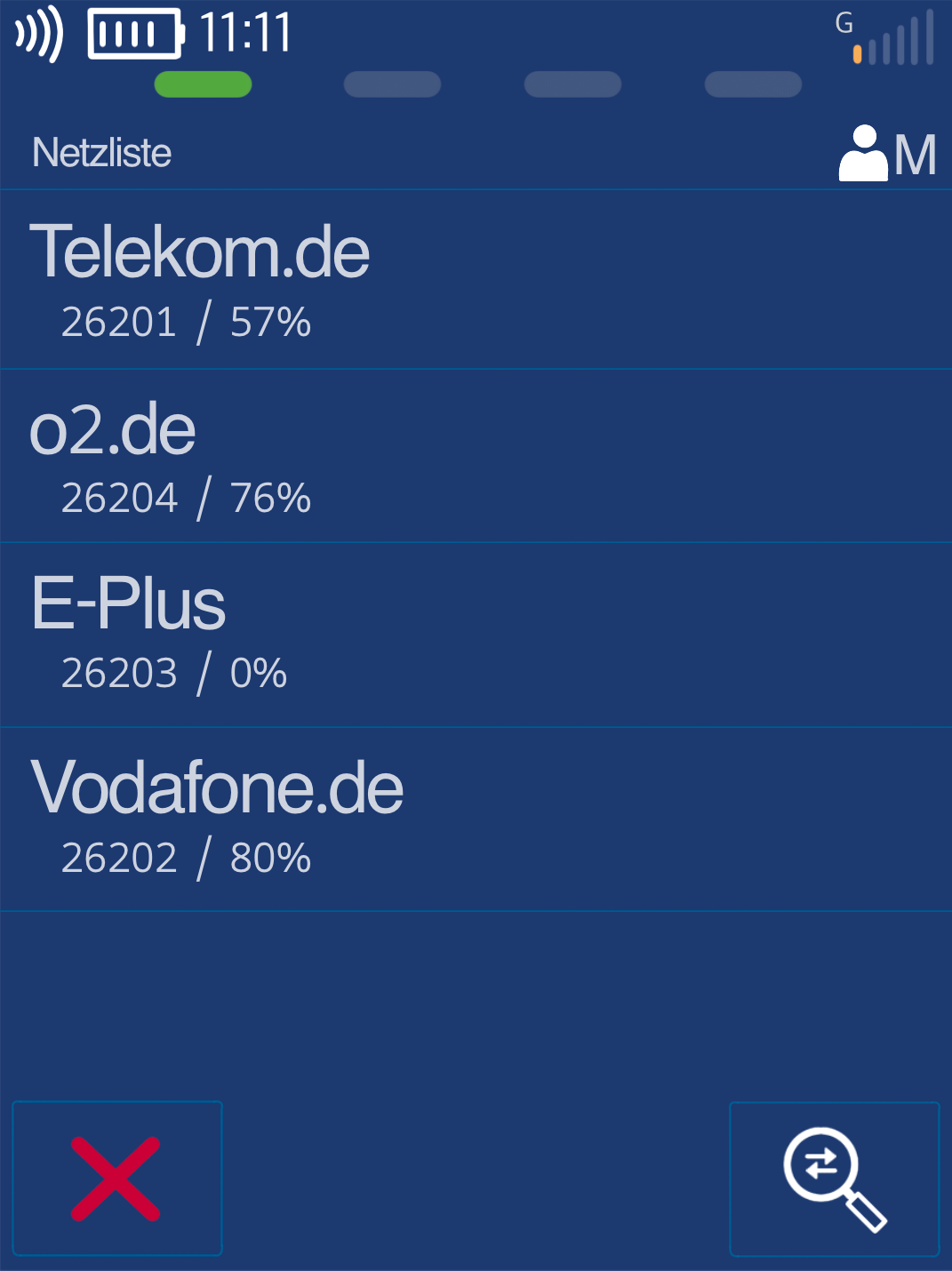
As shown in Fig. 2, all providers will now be displayed with their current signal strength. You can now select which provider offers the strongest network.
Selection by tapping.
Completion
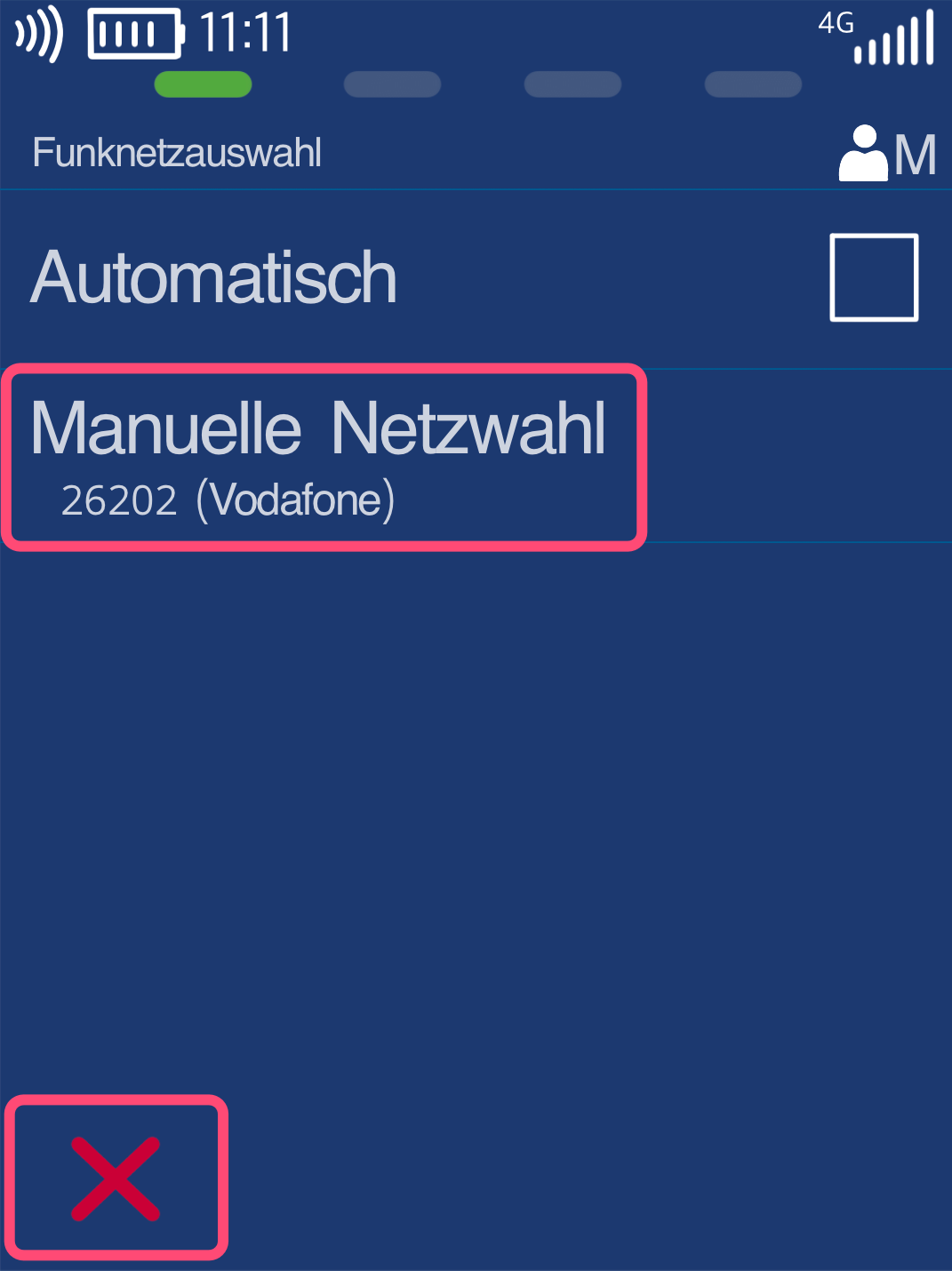
After making your selection, the Network Selection menu item will be displayed again.
Manual Network Selection is now set with the selected provider.
You can now return to your home screen using the red Stop key.
You have now successfully selected the strongest mobile network provider.
Was this article helpful?
That’s Great!
Thank you for your feedback
Sorry! We couldn't be helpful
Thank you for your feedback
Feedback sent
We appreciate your effort and will try to fix the article
