Verifone - Mobile Network Provider Selection
Modified on Tue, 10 Feb at 2:36 PM
Selecting a Mobile Network Provider
With the inserted SIM card, your card reader can select the strongest signal from all available mobile network providers.
This may be important if the automatically selected mobile network has poor performance at your location.
In this tutorial, we will show you how to select the strongest mobile network provider for your Verifone V400m with a SIM card.
Menu Button
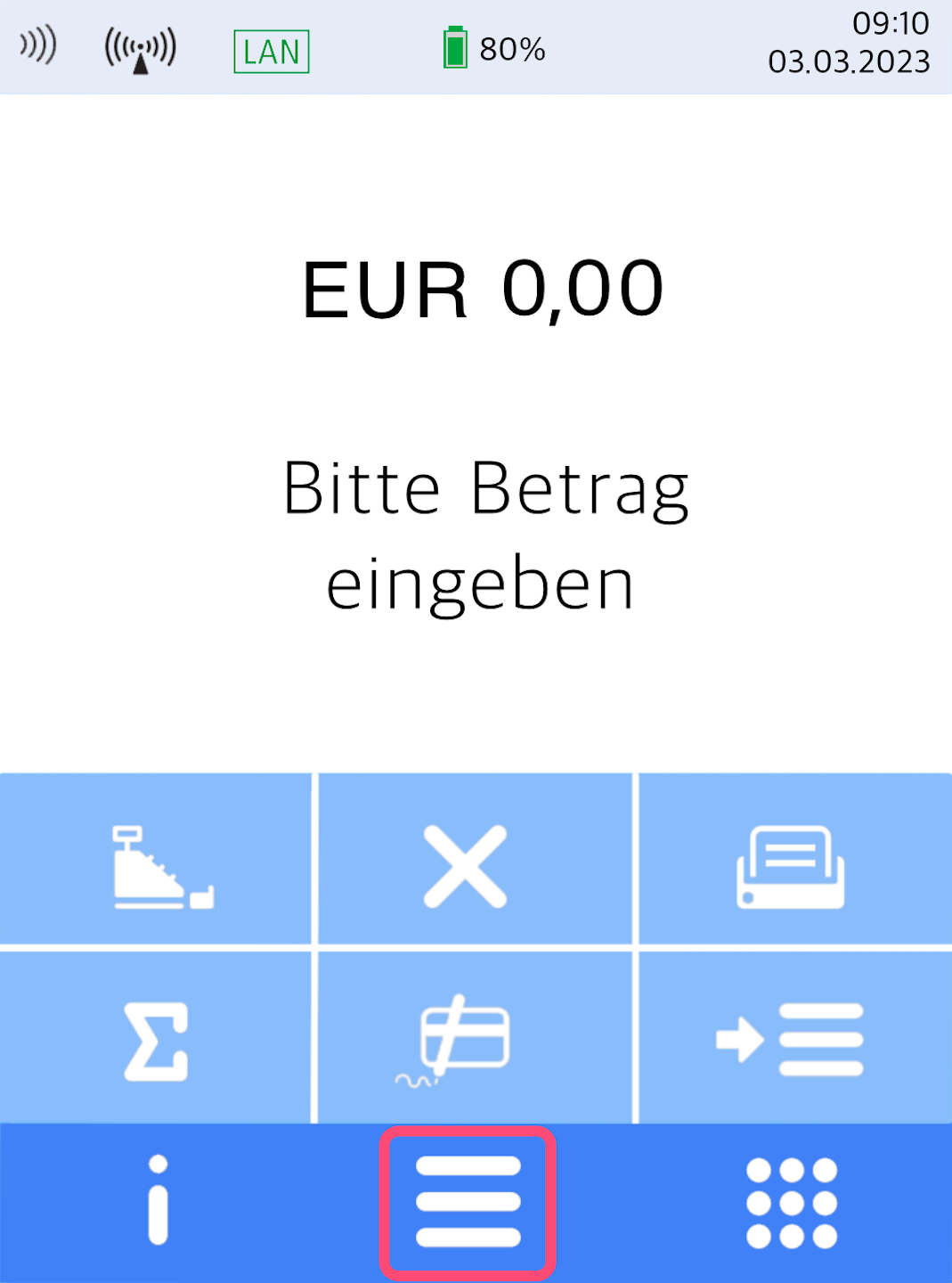
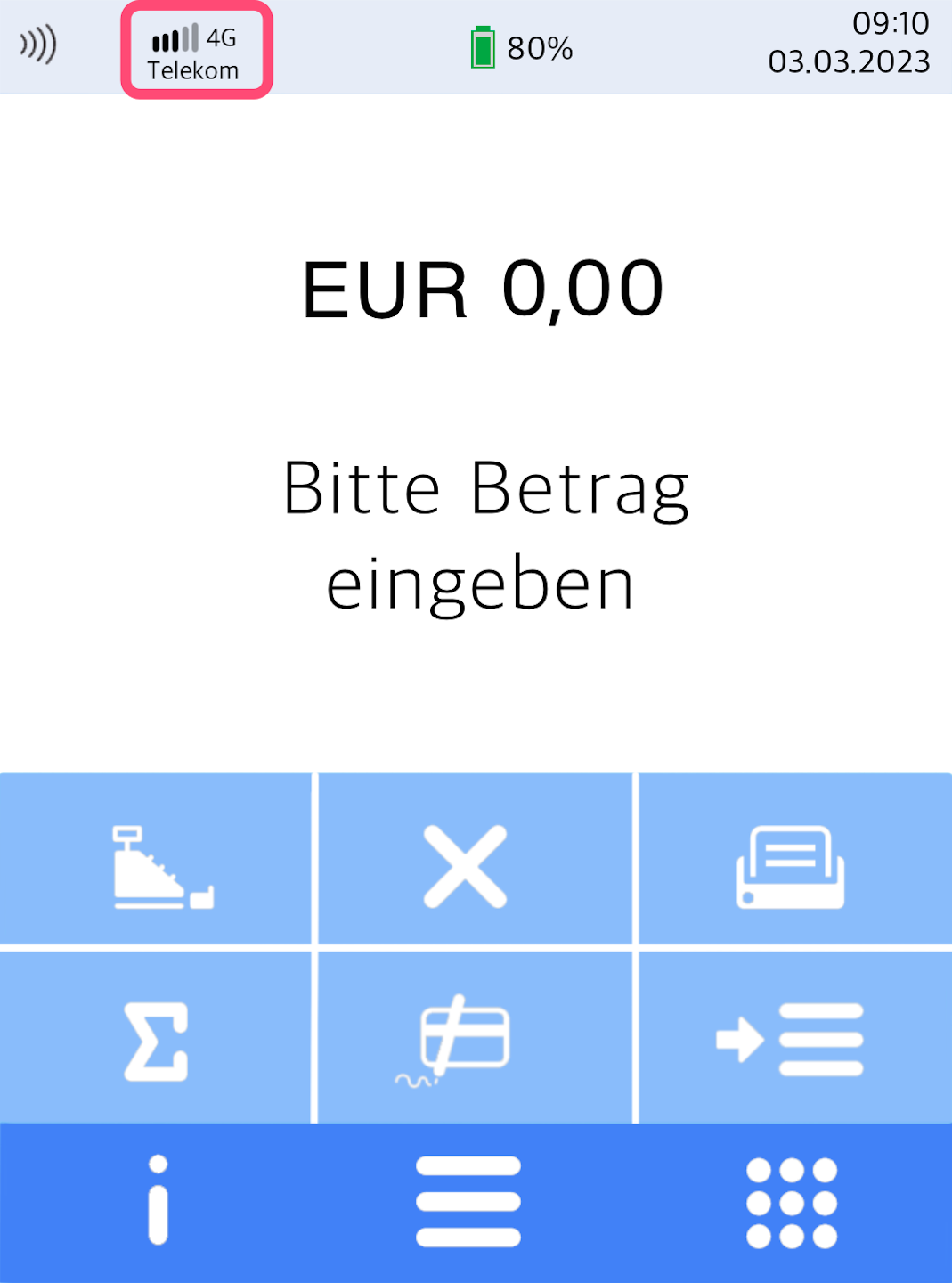
Here you see your home display.
Please tap the button with the three horizontal bars to access the main menu.
Management
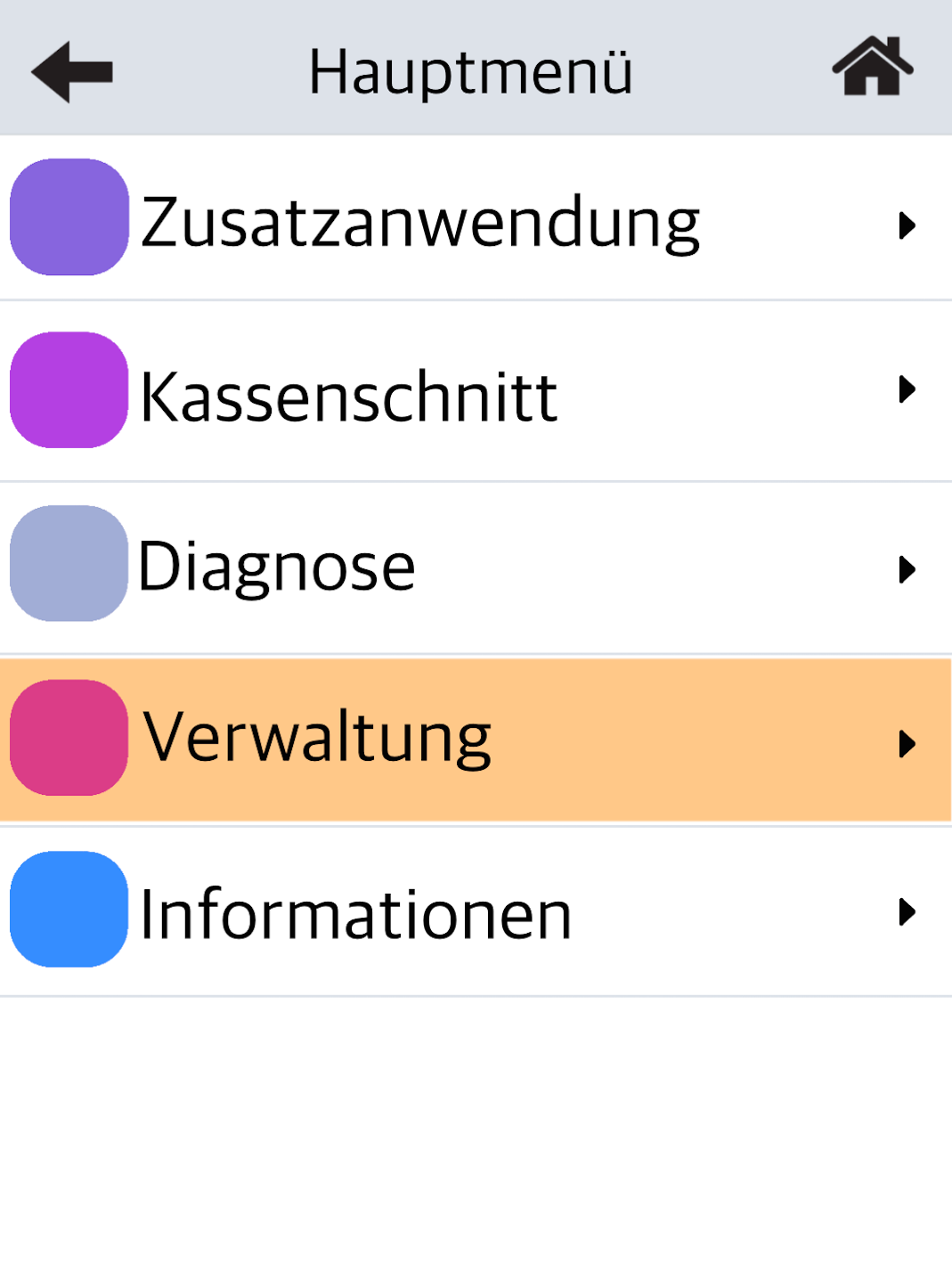
Please select the menu item Verwaltung.
Select by tapping.
Operator and Password Entry
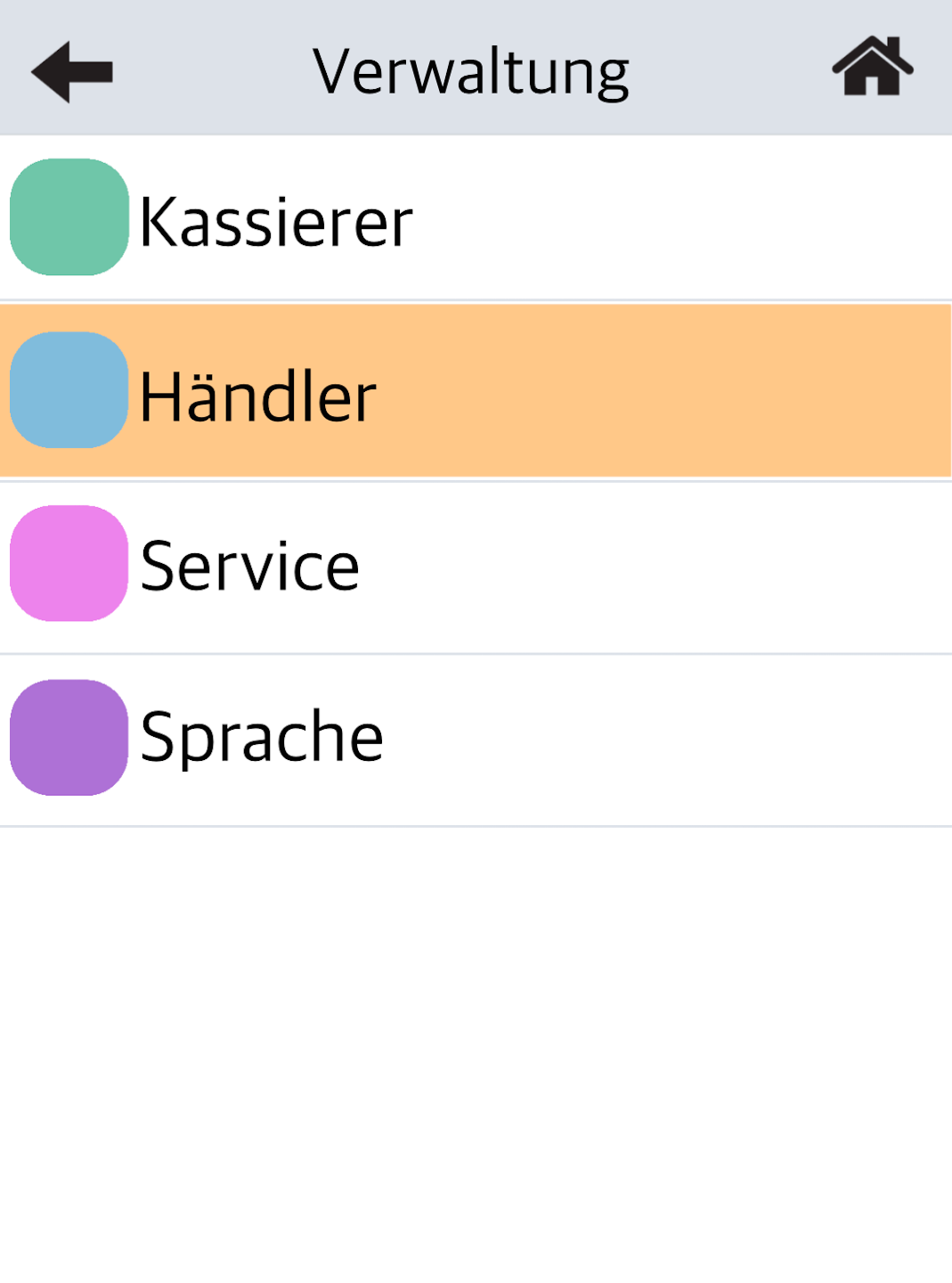
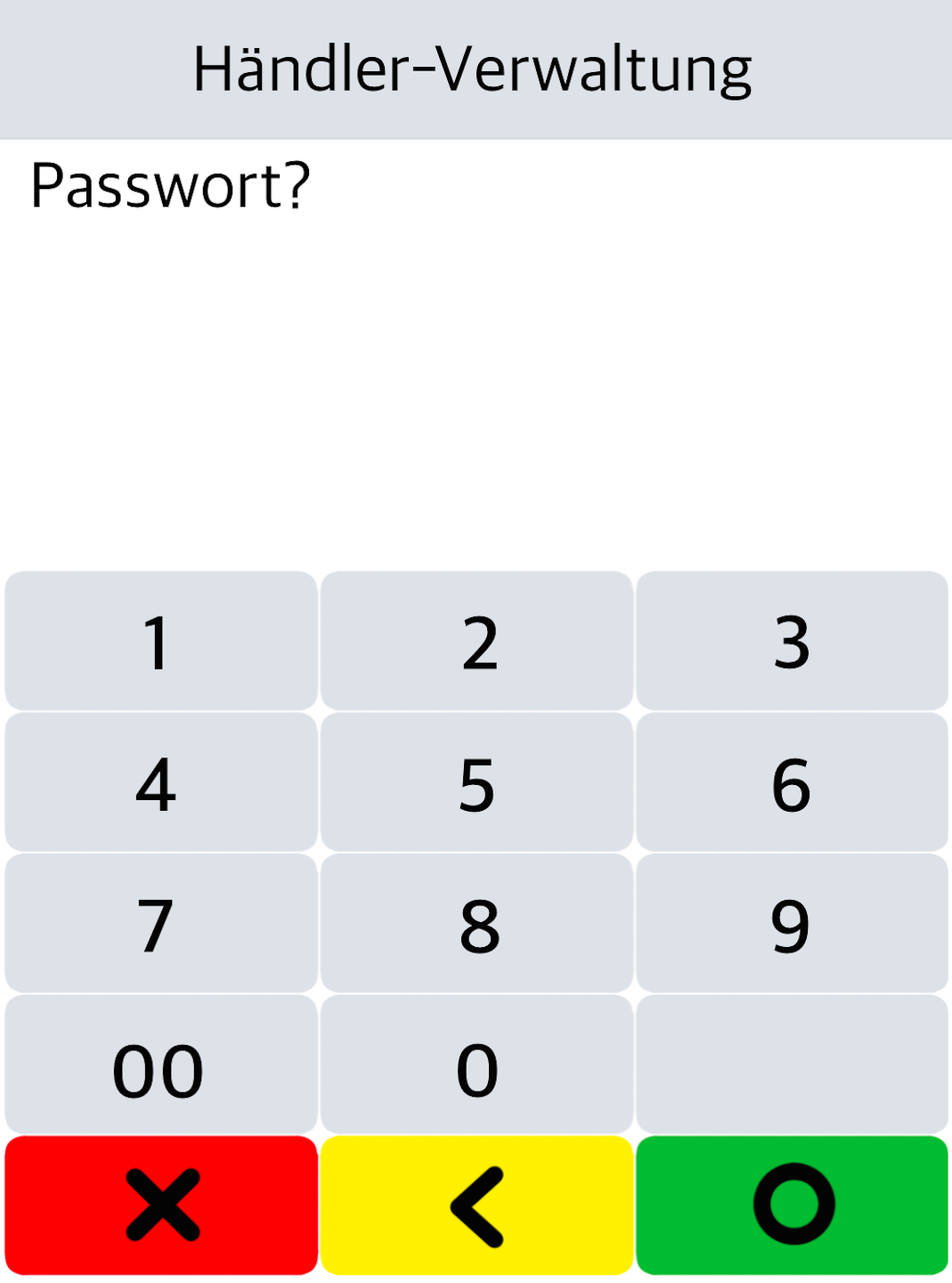
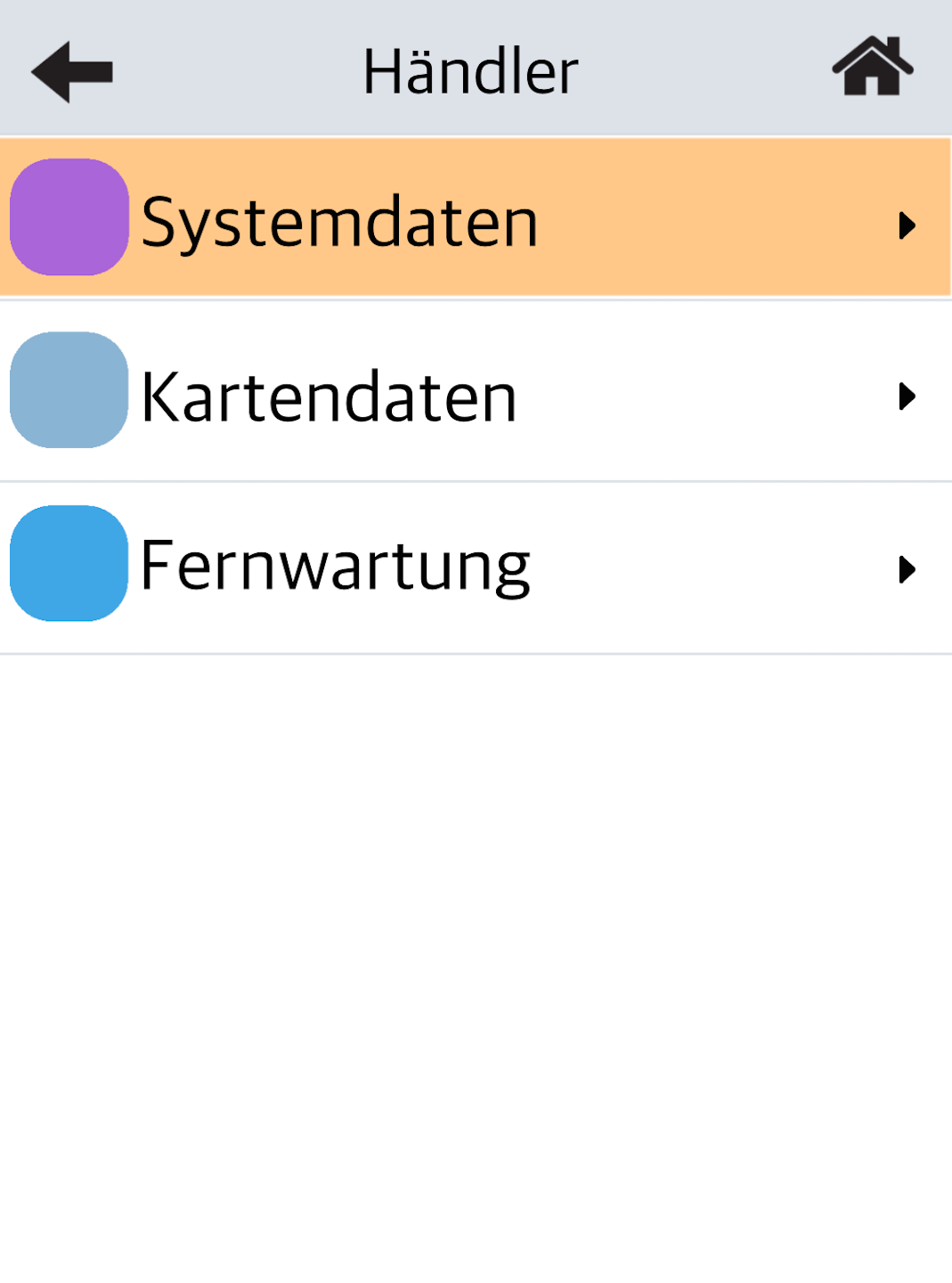
Please select Händler, and in the next step (Fig. 2), enter the 6-digit merchant password.
Please confirm the entry with the green OK button.
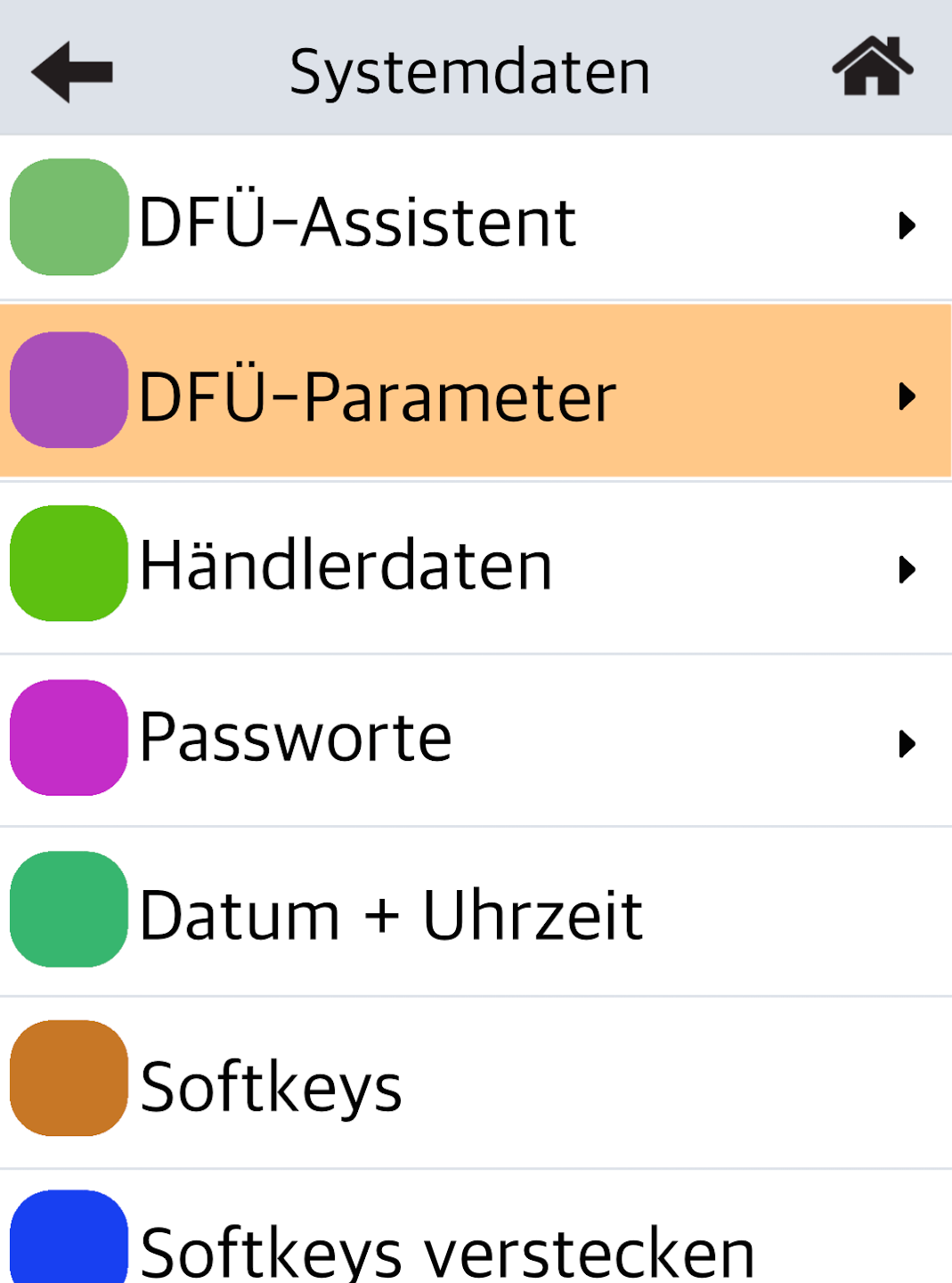
System Data and DFÜ Parameters
Fig. 1 – Please select Systemdaten.
Fig. 2 – Select DFÜ Parameter.
Selection Menu for Mobile Network
Please proceed as follows:
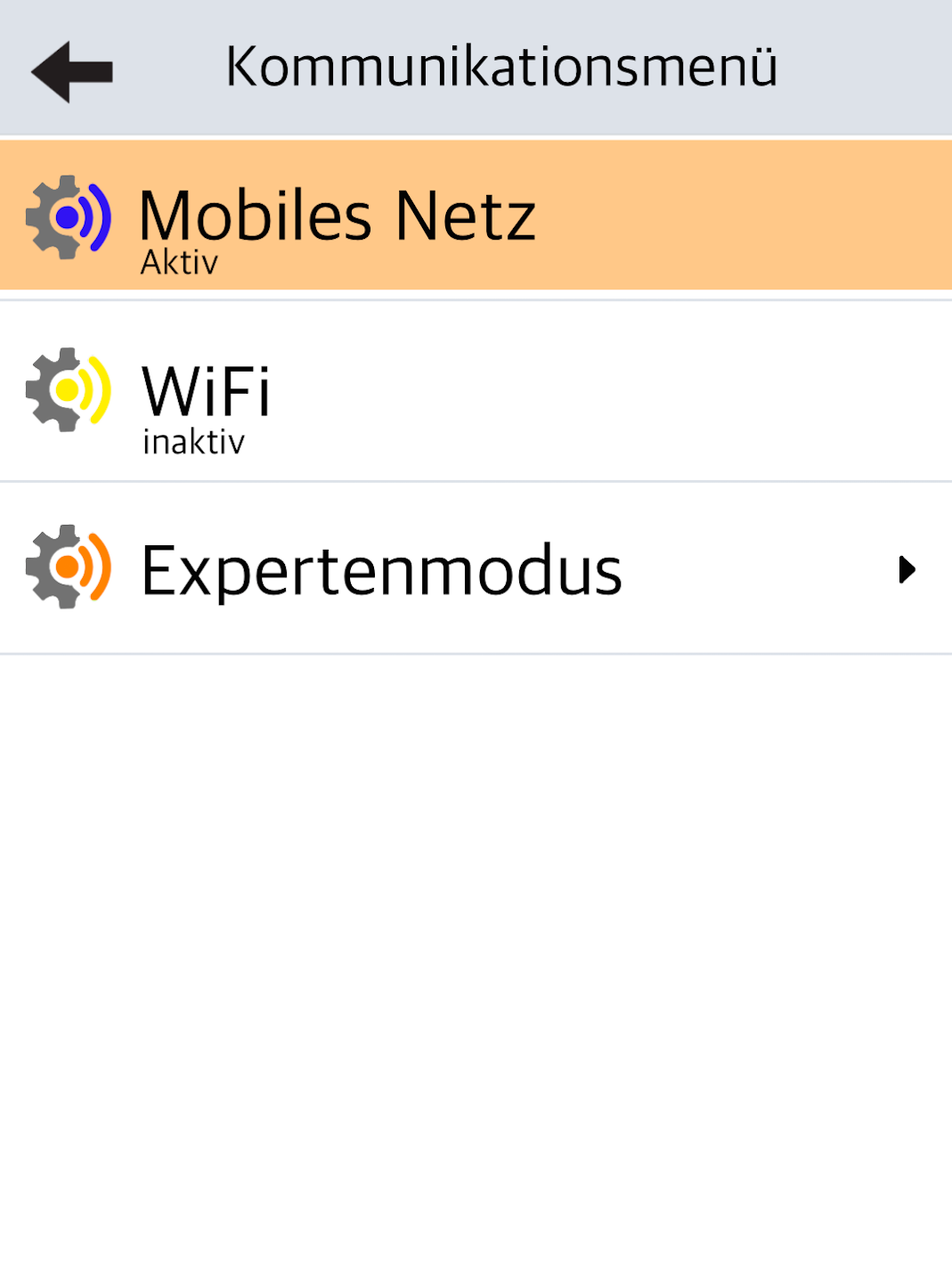
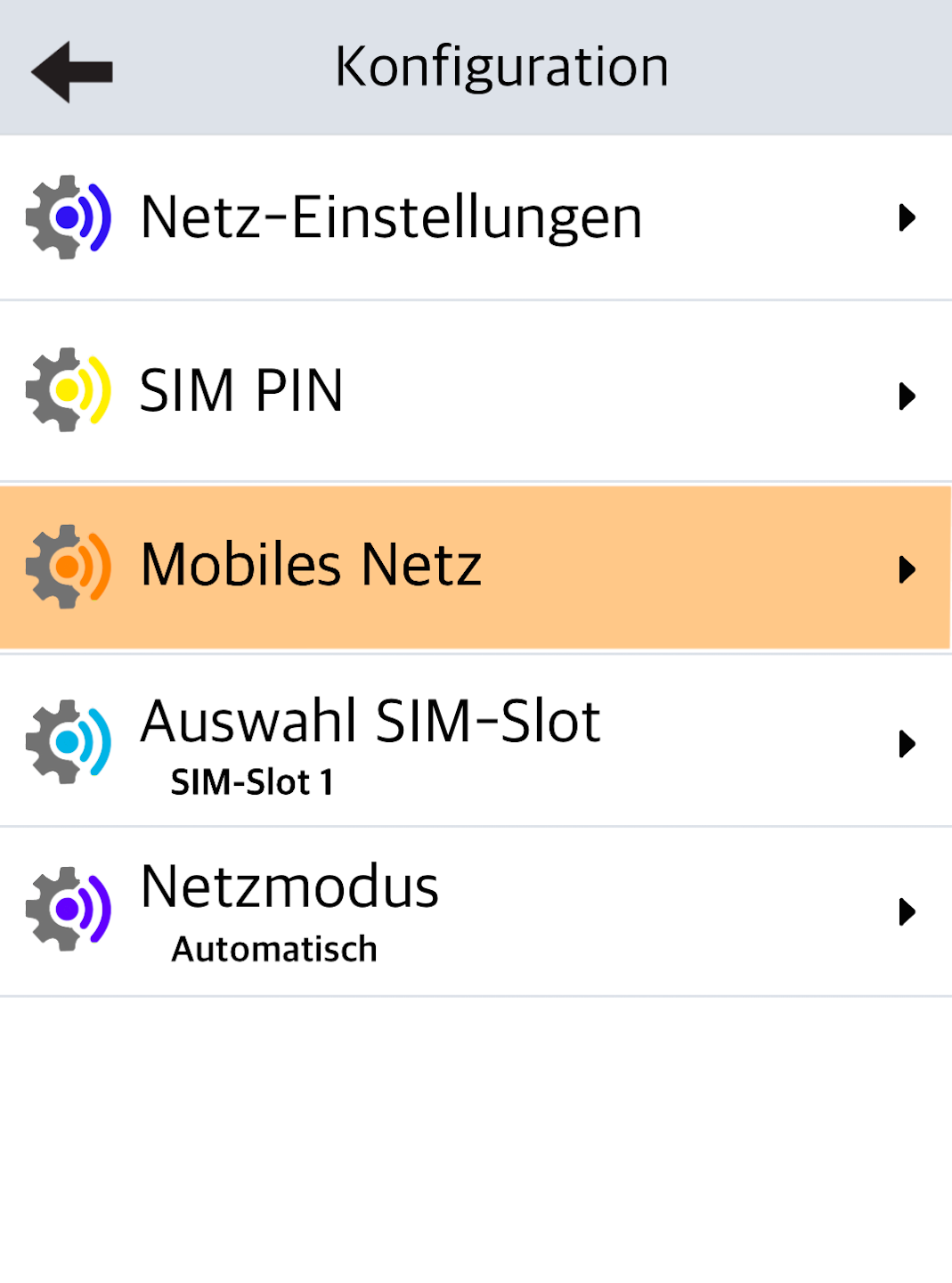
Fig. 1 – Tap Mobiles Netz.
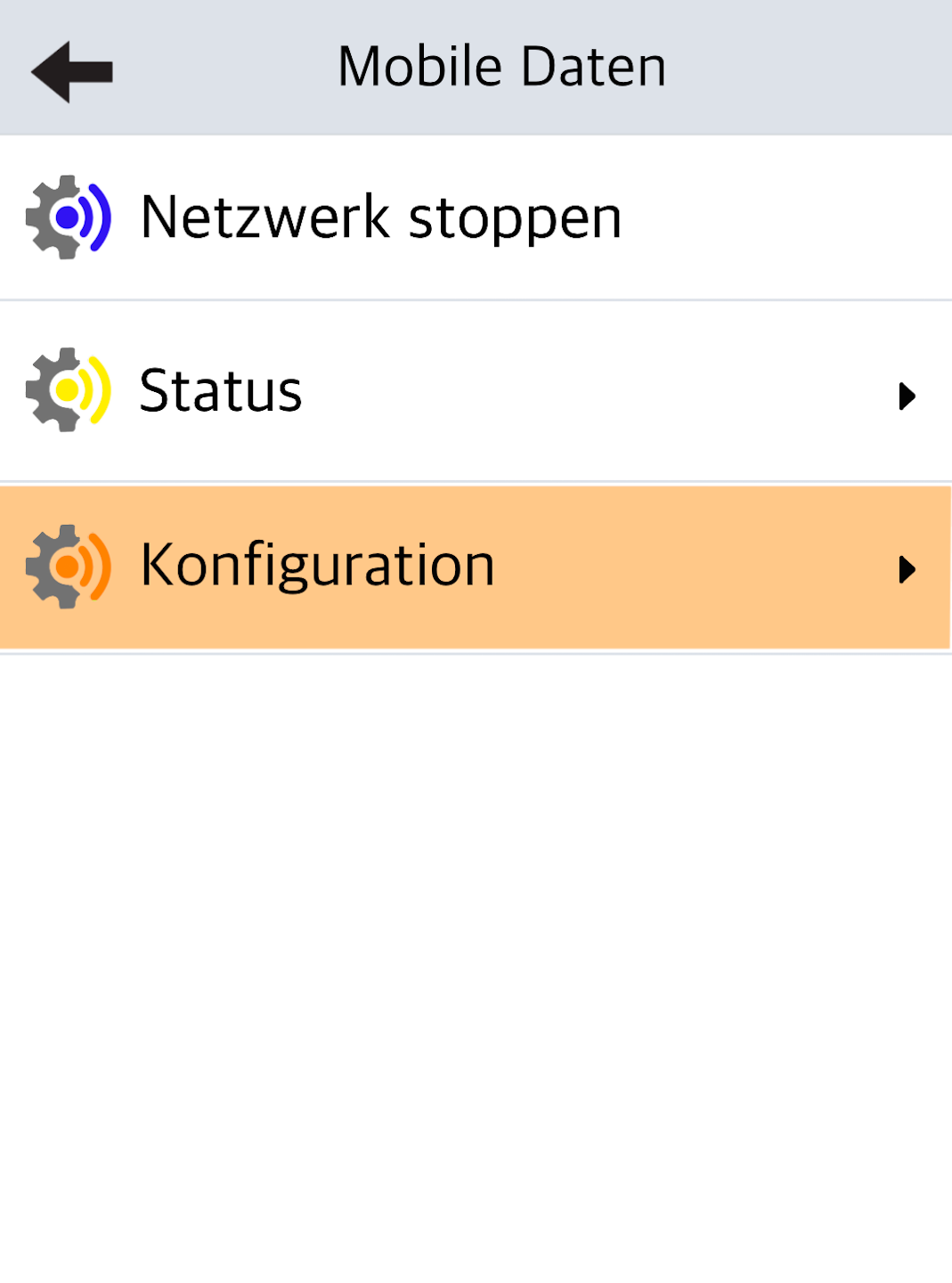
Fig. 2 – Select Konfiguration.
Fig. 3 – Tap Mobiles Netz again.
Select Mobile Network Provider
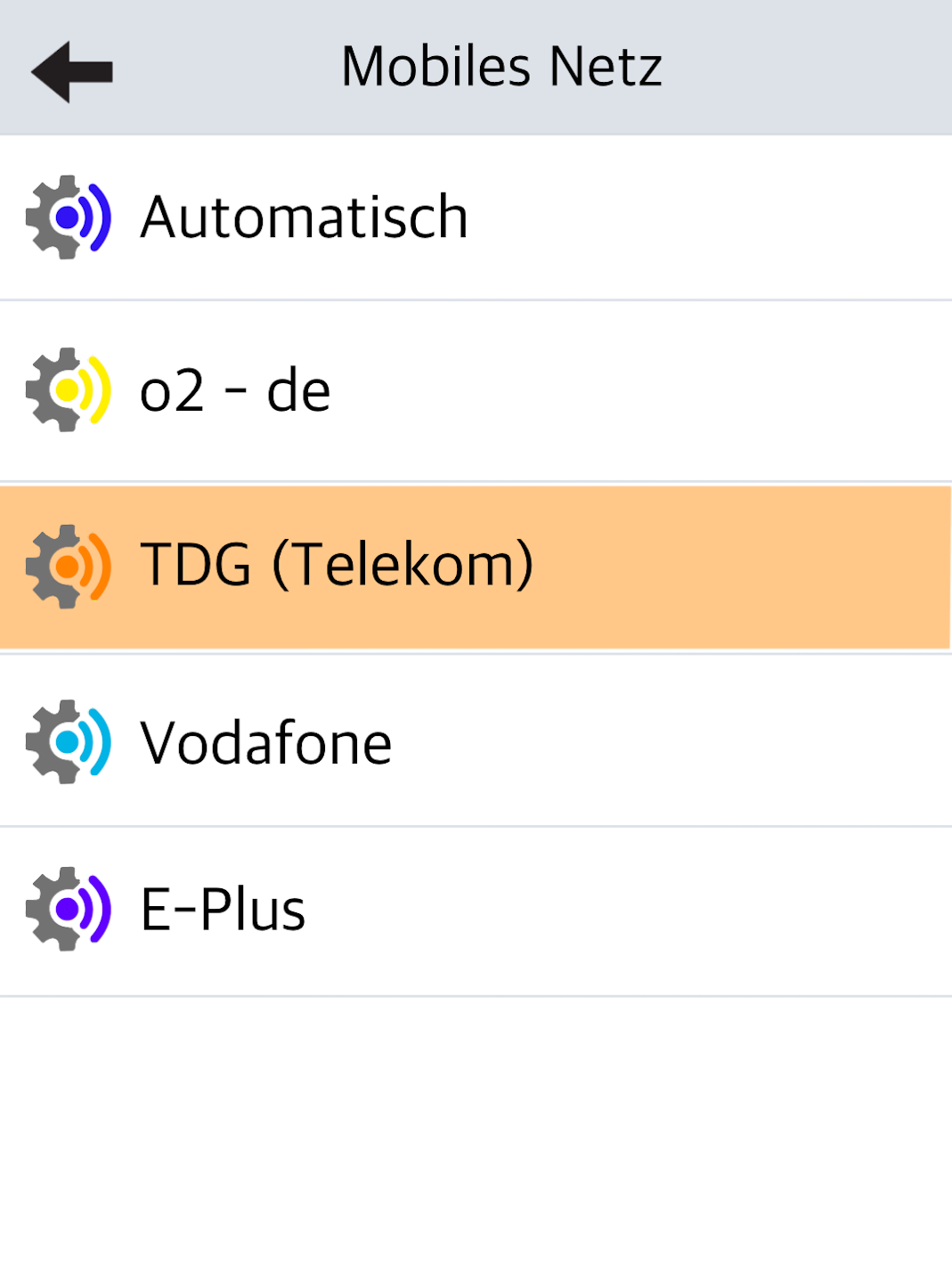
Follow the steps shown in the 3 figures:
Fig. 1 – Select the Mobile Network Provider.
→ The networks are displayed in descending order of signal strength.
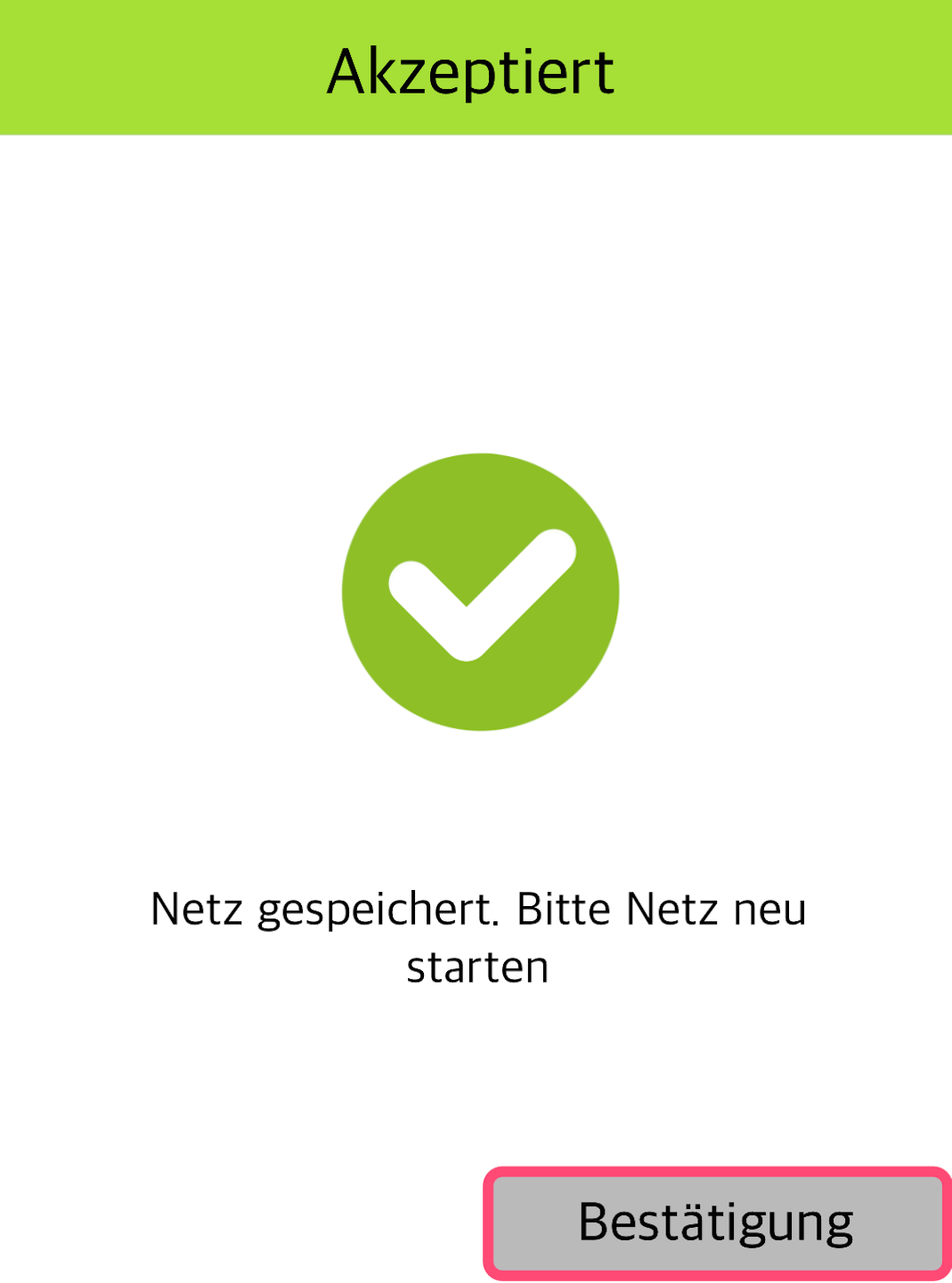
Fig. 2 – Please confirm the following message.
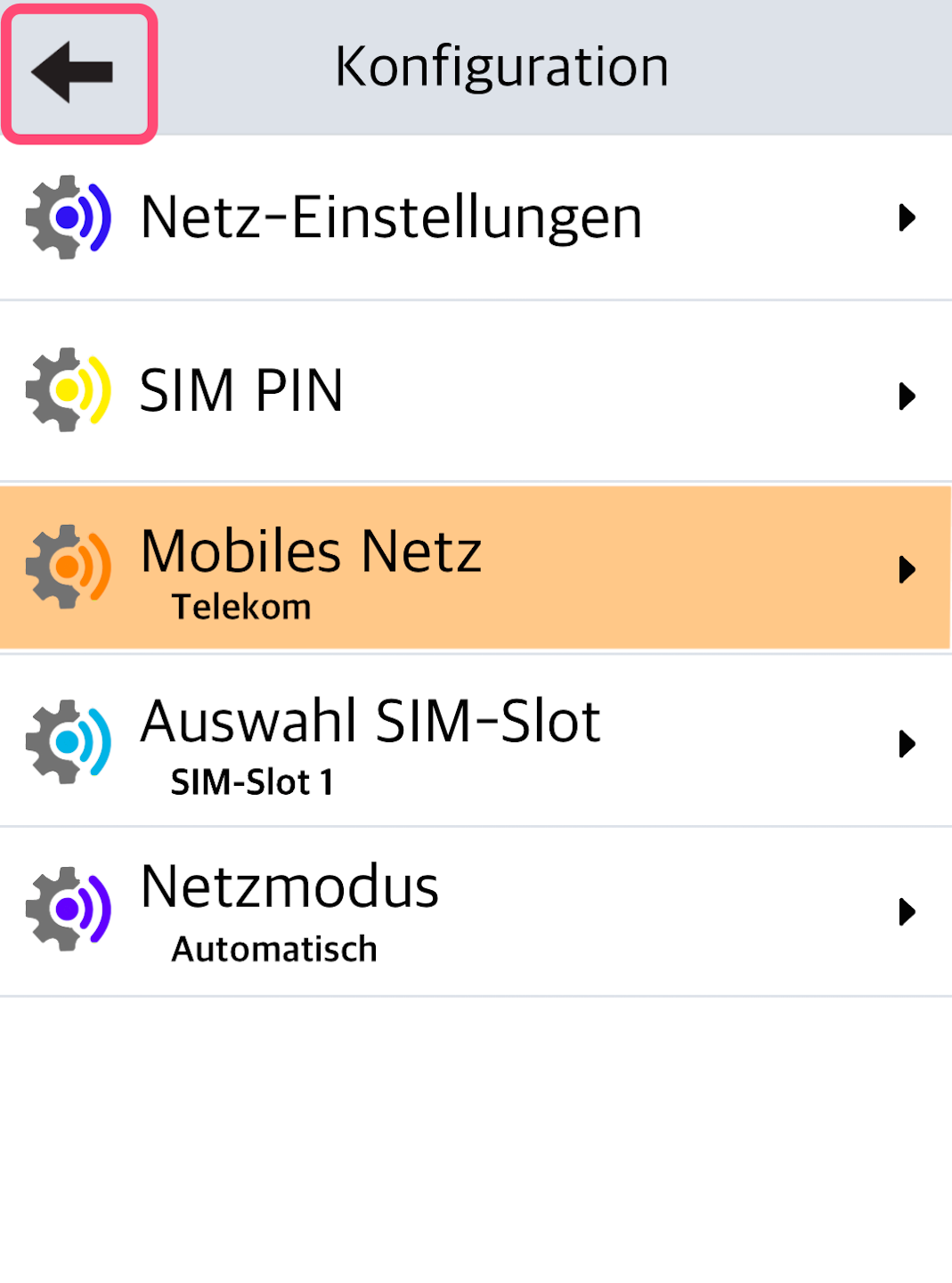
Fig. 3 – Return to your connection modules using the arrow key at the top left.
Start Interface
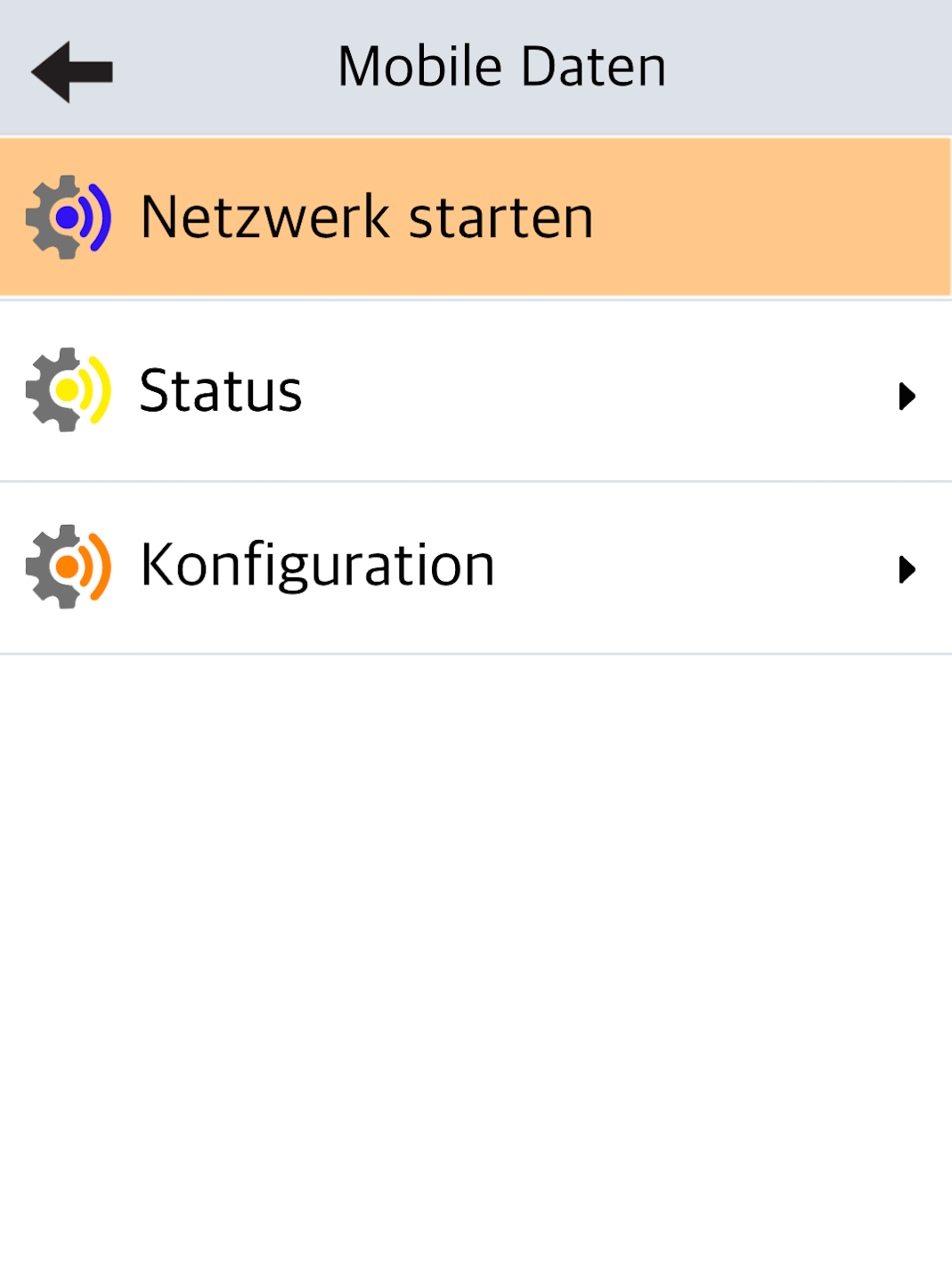
Fig. 1 – Please start the network so that the SIM card can register with your selected mobile network provider.
This may take a moment.
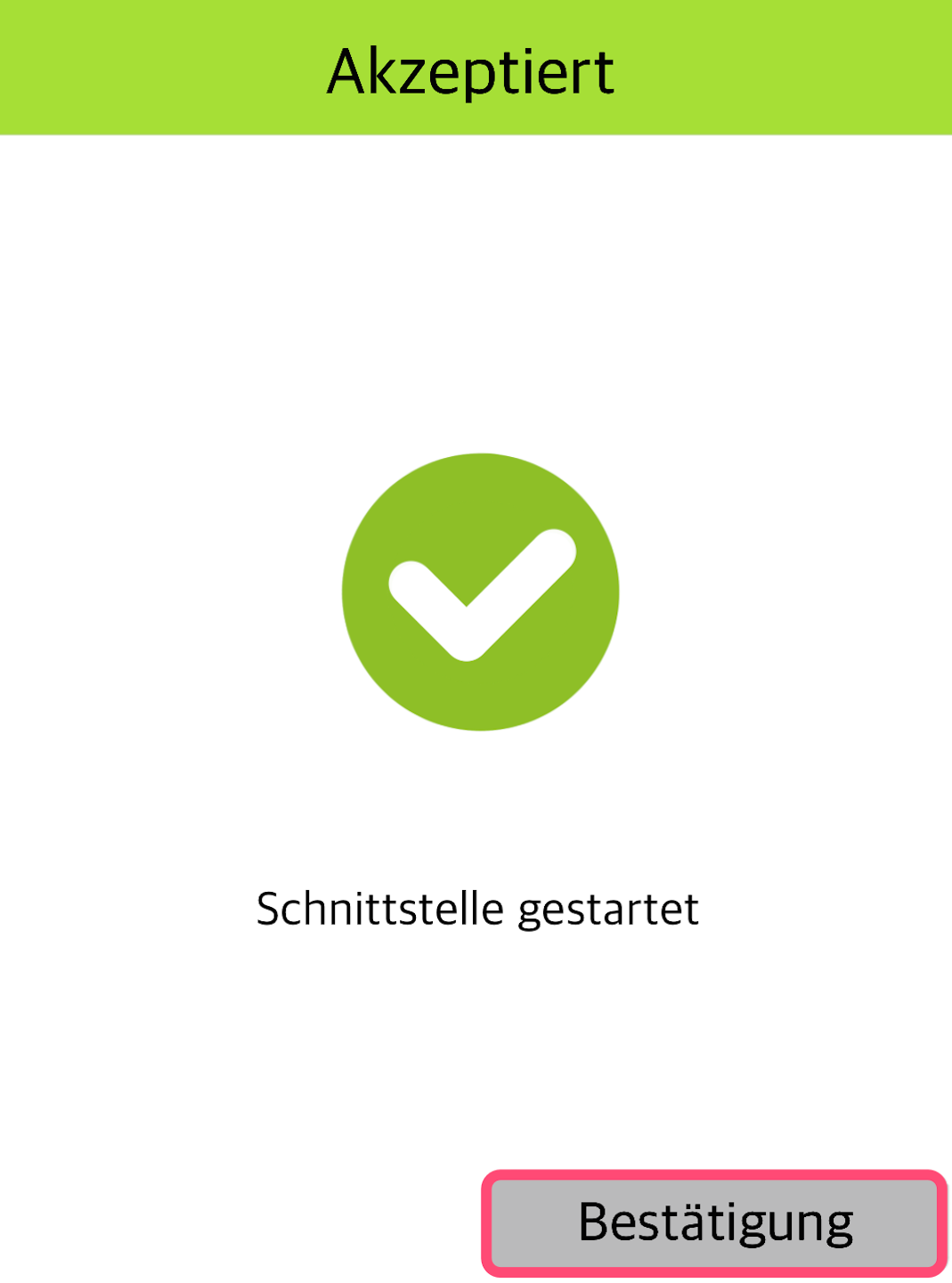
Fig. 2 – The interface has now been successfully started. Please confirm the message.
Completion
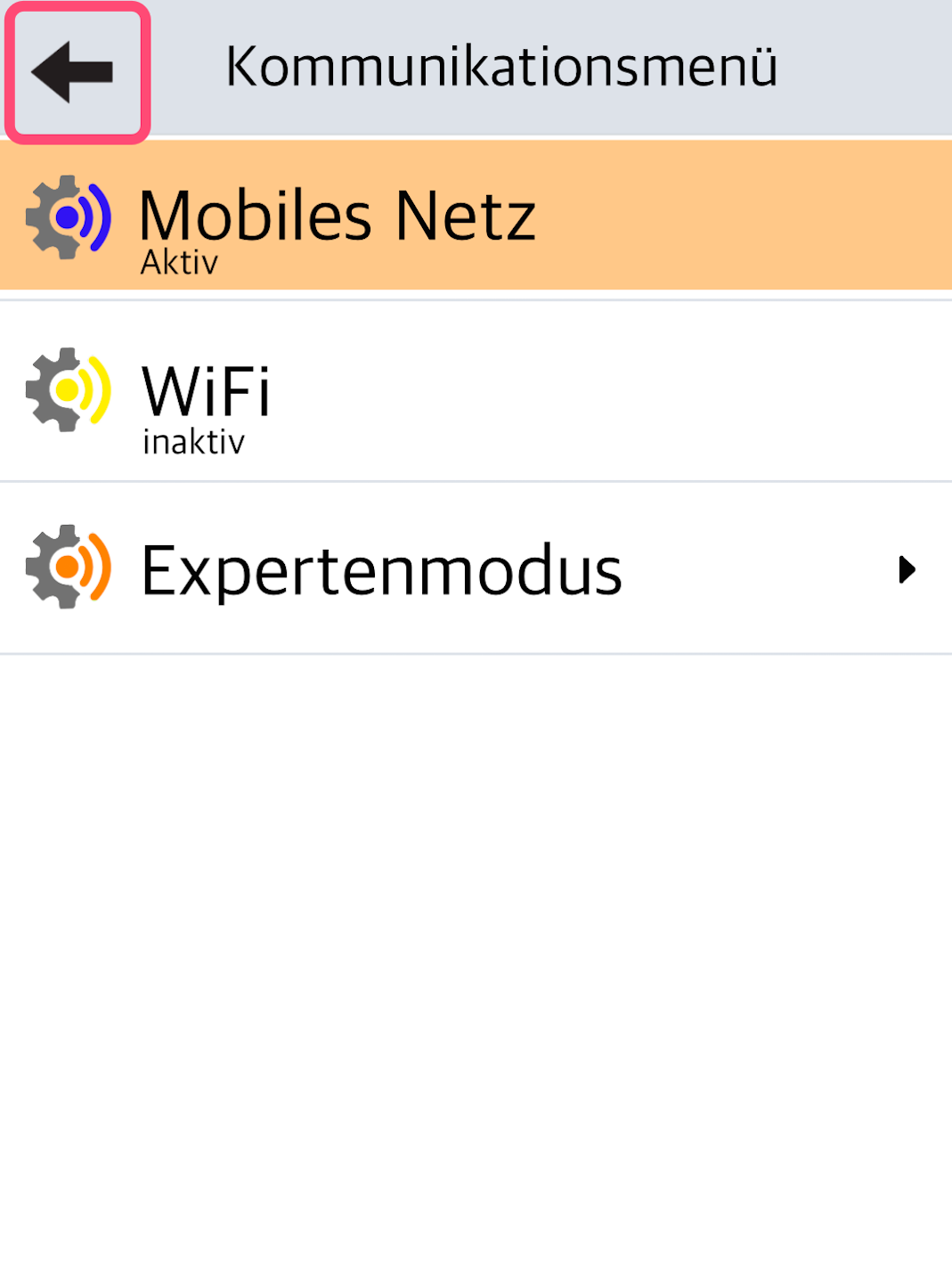
Fig. 1 – Please use the top left arrow to go back one step in the menu.
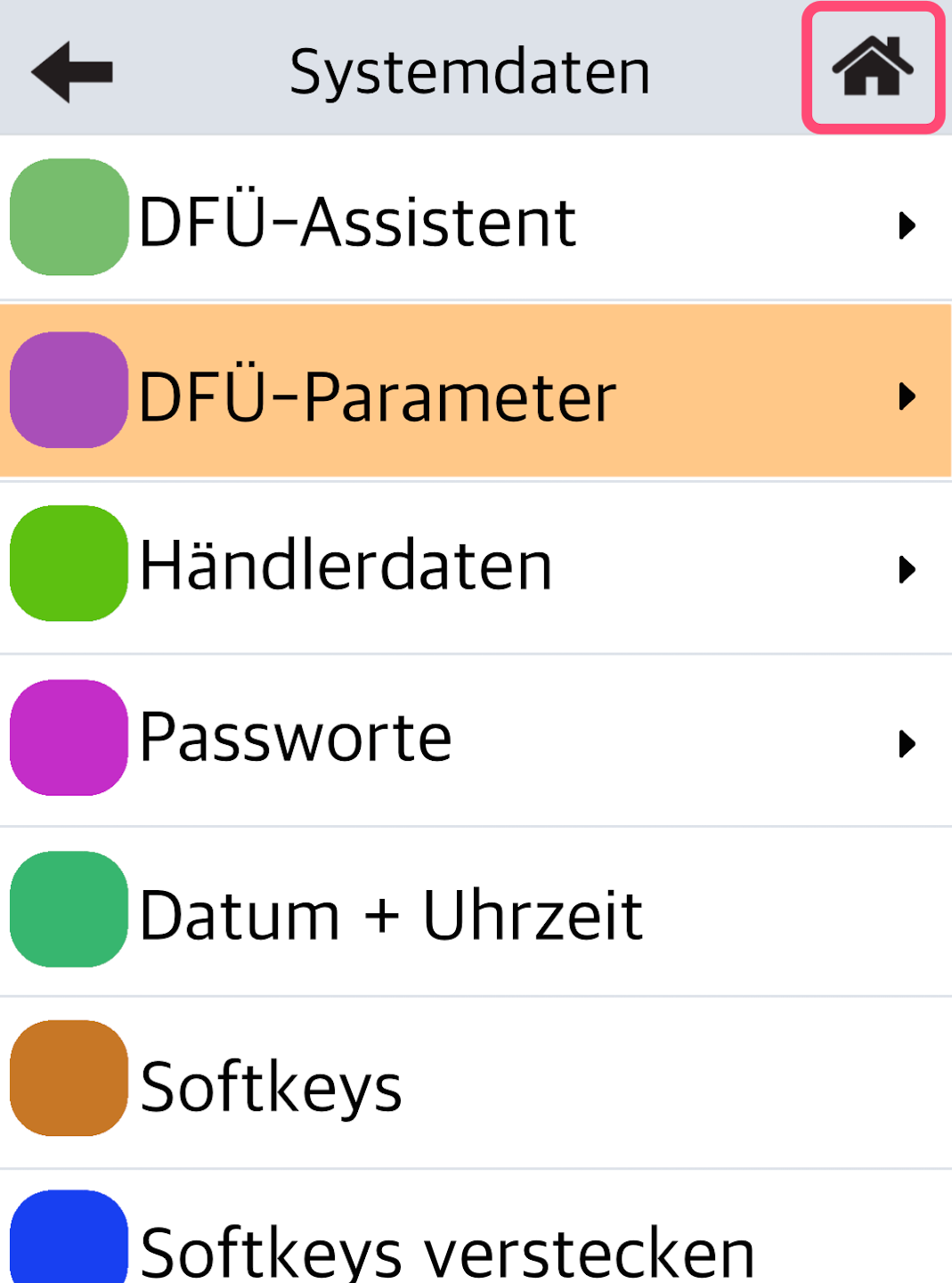
Fig. 2 – Now please tap the top right house icon to return to your home display.
Fig. 3 – In the top status bar, the newly selected mobile network is now displayed.
You have now successfully changed the mobile network provider.
Was this article helpful?
That’s Great!
Thank you for your feedback
Sorry! We couldn't be helpful
Thank you for your feedback
Feedback sent
We appreciate your effort and will try to fix the article
