POS Go - Switching Your Card Reader Due to Contract Changes
Modified on Tue, 10 Feb at 4:01 PM
Have you received the confirmation email for switching your card reader to the new contract changes? This email contains both your old and your new terminal ID.
In this step-by-step guide, we would like to support you with both images and text in switching your CCV PAX A920 POS Go card reader from the old to the new terminal ID.
Please perform a cash register closing before the switch to trigger the open transactions. Existing transactions cannot be transferred to the new contract account.
Starting Point
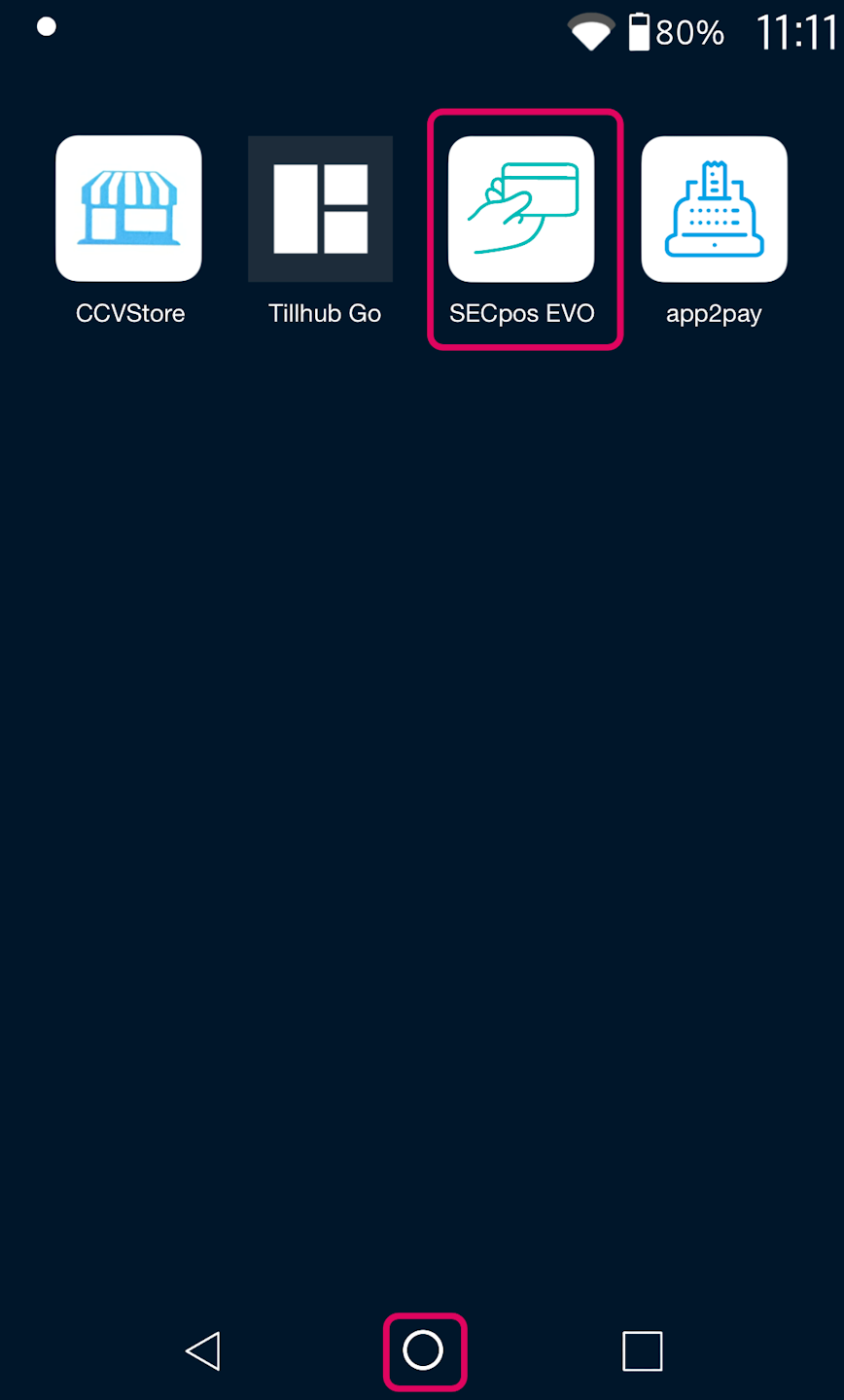
Please select the circle at the bottom area to access all installed apps.
Please tap the SECpos EVO app.
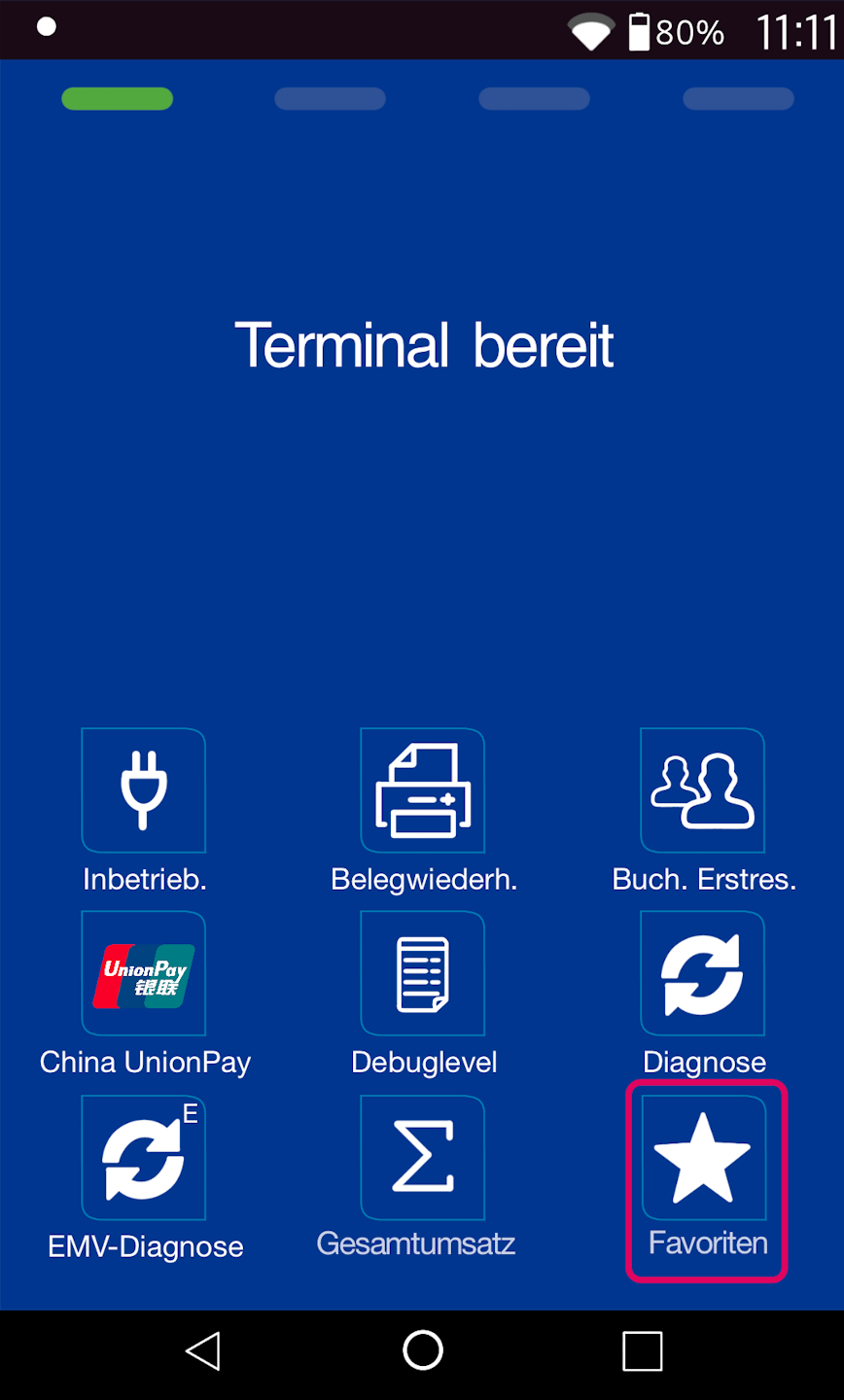
Favorites Button
Please select Favorites at the bottom right.
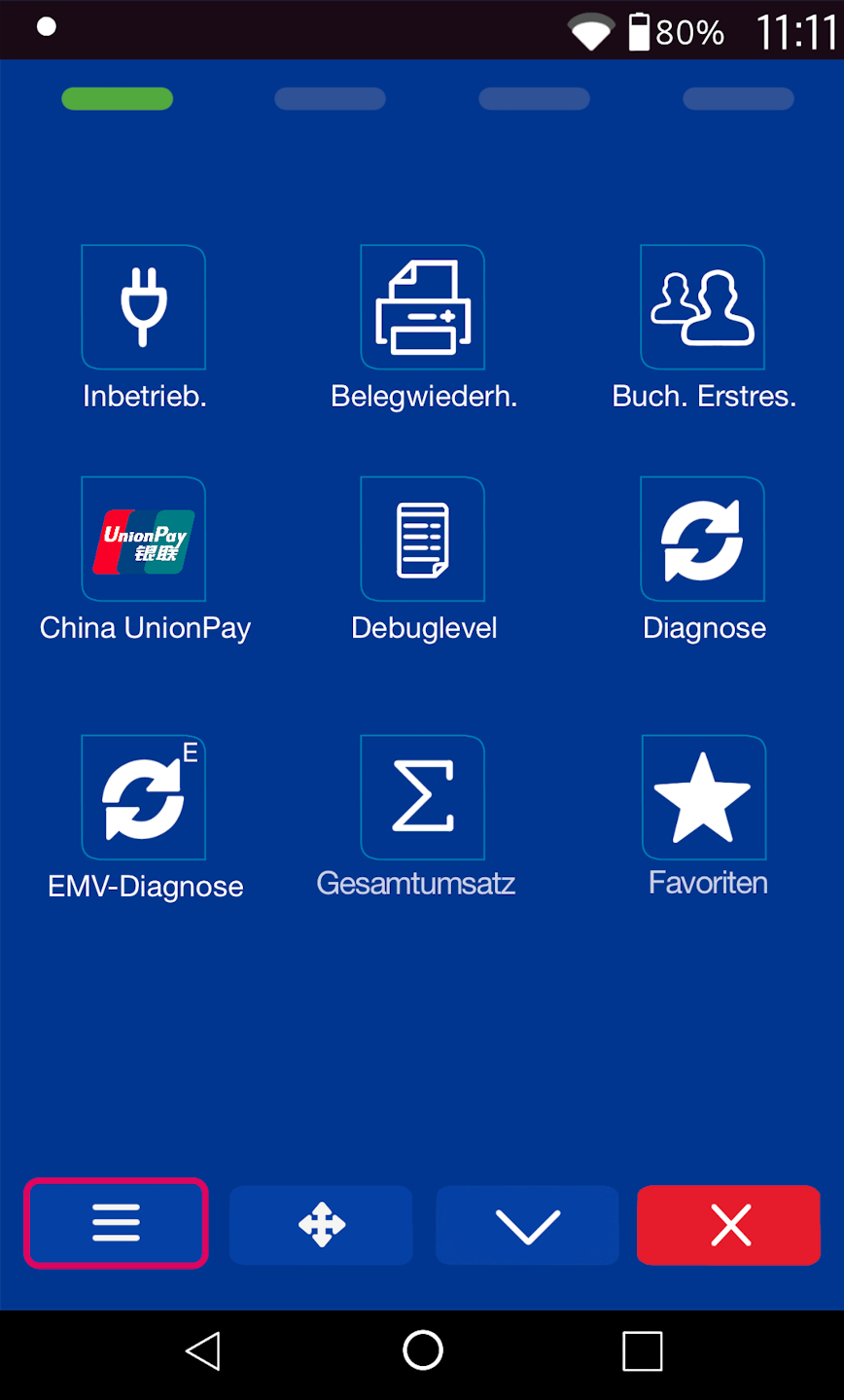
Main Menu
Please navigate to the lower left corner of the screen and select the button with the three horizontal bars to access the main menu.
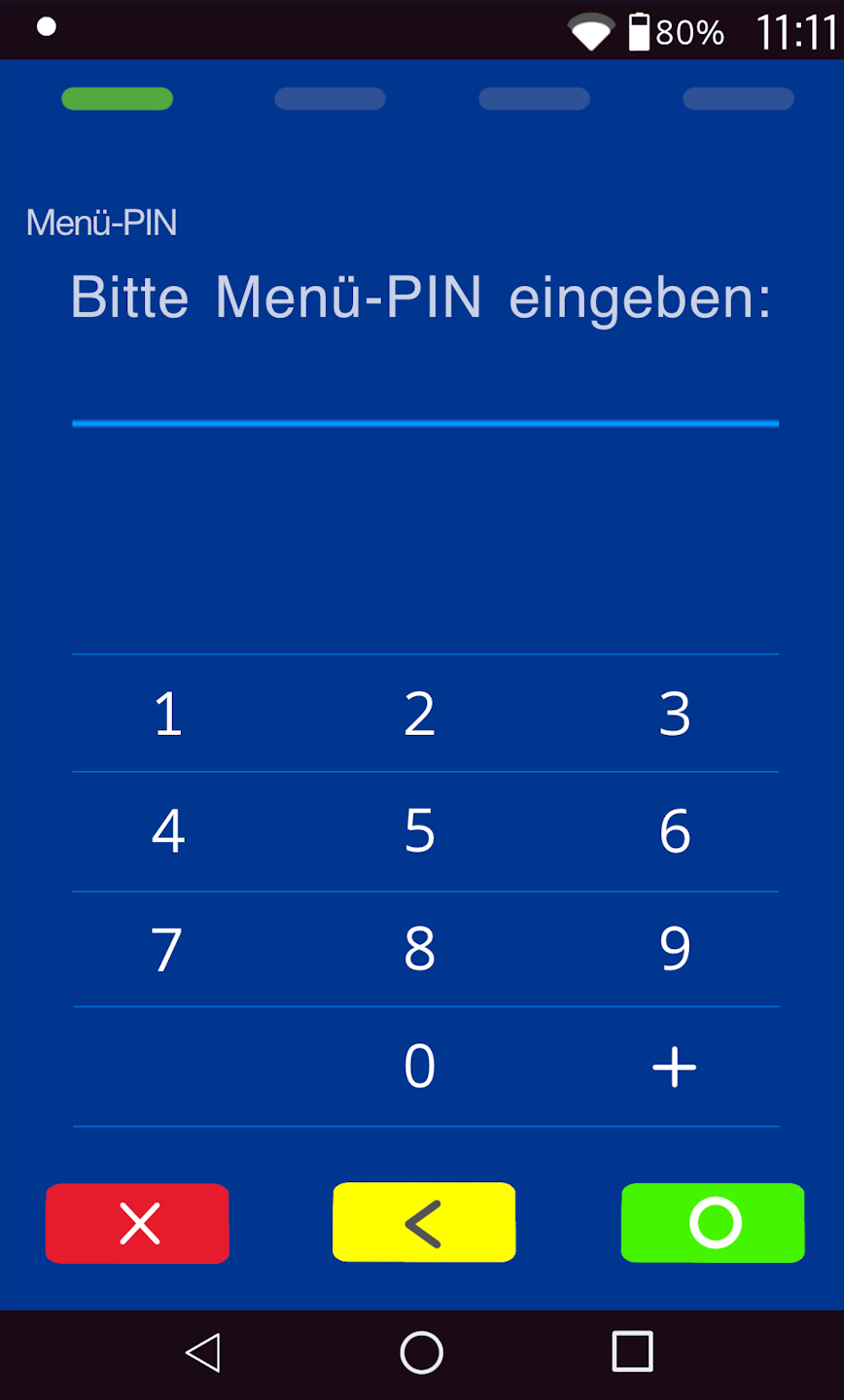
PIN Entry
Please now enter your manager PIN based on your terminal ID.
You will find the terminal ID on your merchant receipts or on the cash register summary.
Terminal IDs starting with 68xxxxxx: 111111
Terminal IDs starting with 526xxxxx: 0123
Please confirm the entry with the green OK key.
Main Menu
Please navigate to the menu item Verwaltung.
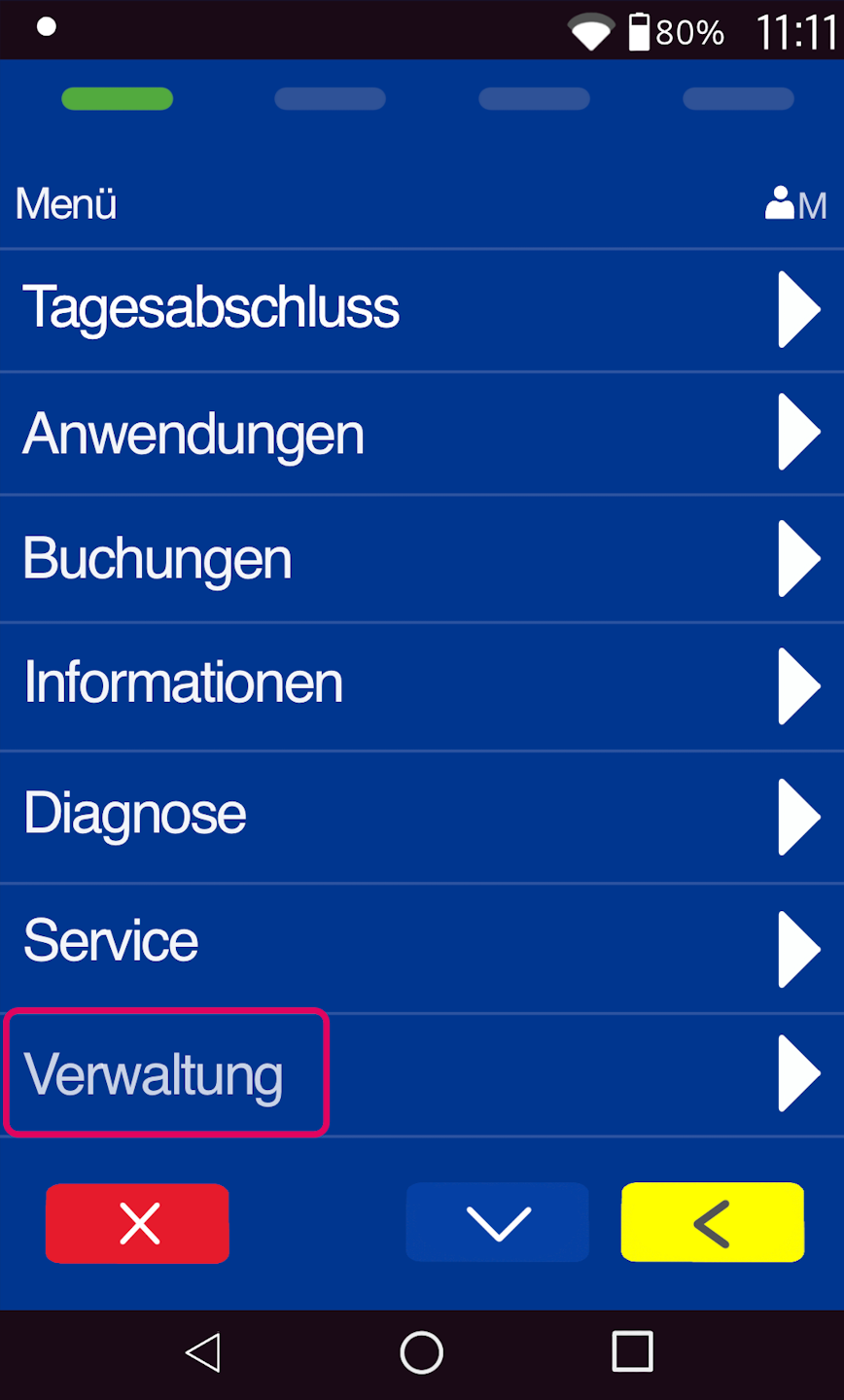
Payment Transactions
Please select the menu item Zahlungsverkehr.
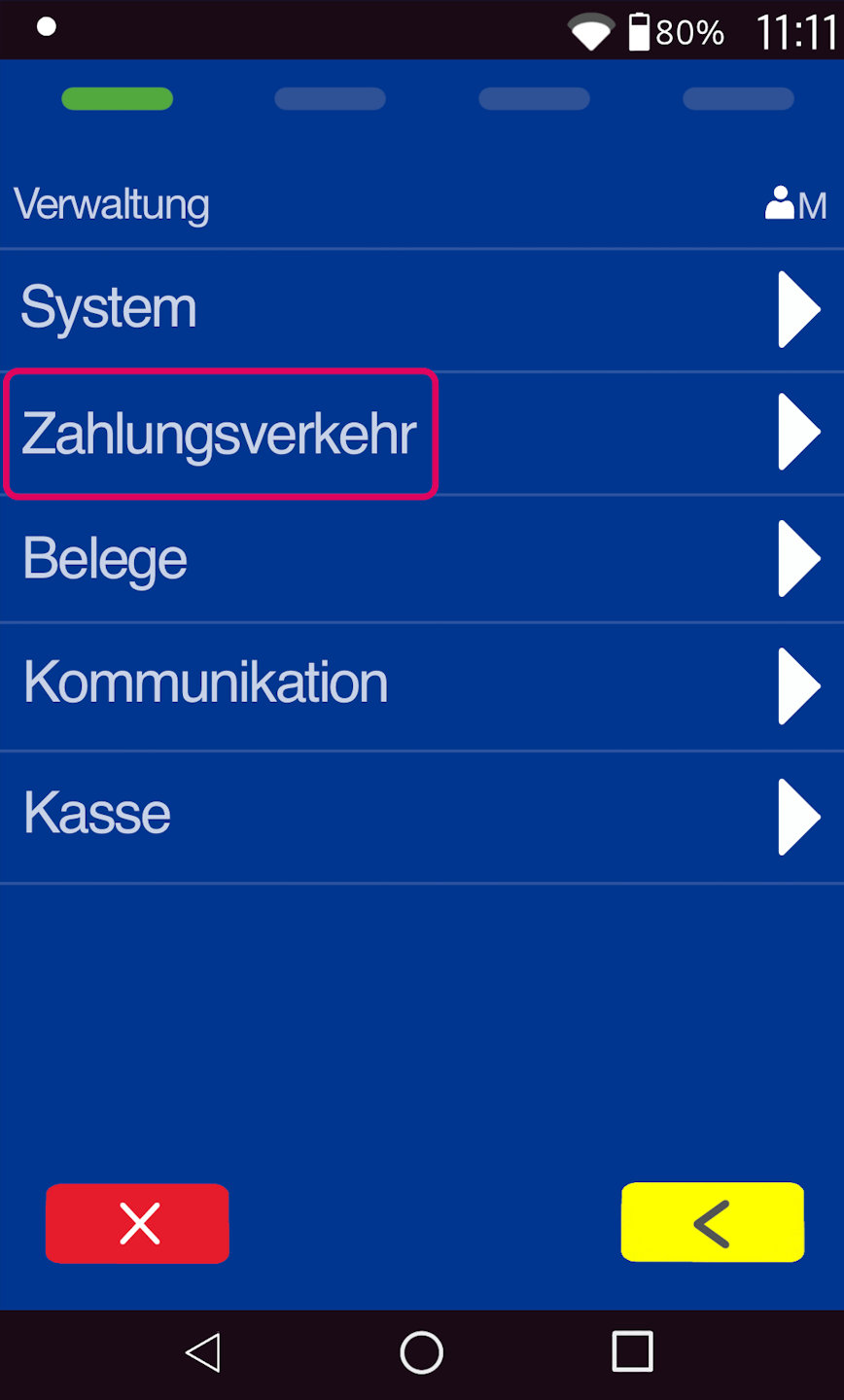
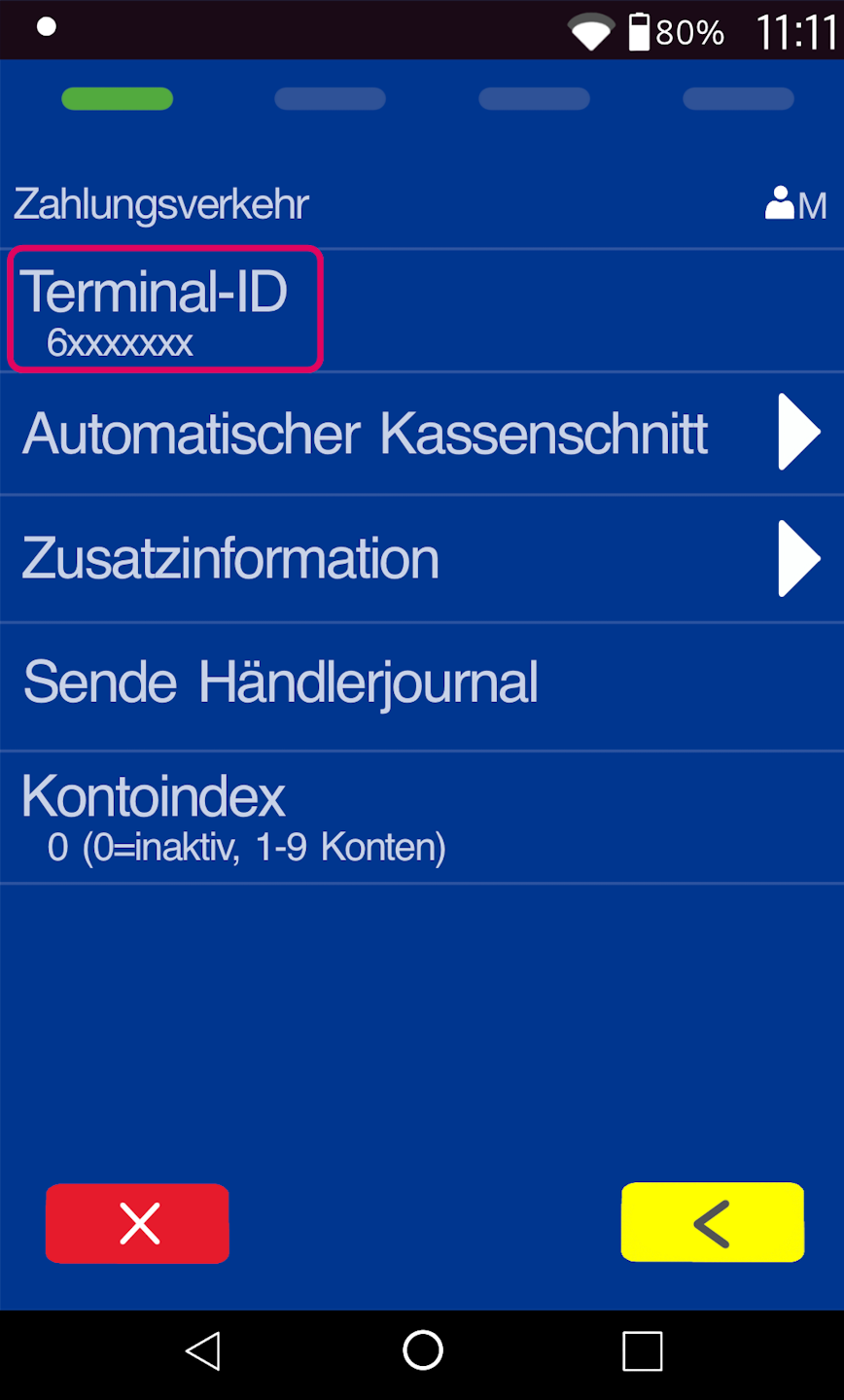
Terminal ID
The top menu item Terminal ID shows your currently active terminal ID.
To edit it, please tap the menu item Terminal ID.
Change Terminal ID
Your old terminal ID will be displayed. Please delete it using the yellow key and enter your new terminal ID correctly.
Your old and new terminal ID were sent to you by email.
Please confirm the entry with the green OK key.
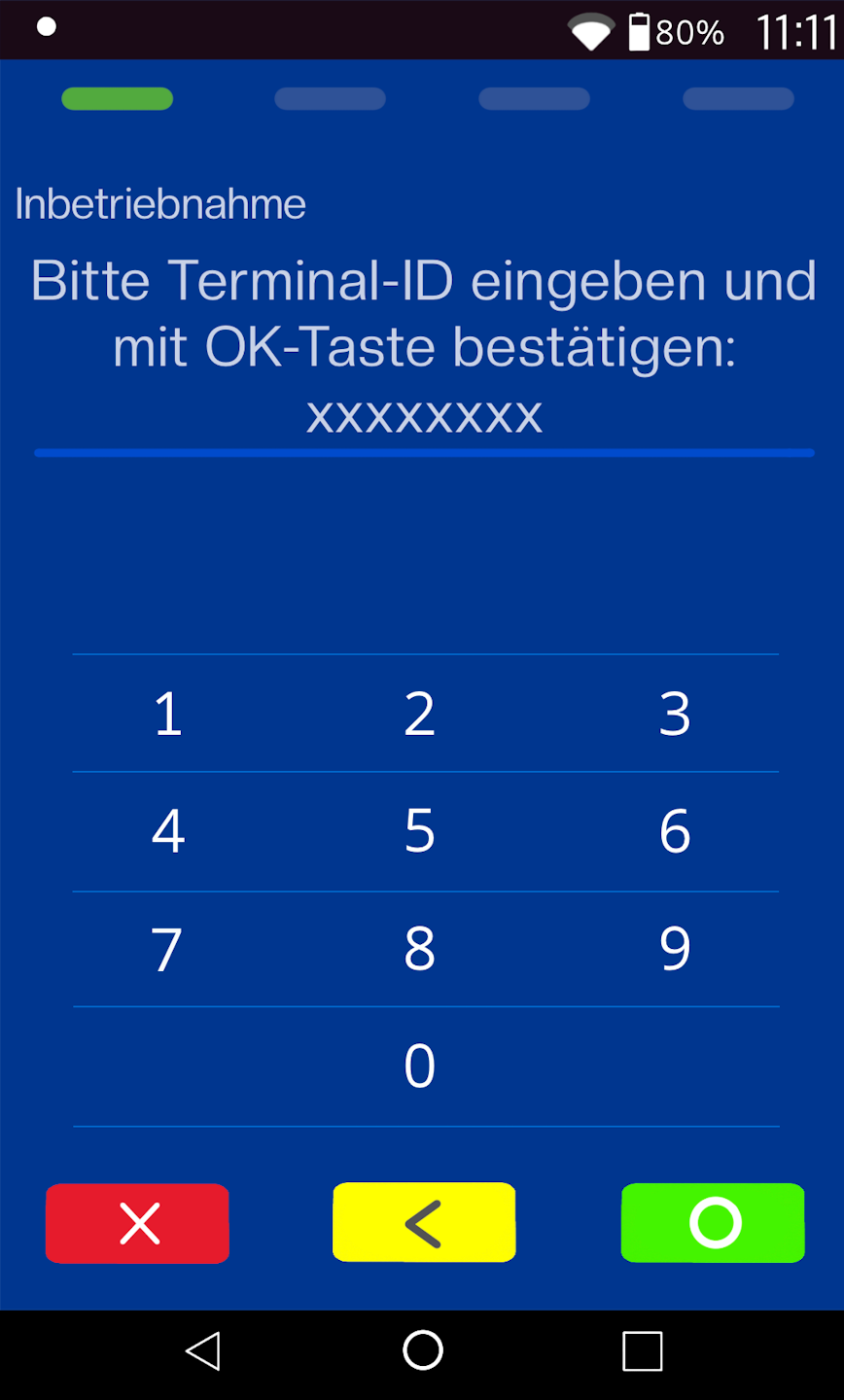
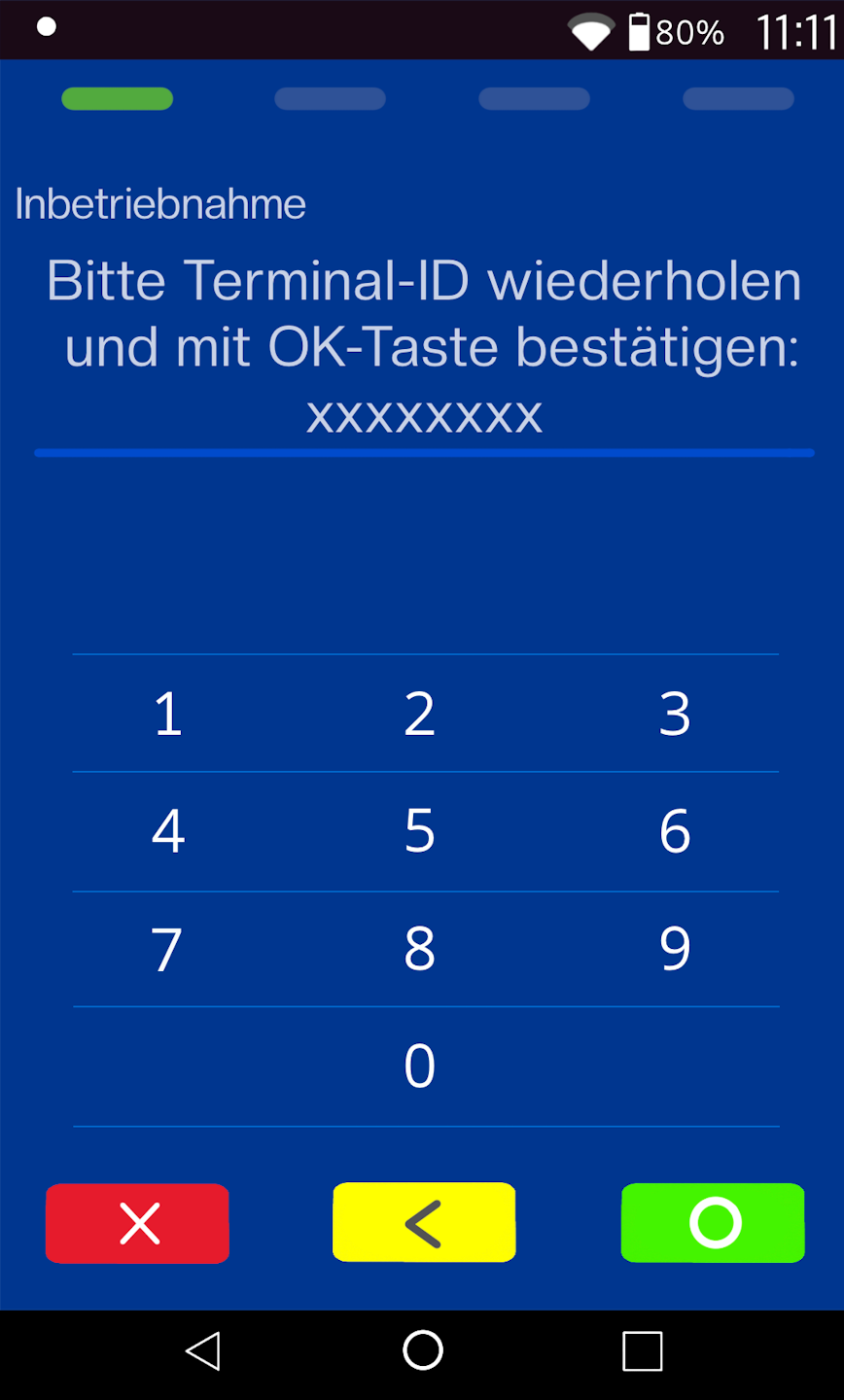
Repeat Terminal ID
Please also delete the existing terminal ID here with the yellow key and enter your new terminal ID correctly.
Please confirm the new terminal ID entry again with the green OK key.
The card reader will now be activated with the updated contract information. Three diagnoses will be carried out, each confirmed with a receipt.
Once all diagnoses are complete, your card reader will again be available with the new contract changes.
Was this article helpful?
That’s Great!
Thank you for your feedback
Sorry! We couldn't be helpful
Thank you for your feedback
Feedback sent
We appreciate your effort and will try to fix the article
