Create variant templates
Modified on Mon, 16 Feb at 10:12 AM
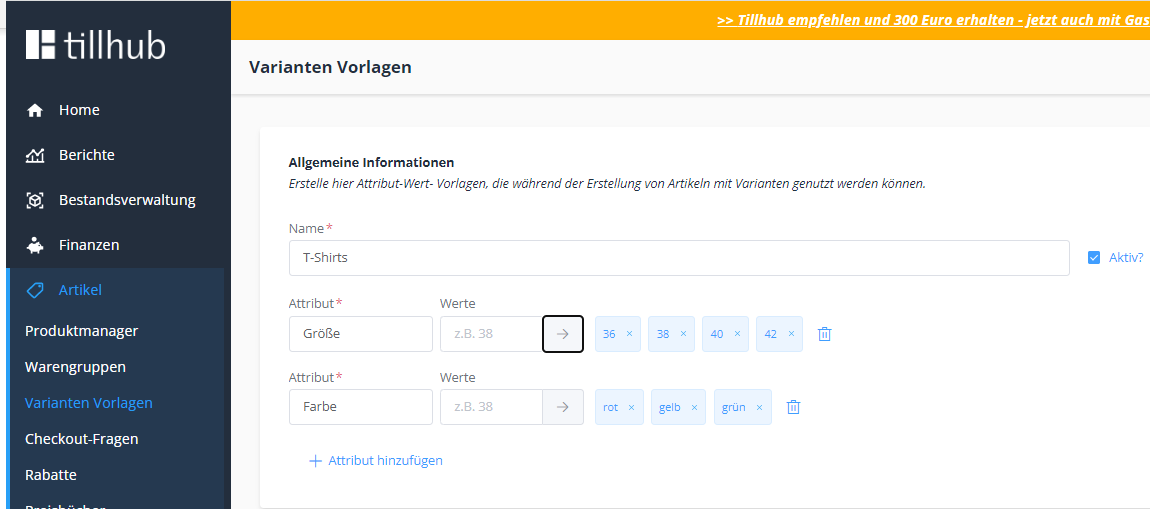
If you sell different items in your store that come in variants and all share the same attributes, it is worth creating a variant template. To do so, simply navigate to Items > Variant templates and tap the blue “+ New” button in the top right.
Under “Name”, enter the name of the template, e.g. “T-shirts”, and add the relevant attributes and attribute values. Finally, tap the blue “Create” button in the bottom right to save your template.
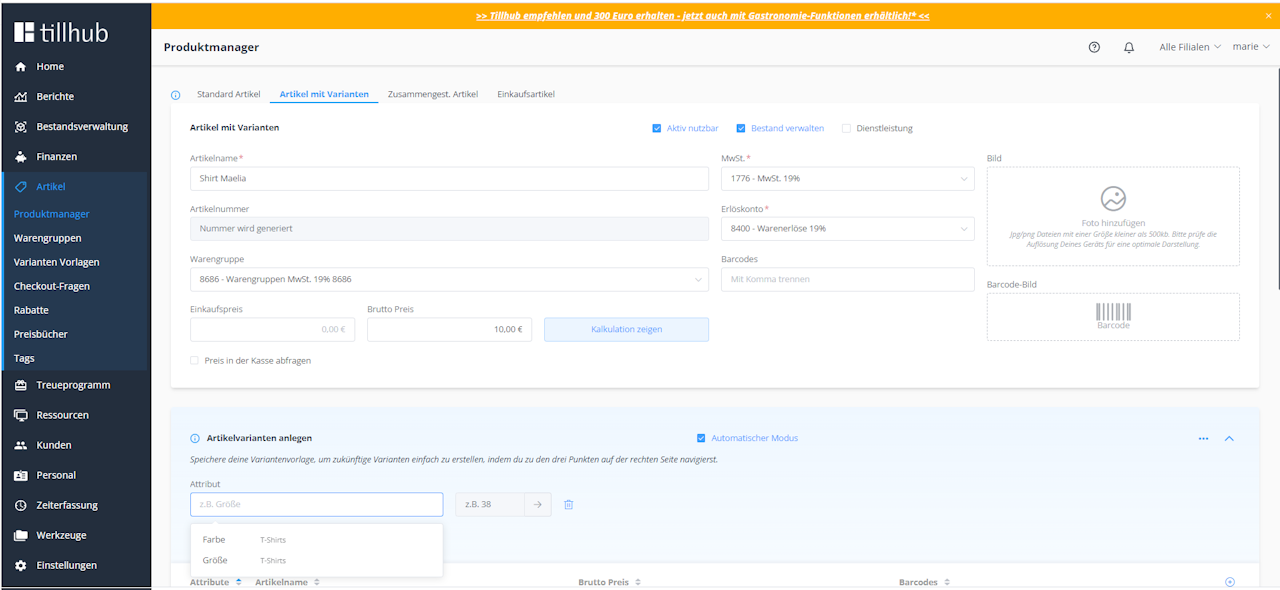
 When you go to the product manager and create an item with variants, your created variant templates will be shown in the item edit view as soon as you tap the “Attribute” field.
Was this article helpful?
That’s Great!
Thank you for your feedback
Sorry! We couldn't be helpful
Thank you for your feedback
Feedback sent
We appreciate your effort and will try to fix the article
