Time Tracking at the POS (optinal)
Modified on Wed, 18 Feb at 3:56 PM
To use time tracking at the POS, first open the register so that the tile overview is visible. In the bottom right corner, there is a small clock.
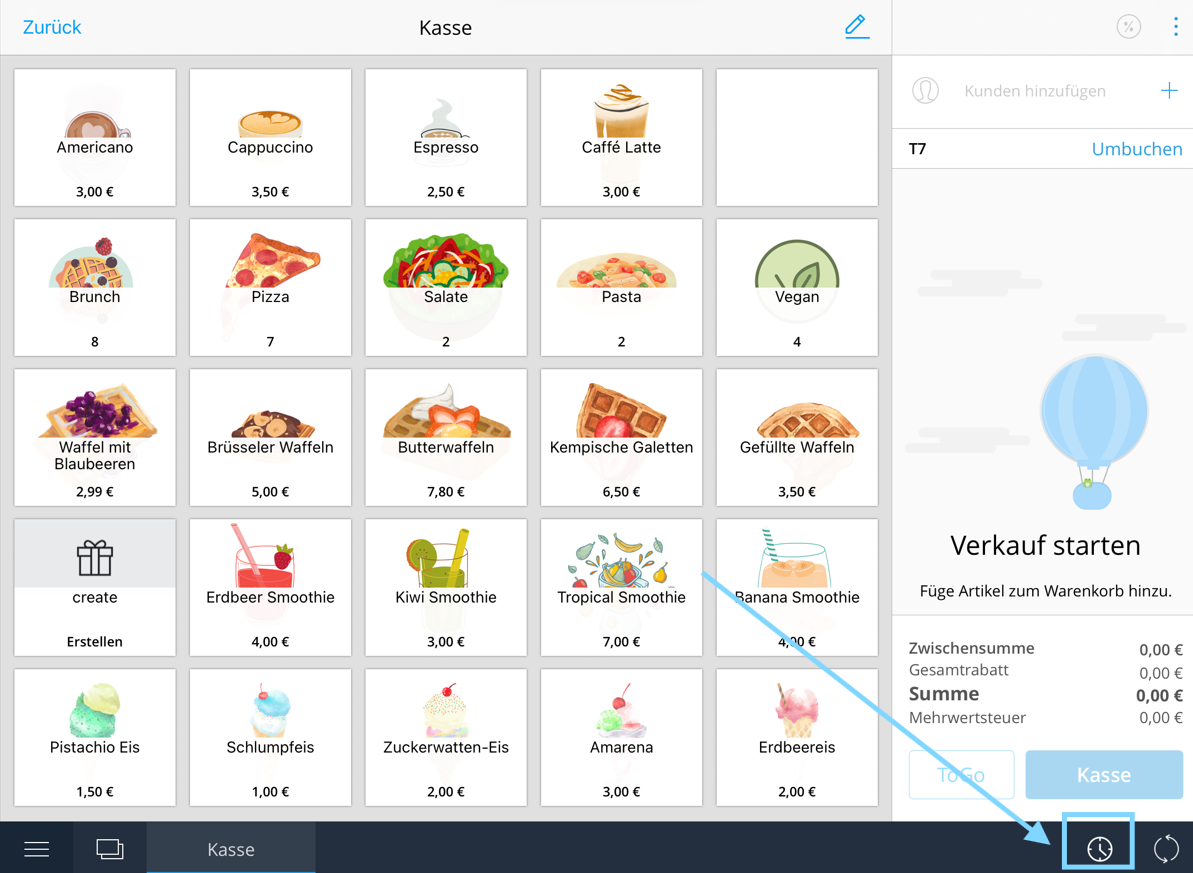
Tap the clock to display an overview of all employees. Select your name, enter your personal PIN, and you will be clocked in for the workday.
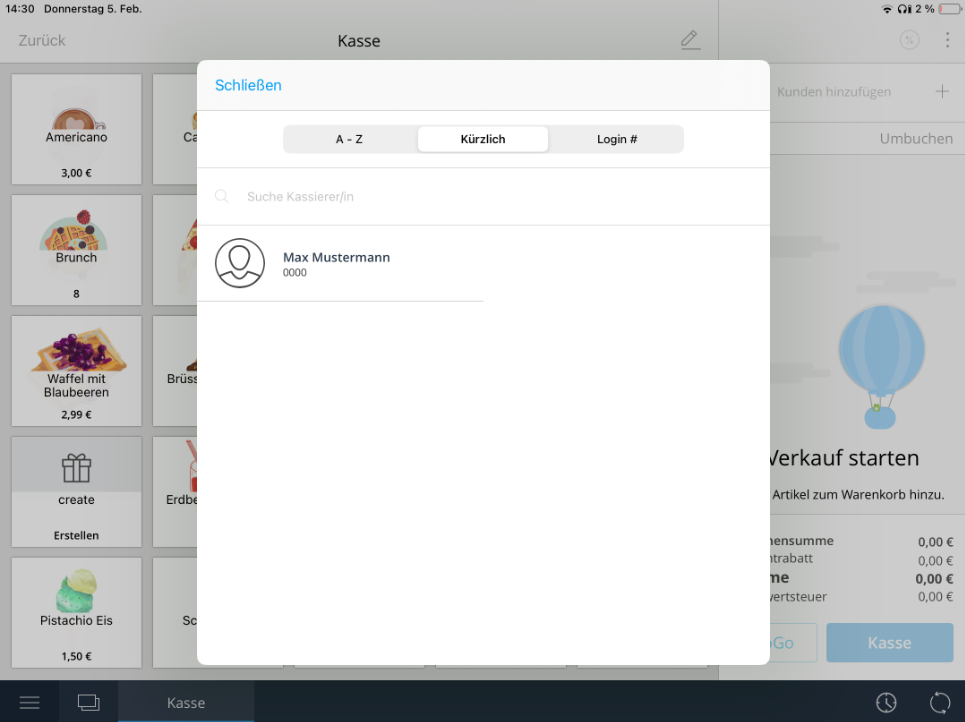
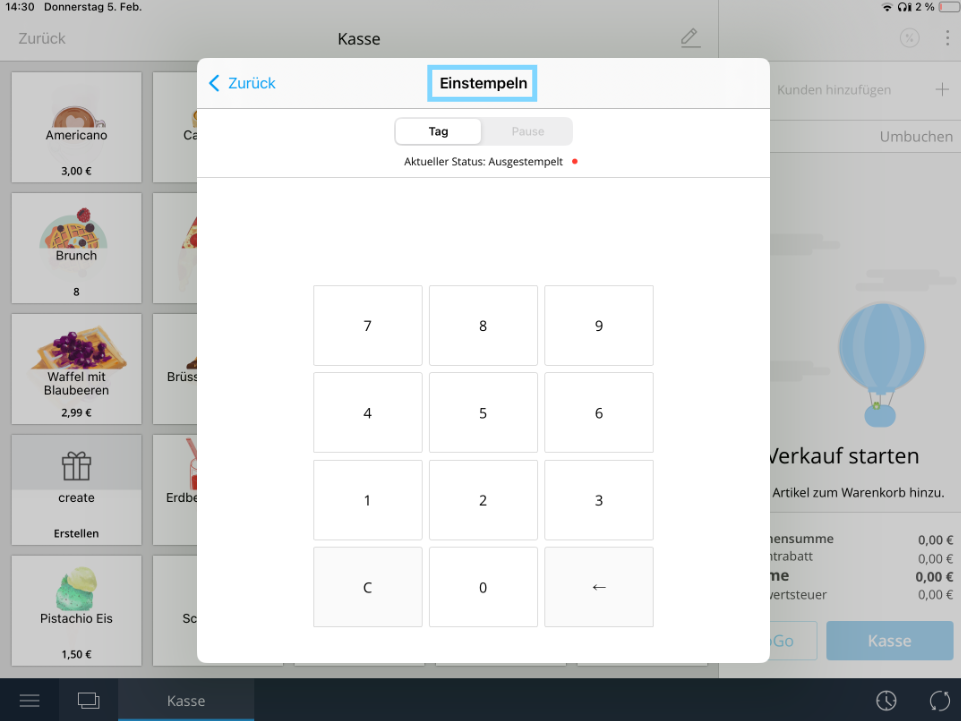
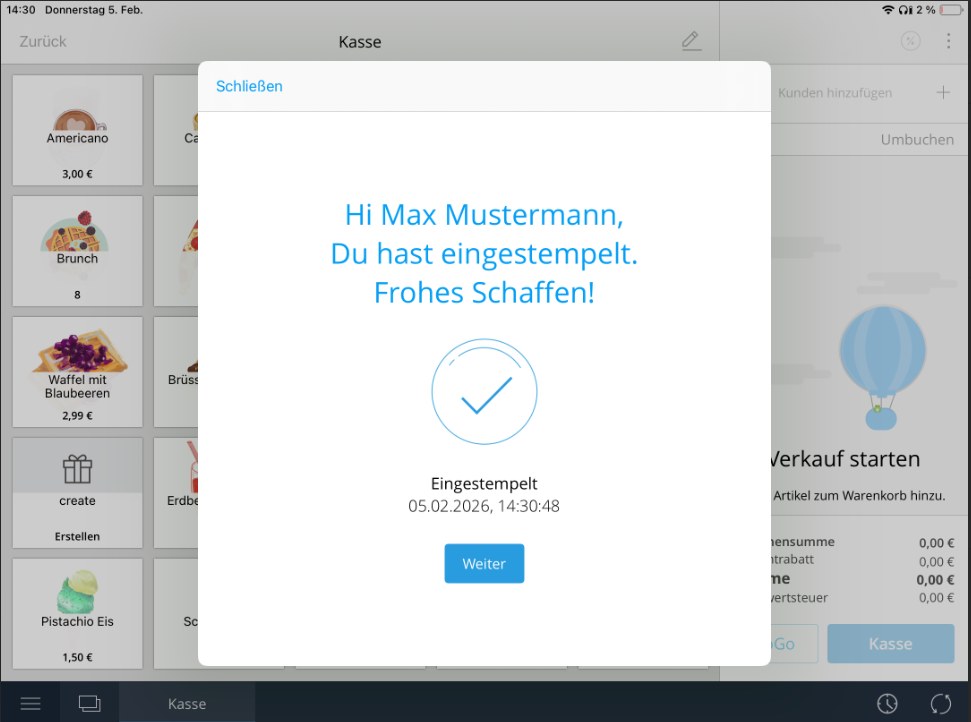
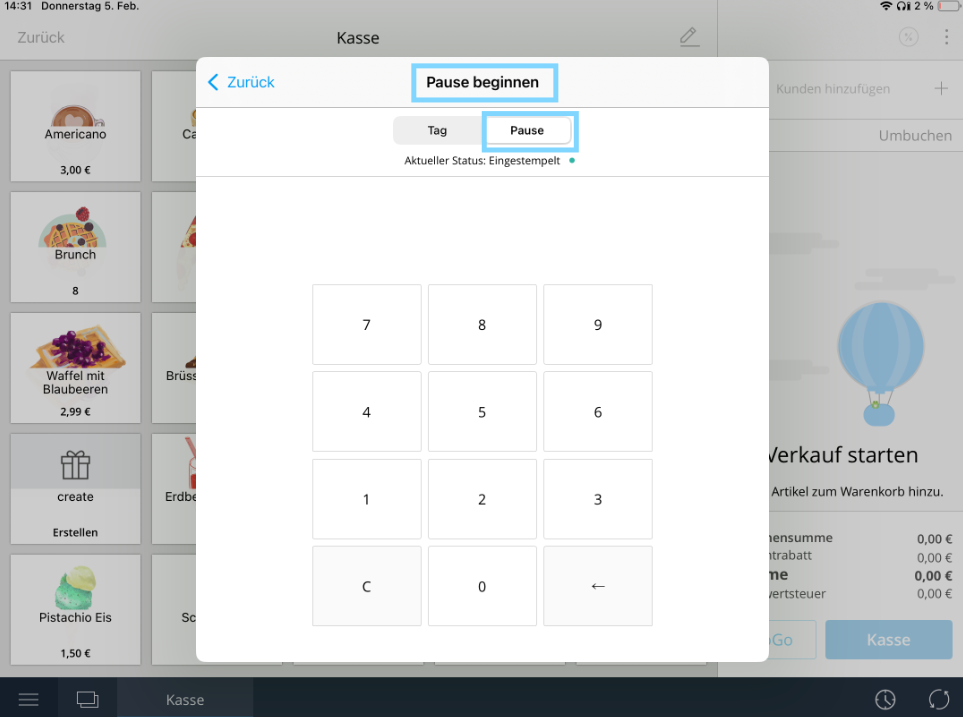
To start a break, tap the clock in the bottom right corner again. Then select your name and enter your PIN to begin the break.
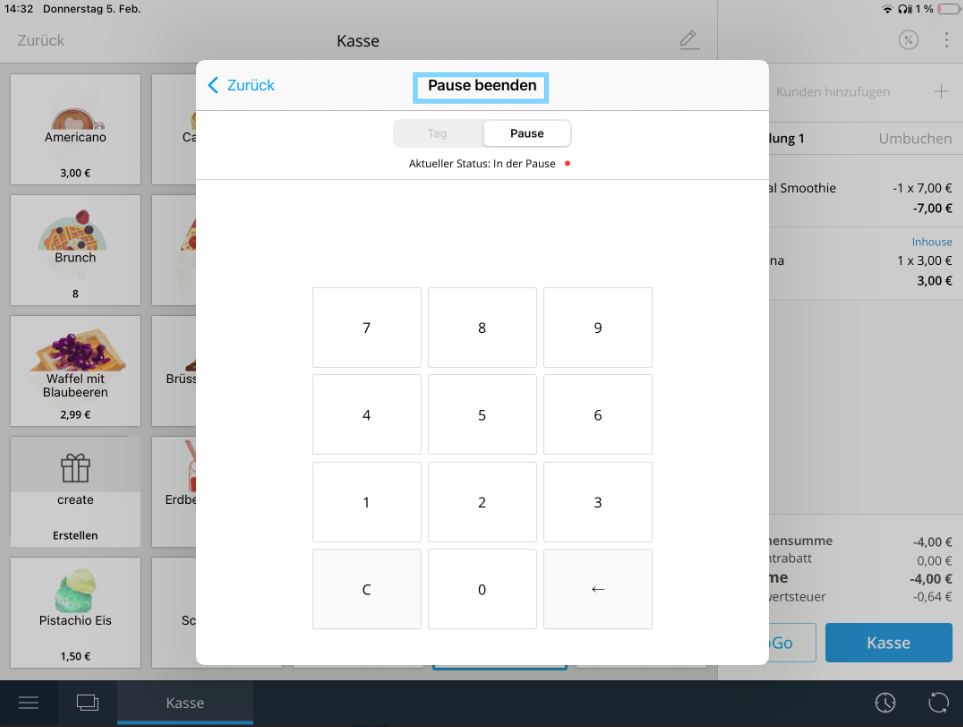
To end the break, tap the clock once more, select your name again, and confirm by entering your PIN. Your working time will then continue as usual.
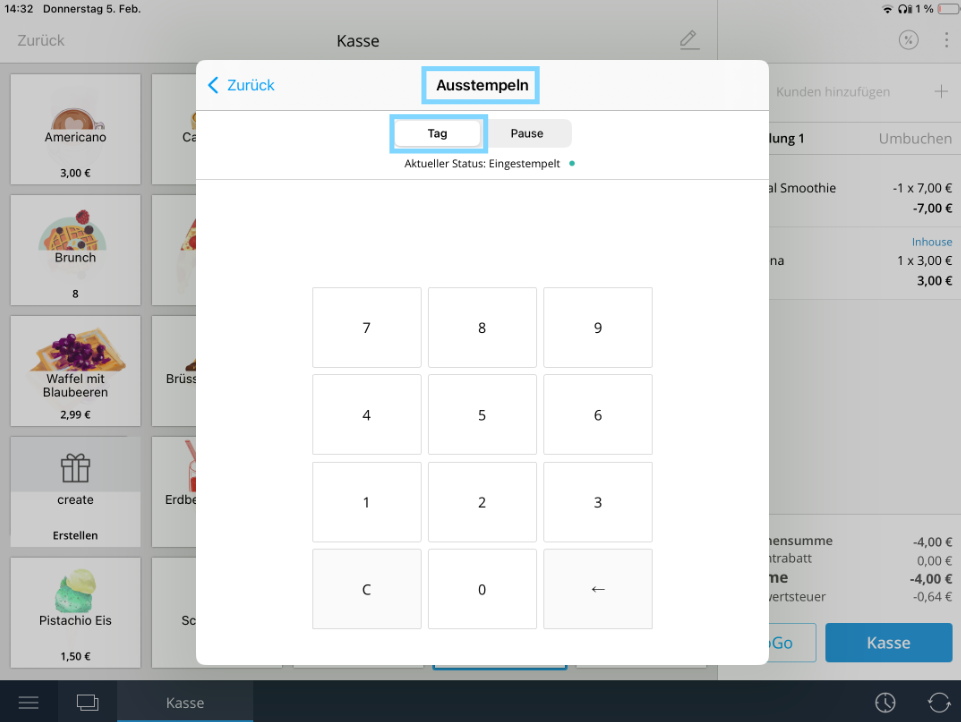
At the end of the workday, you also clock out using the clock. To do this, tap the clock in the bottom right corner, enter your PIN, and select the “Day” option at the top. You are then correctly clocked out for the day.
Was this article helpful?
That’s Great!
Thank you for your feedback
Sorry! We couldn't be helpful
Thank you for your feedback
Feedback sent
We appreciate your effort and will try to fix the article
