Order Details & Actions
Modified on Tue, 20 Oct at 5:43 PM
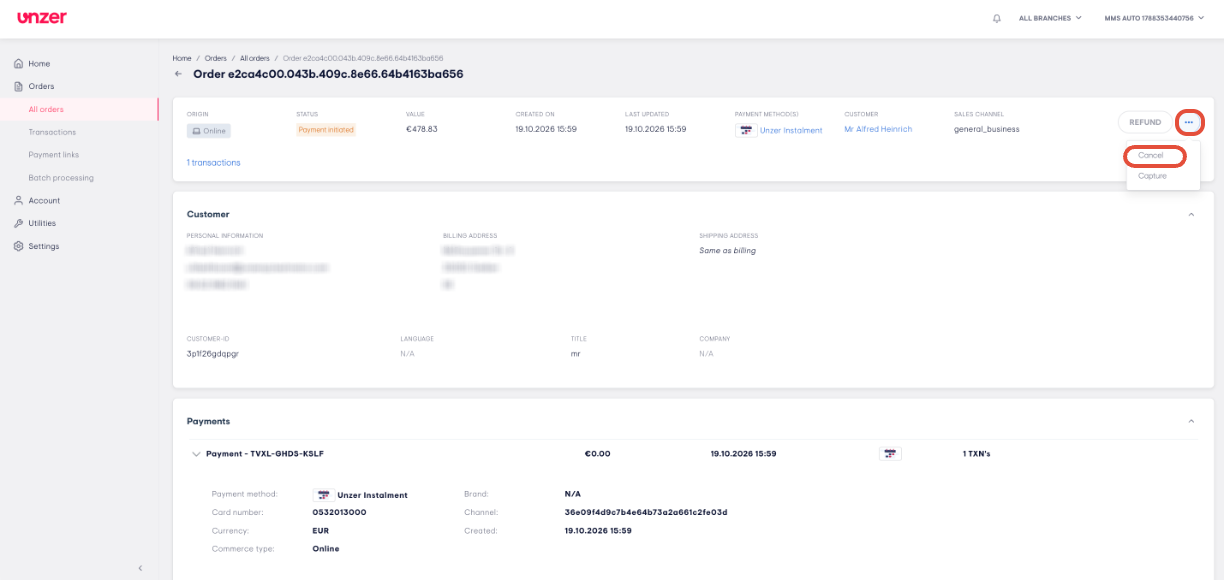
On the order details page, you can see everything about an order: its status, the customer, the payments and each transaction. From the same page, you can capture, refund or cancel the payment.
Note: Users with the Administrator, Operations Manager and Operations Member roles can view orders. Only users with the Administrator and Operations Manager roles can capture, refund or cancel orders.
TABLE OF CONTENTS
- Open an order
- View the order details
- View payments and transactions
- Capture an order
- Refund an order
- Cancel an order
Open an order
Find the order
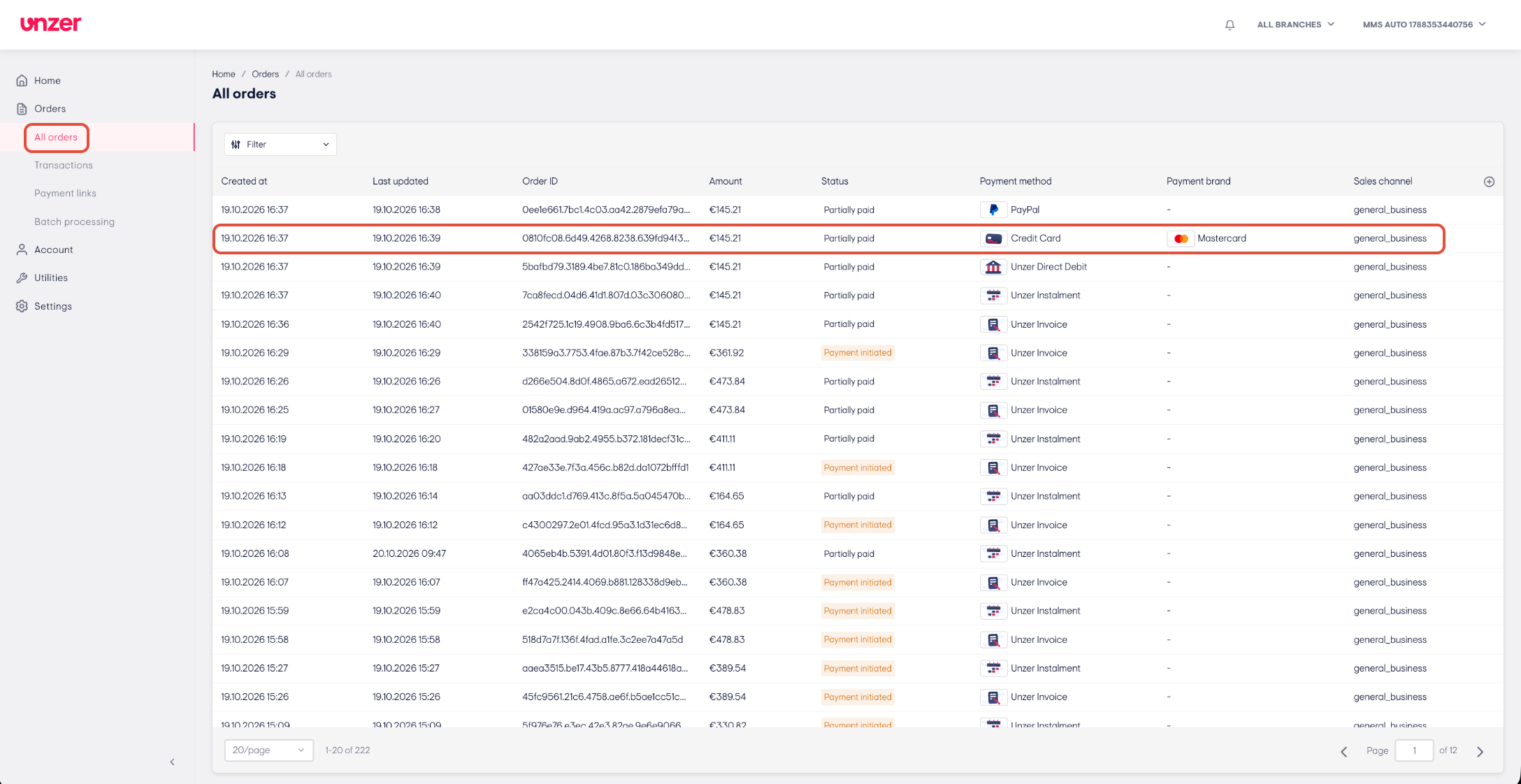
- Go to Orders > All orders.
- Click the row of the order you want to open.
- The order details page opens.
View the order details
Check the order summary and customer
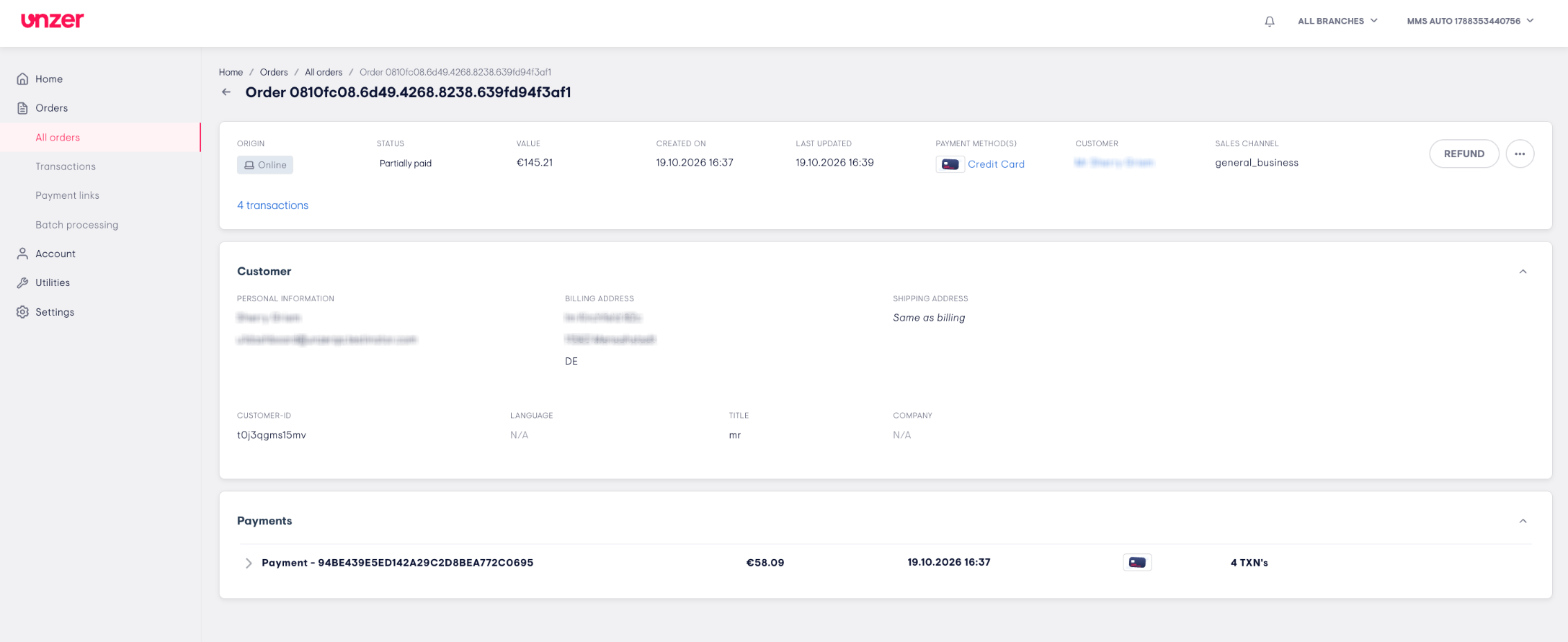
- At the top of the page, you can see:
- Origin
- Status
- Value
- Created on and Last updated
- Payment method(s)
- Customer
- Under Customer, you can see the customer's Personal information, Billing address, Shipping address, Customer-ID, Language, Title and Company.
Note: The order status shows which actions you can use:
- Payment initiated: you can capture or cancel the payment.
- Partially paid: you can capture the remaining amount or refund the captured amount.
- Paid: you can refund the payment.
View payments and transactions
Open a payment
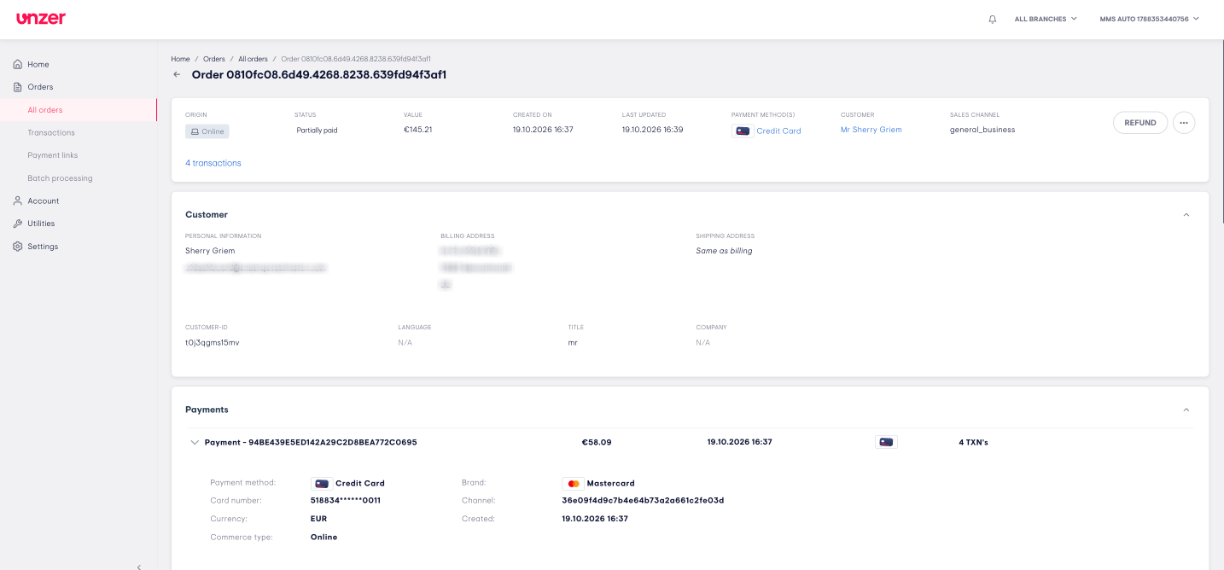
- Scroll down to Payments. Each payment shows its ID, amount, date, payment method and number of transactions.
- Click the arrow next to a payment to see its details, such as Payment method, Brand, Card number, Currency, Channel, Commerce type and Created.
View the transactions
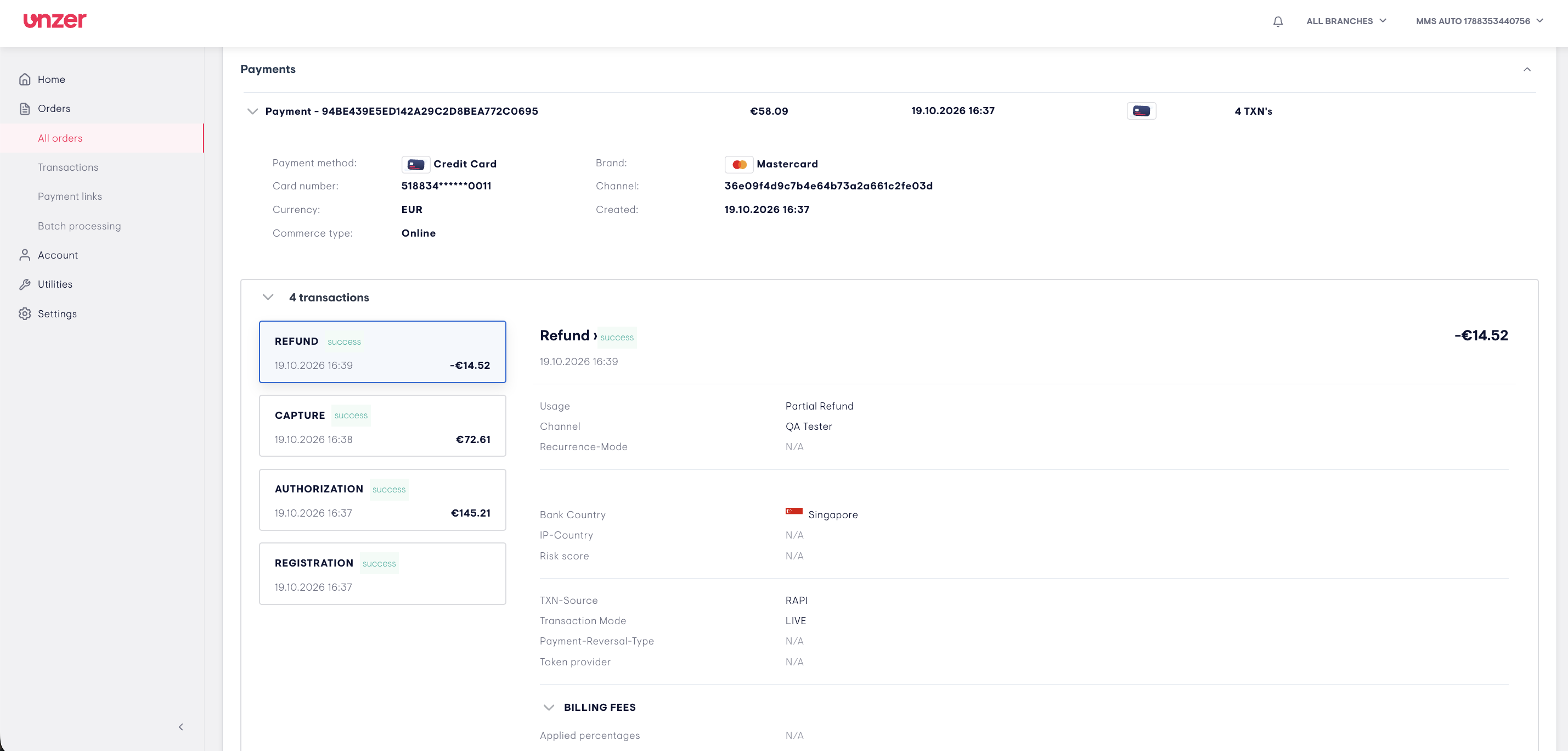
- Below the payment details, you will find transactions
- Each transaction is shown as a card with its type, status, date and amount, for example REFUND, CAPTURE, AUTHORIZATION or REGISTRATION.
- Click a card to see the details of that transaction on the right, such as usage, channel, bank country, transaction mode and billing fees.
Capture an order
You can capture an order when its status is Payment initiated or Partially paid.
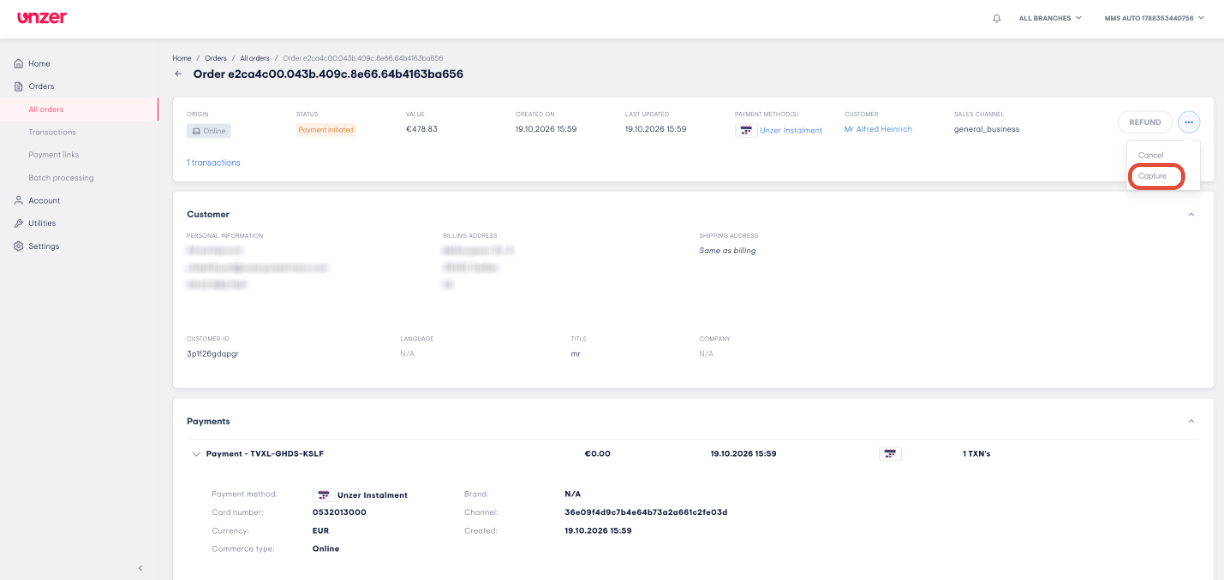
Open the capture form
- Open the order.
- Click the three-dot icon next to REFUND.
- Click Capture.
- The Capture orderwindow opens.
Enter the capture details
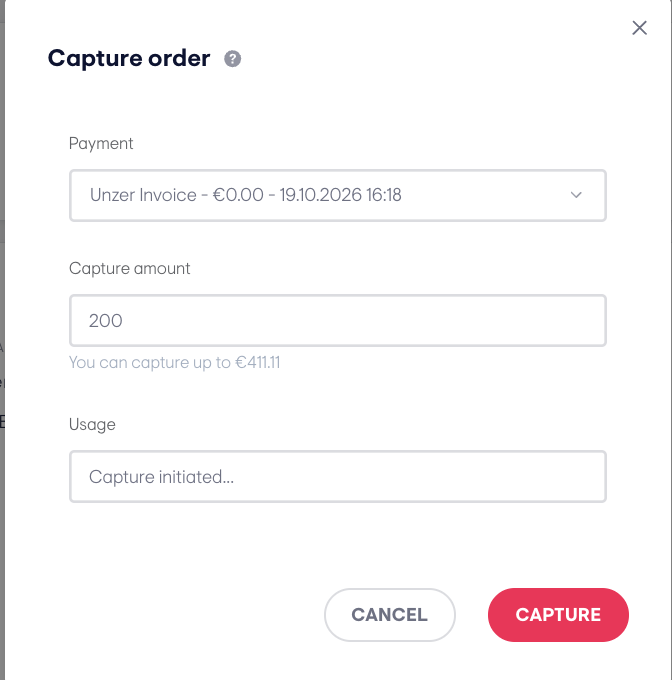
- Select the Payment you want to capture.
- Enter the Capture amount. The maximum amount you can capture is shown below the field.
- Enter a note in Usage.
- Click CAPTURE. To close the window without capturing, click CANCEL.
- A success message appears.
Note: Depending on the payment method, you can capture the full amount or part of it.
Refund an order
You can refund an order after an amount has been captured, when its status is Partially paid or Paid.
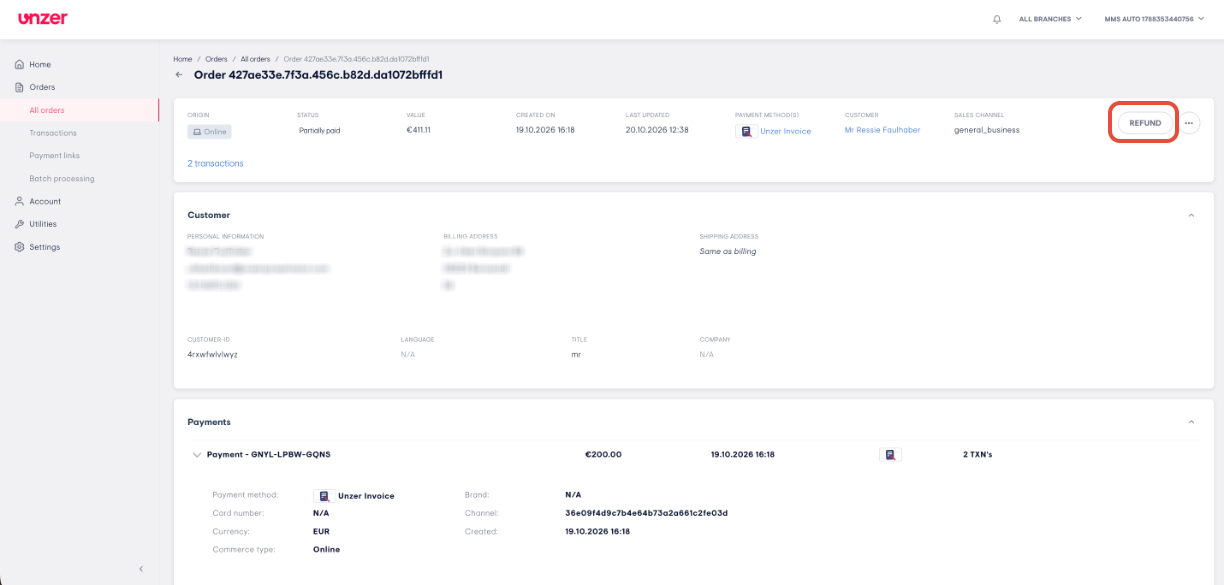
Open the refund form
- Open the order.
- Click REFUND.
- The Refund orderwindow opens.
Enter the refund details
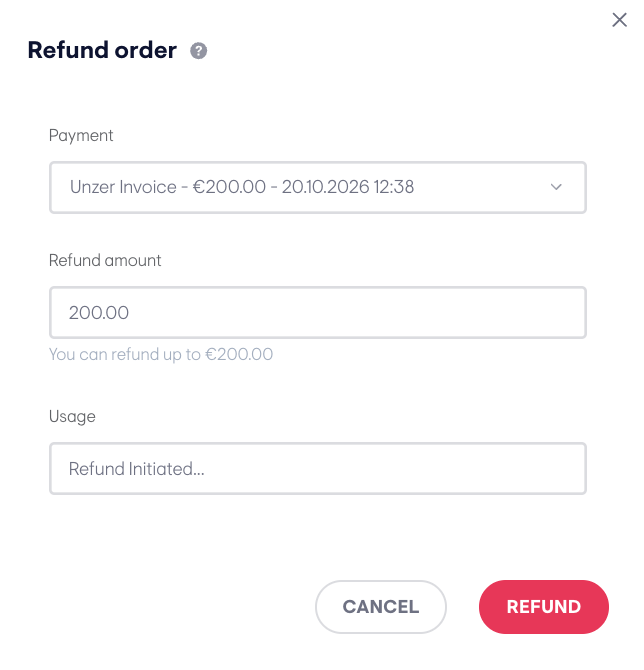
- Select the Payment you want to refund.
- Enter the Refund amount. The maximum amount you can refund is shown below the field.
- Enter a note in Usage.
- Click REFUND. To close the window without refunding, click CANCEL.
- A success message appears.
Note: Depending on the payment method, you can refund the full amount or part of it.
Cancel an order
You can cancel an order only before any amount has been captured, when its status is Payment initiated.
Open the cancel form
- Open the order.
- Click the three-dot icon next to REFUND.
- Click Cancel.
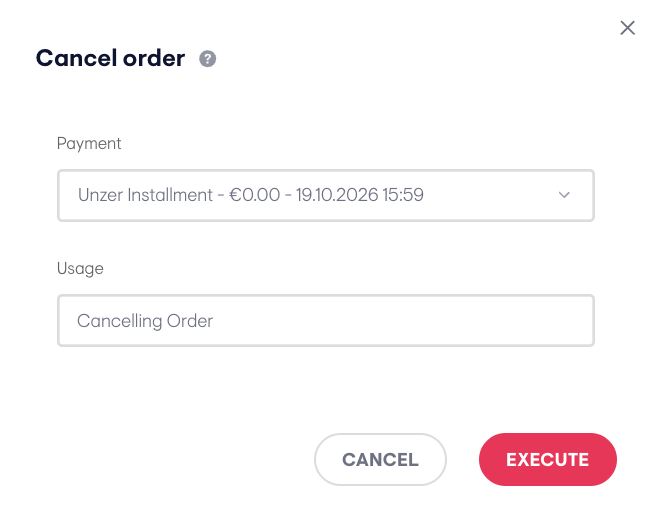
- The Cancel orderwindow opens.
Confirm the cancellation
- Select the Payment you want to cancel.
- Enter a note in Usage.
- Click EXECUTE. To close the window without cancelling, click CANCEL.
- A success message appears.
Note: A cancellation always cancels the full amount. After any amount has been captured, you can no longer cancel the order. Use a refund instead.
Was this article helpful?
That’s Great!
Thank you for your feedback
Sorry! We couldn't be helpful
Thank you for your feedback
Feedback sent
We appreciate your effort and will try to fix the article
