Logging out
Modified on Tue, 17 Feb at 2:16 PM
To log out of the POS Go app, open the main menu and navigate to “Settings.”
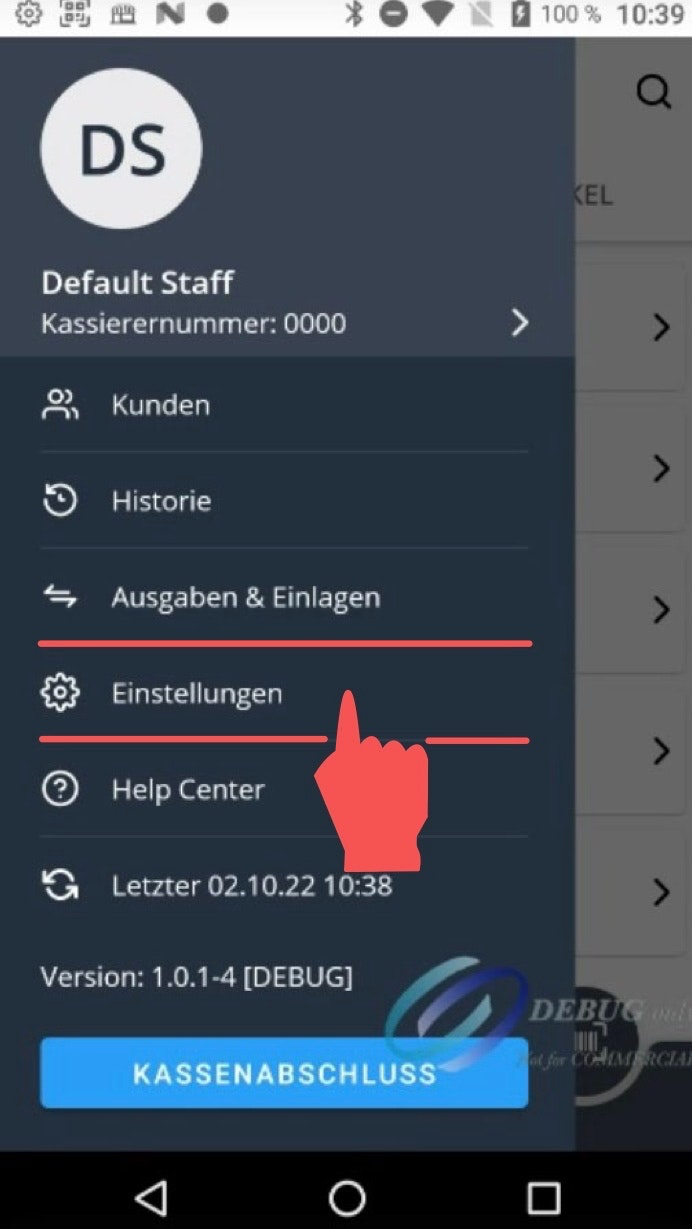
Step 1: Log out of the app
Tap the “Logout” button at the bottom right.
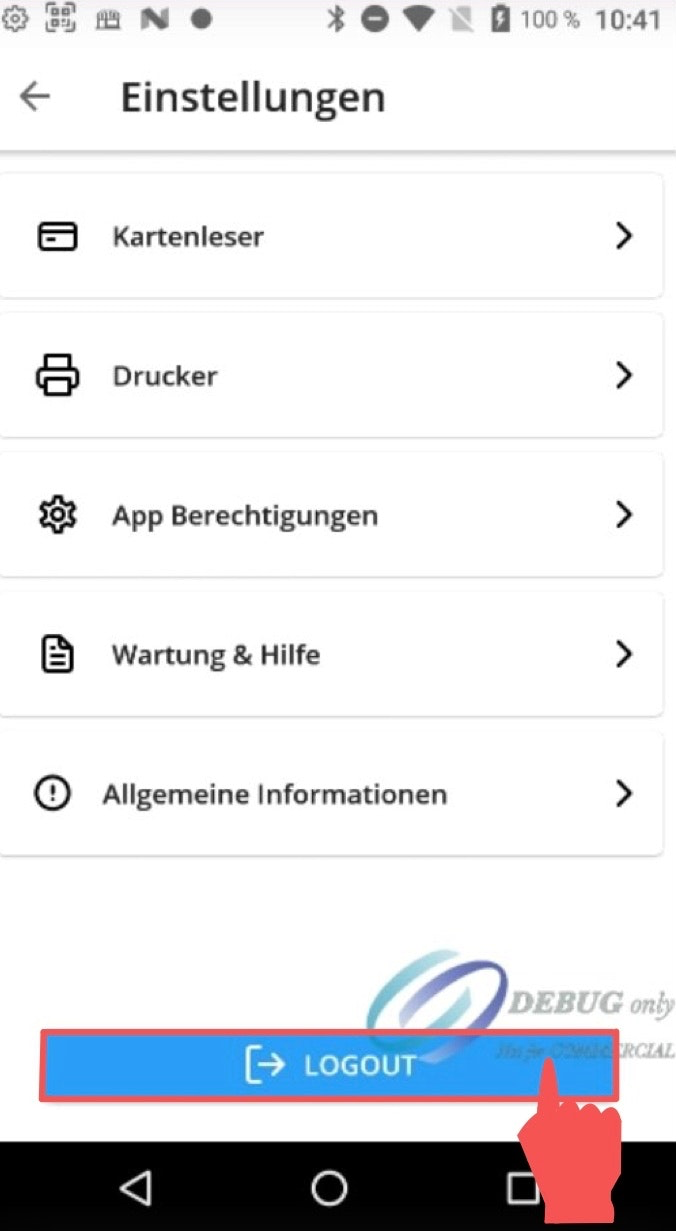
Step 2: Sign out
In the next window, tap the red “Sign Out” button.
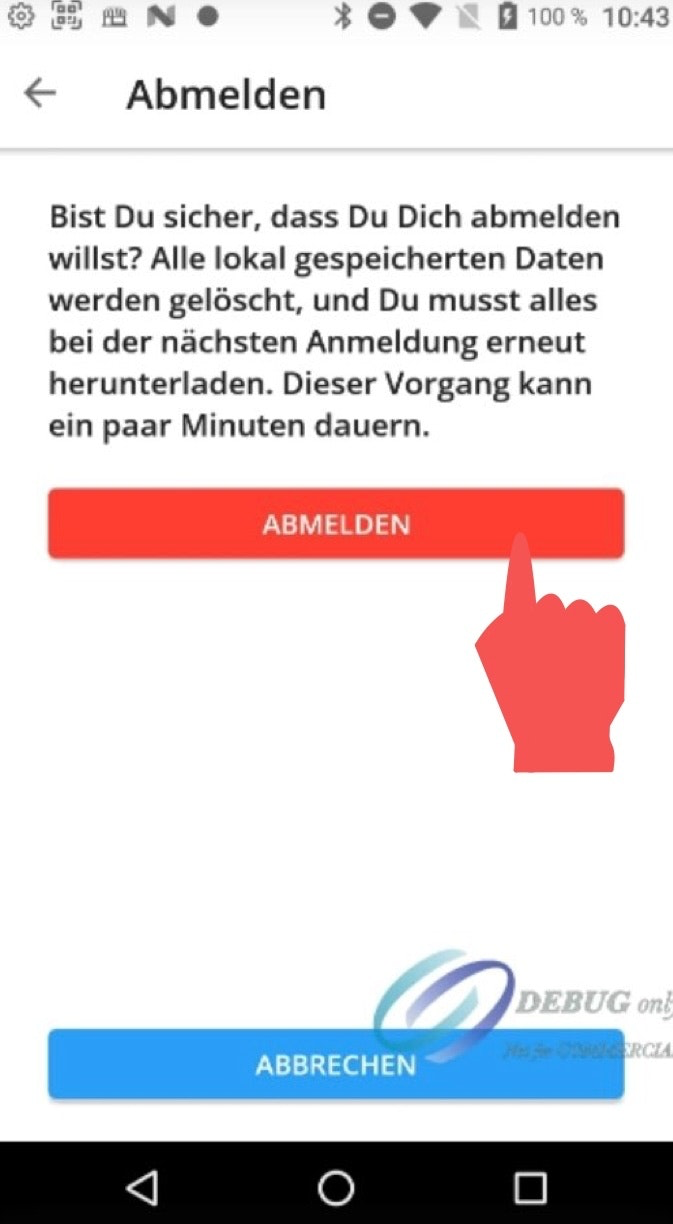
Step 3: Log out of the dashboard
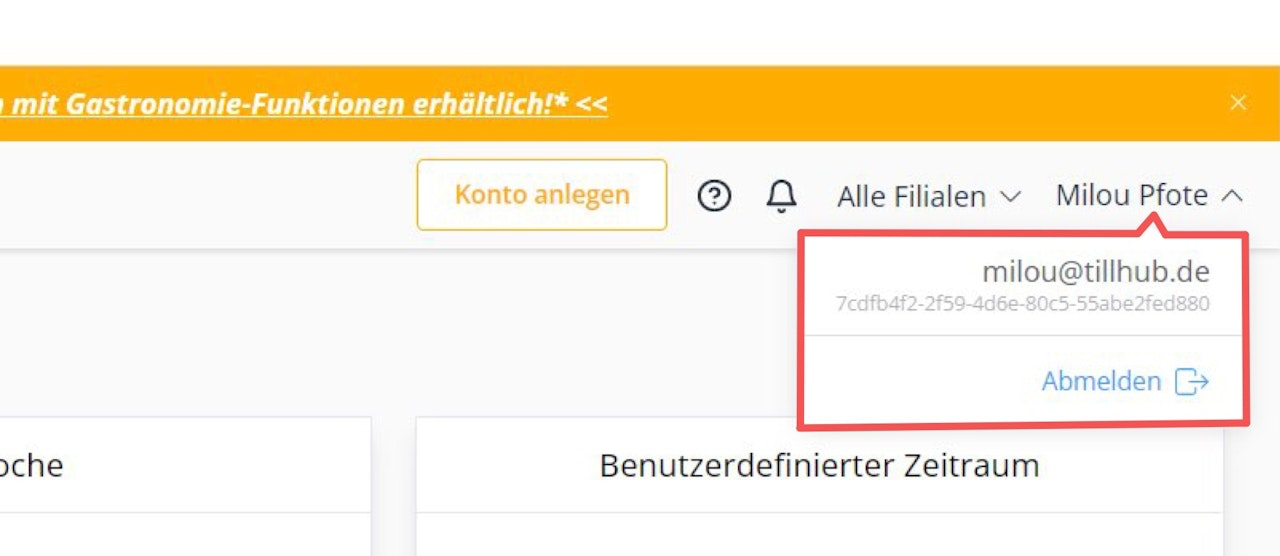
To log out of the POS Go dashboard, open the drop-down menu at the top right next to your username and then tap “Sign Out.”

Was this article helpful?
That’s Great!
Thank you for your feedback
Sorry! We couldn't be helpful
Thank you for your feedback
Feedback sent
We appreciate your effort and will try to fix the article