T650p - Selection of Payment Method (Direct Debit or PIN Payment)
Modified on Mon, 9 Feb at 2:34 PM
Once commissioned, you can select the payment method per transaction on your Verifone card terminal. The following options are available to you:
Online or offline direct debit (with signature)
PIN payment
This tutorial provides helpful information and a guide on how to use this function on your terminal.
Main Display
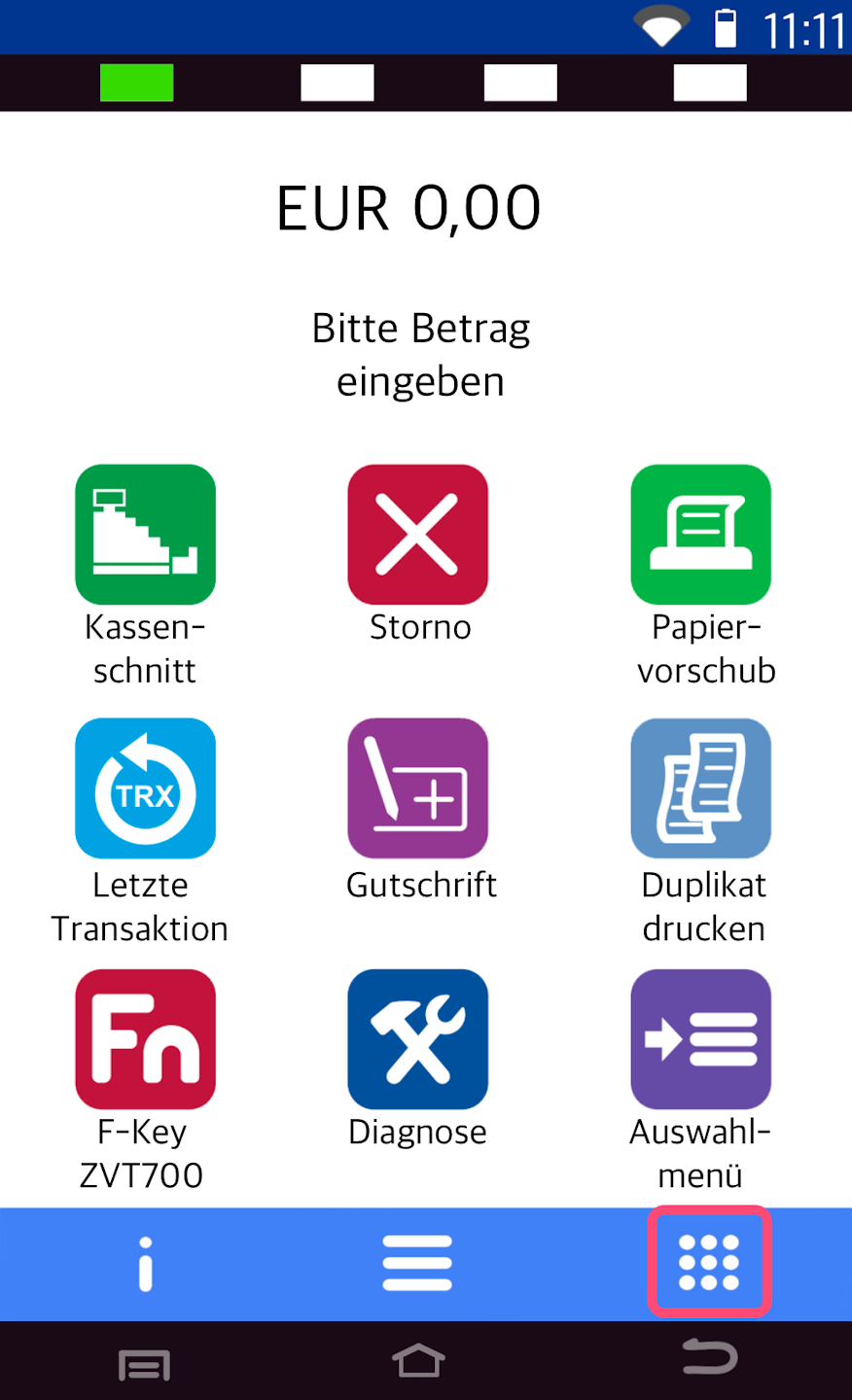
You see your home screen.
In the bottom right, there is a button with 9 white dots – this represents the Transaction Menu.
Please select this.
Note:
Transaction functions are only available without a cash register connection.
If your terminal is connected to a POS system, this feature will not be available.
Please contact your POS provider for further assistance.
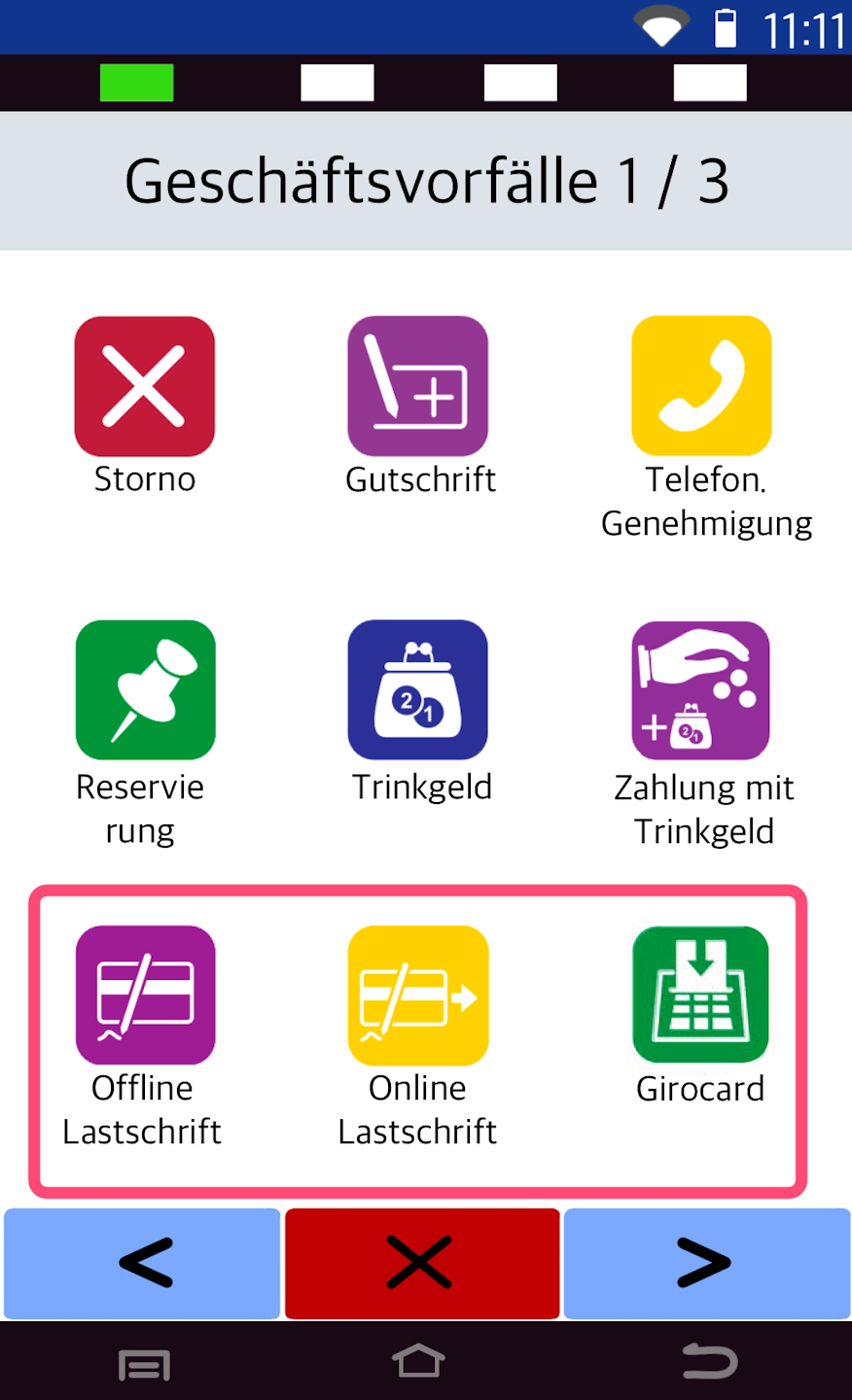
Selecting the Payment Method
You can now choose how the payment should be processed for each transaction.
You can also customize your home screen to display the desired buttons. See our guide:
Softkey Customization
Explanation of Payment Methods
Girocard (EC card)
Processed with PIN entry
Payment is immediately authorized by the bank
Online Direct Debit
Customer signs the receipt
Payment is checked against the blacklist only (no bank inquiry)
Merchant bears the risk
Offline Direct Debit
Customer signs the receipt
No check against blacklist or bank
Payment is only transmitted during the next end-of-day closing
Merchant bears the risk
Information about the Blacklist
Network operators receive an updated blacklist daily, which is uploaded into the system.
It contains information about stolen or invalid cards.
If a card is reported stolen by the bank, it is added to the blacklist.
Direct debit transactions are usually debited from the customer's account within 3 banking days.
Was this article helpful?
That’s Great!
Thank you for your feedback
Sorry! We couldn't be helpful
Thank you for your feedback
Feedback sent
We appreciate your effort and will try to fix the article
