T650p - Language Selection
Modified on Mon, 9 Feb at 4:48 PM
Here we show you how to change the language of your card reader.
You can choose from 15 languages.
Main Menu
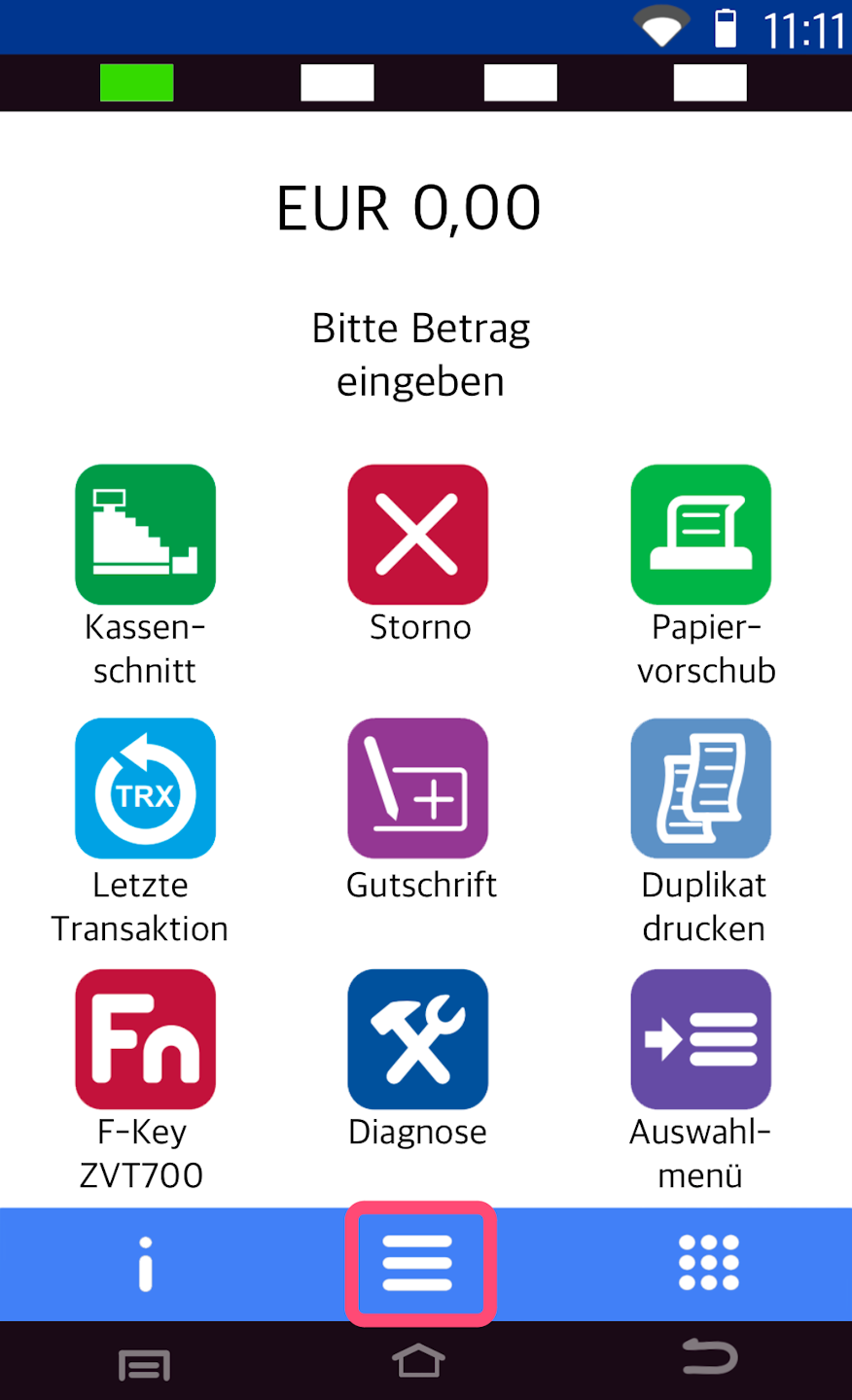
Here you see your starting display.
Please tap the button with the three horizontal lines to access the main menu.
Administration
Now please select the menu item Verwaltung.
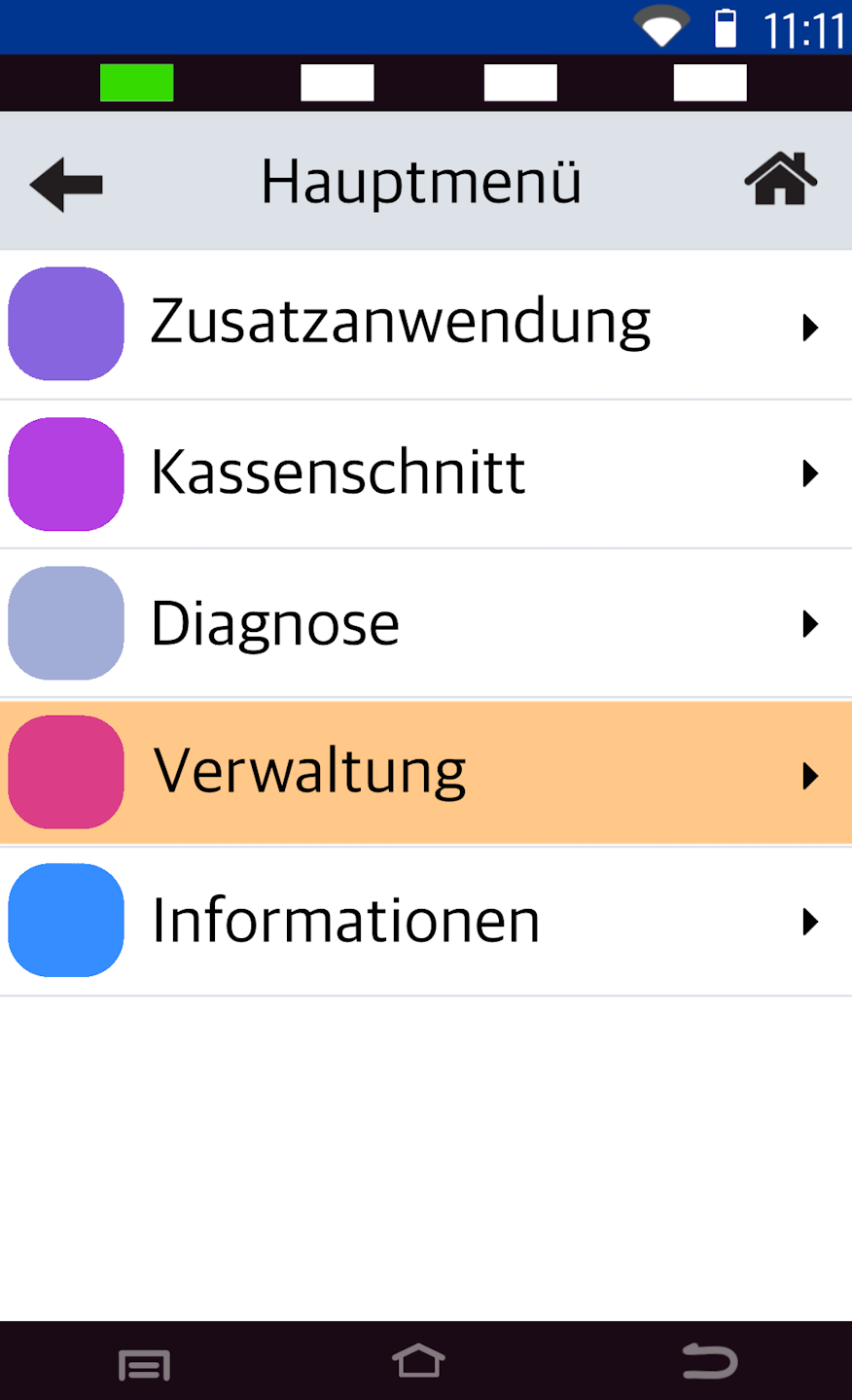
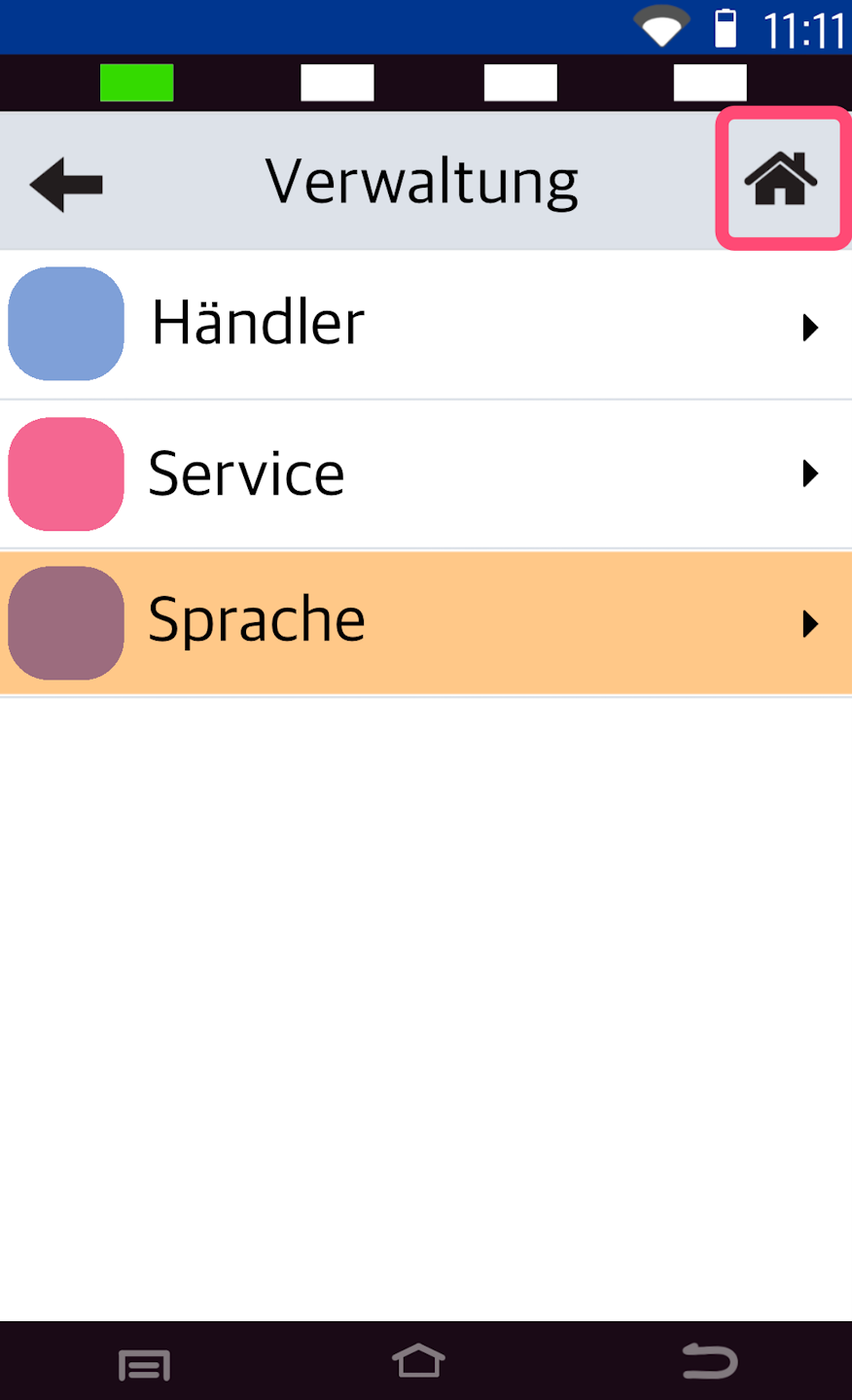
Language
Now please select the menu item Sprache.
You can choose from 15 languages.
To return to your starting display, please tap the house icon in the top right corner.
Was this article helpful?
That’s Great!
Thank you for your feedback
Sorry! We couldn't be helpful
Thank you for your feedback
Feedback sent
We appreciate your effort and will try to fix the article
