Pager
Modified on Tue, 17 Feb at 2:16 PM
Introduction
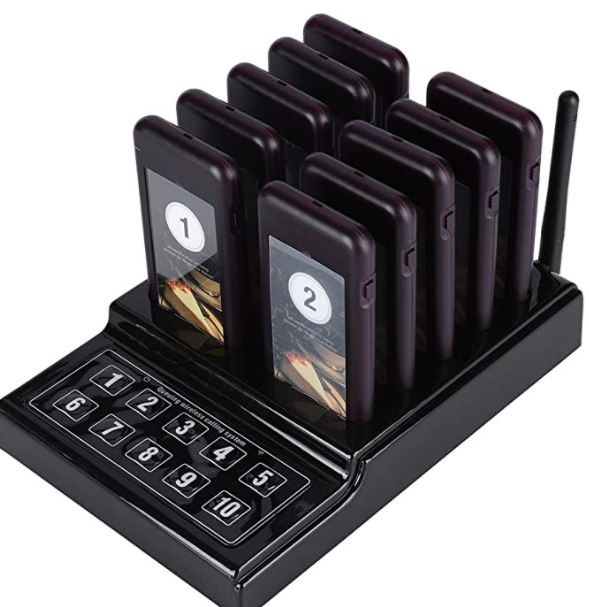
Coaster pagers are guest/customer call systems frequently used by food and beverage stands or restaurants that have a central ordering point. The customer receives the pager, for example in the form of a beeper or buzzer, once they have placed their order. It starts to vibrate or beep once the order is ready for pickup.
Pagers are standalone devices with a separate hub. They are typically sold in kits of 10, 20, or 50. Each pager has its own number, while the hub has a keypad with numbers. When a number is selected on the keypad, the pager with the corresponding number vibrates or makes a sound.
The following coaster pagers can be purchased on Amazon, for example:
https://www.amazon.de/-/en/Wireless-Customer-Channels-Restaurant-Cafeteria/dp/B07HNQRV97/
https://www.amazon.de/-/en/EUF3354A/dp/B07H1772JH/
https://www.amazon.de/-/en/Retekess-Customer-Charging-Indicator-Optimised/dp/B088K8S1K3/
https://www.amazon.de/-/en/Retekess-Customer-Channels-Restaurant-Contactless/dp/B081DJ5Y9D/
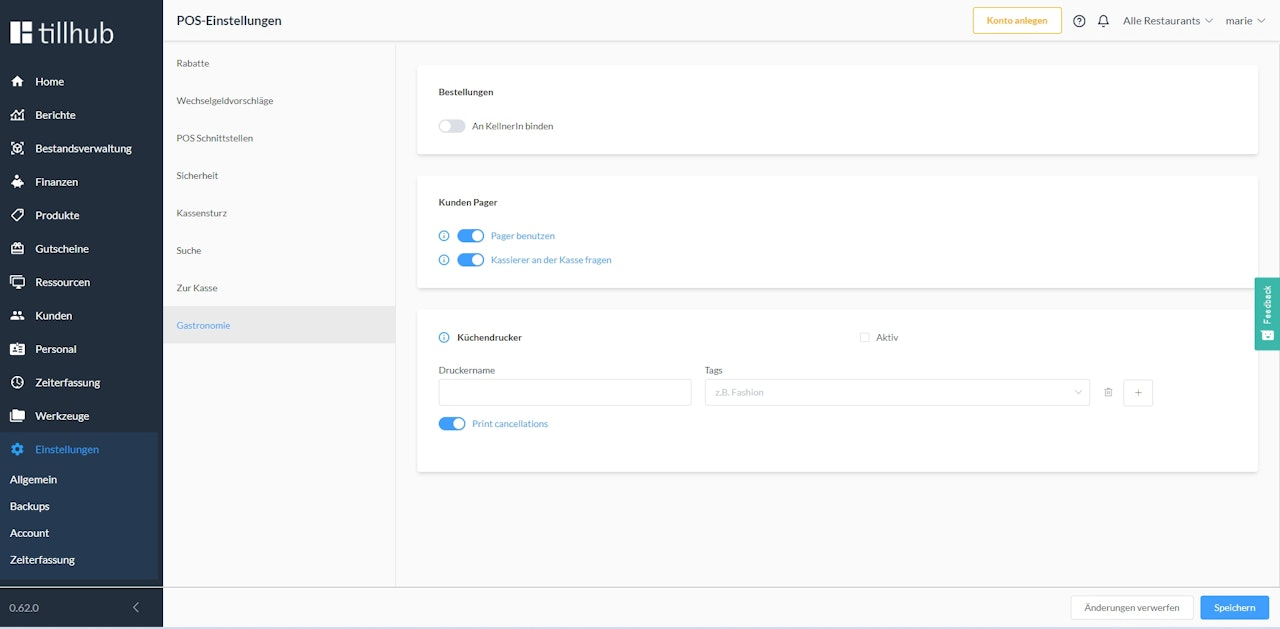
Configuration of pagers in the dashboard
To configure pagers, click on Settings in the main menu of your dashboard. Then navigate to POS in the submenu to select the option "Gastronomy". Here you can activate the "Use pager" setting. Additionally, you can link the checkout process to a mandatory prompt using the setting "Prompt cashier at checkout", which reminds the cashier to activate the respective pager.
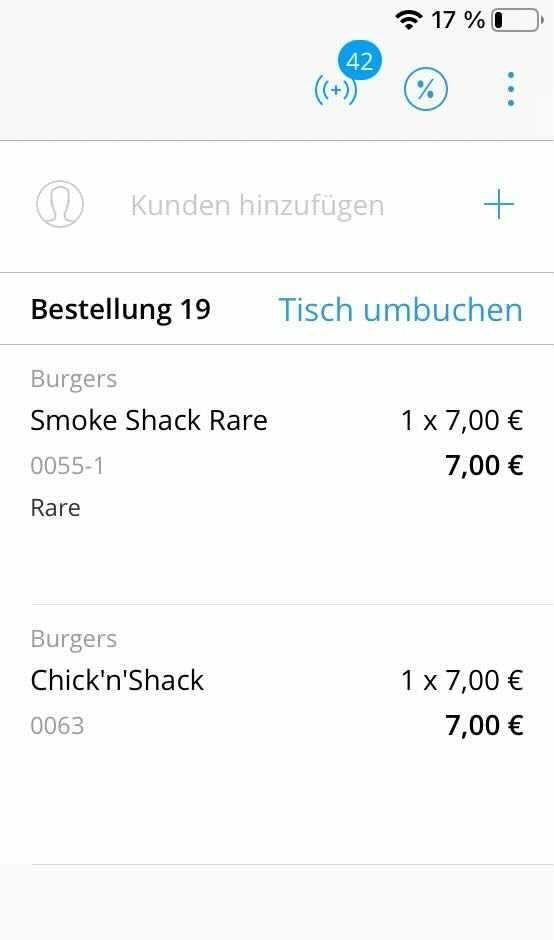
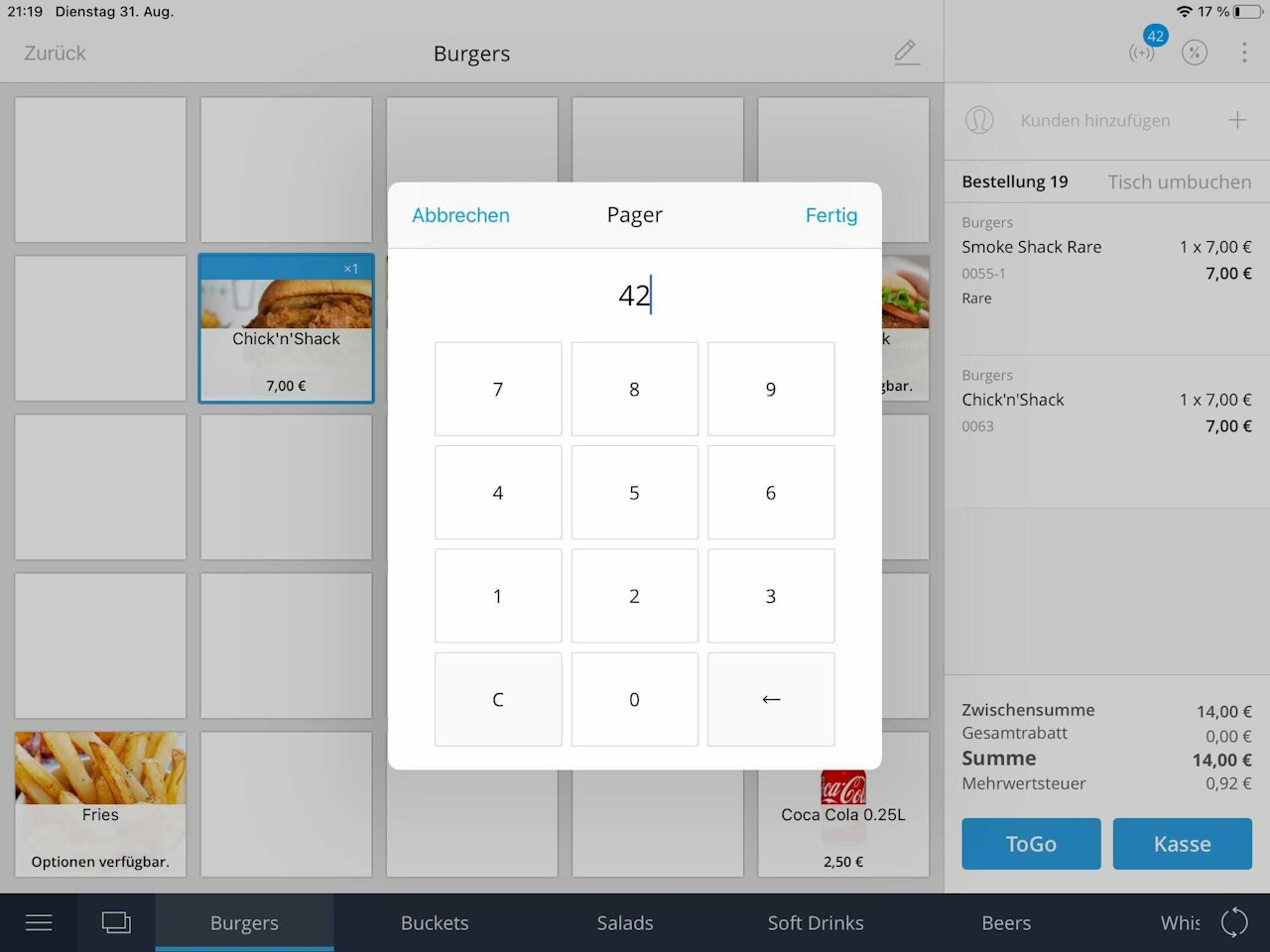
Assigning pagers in the POS
When pagers are activated via the dashboard, the following symbol (( + )) appears above the shopping cart. When a pager is assigned to an order, the number of the assigned pager appears above the pager symbol.
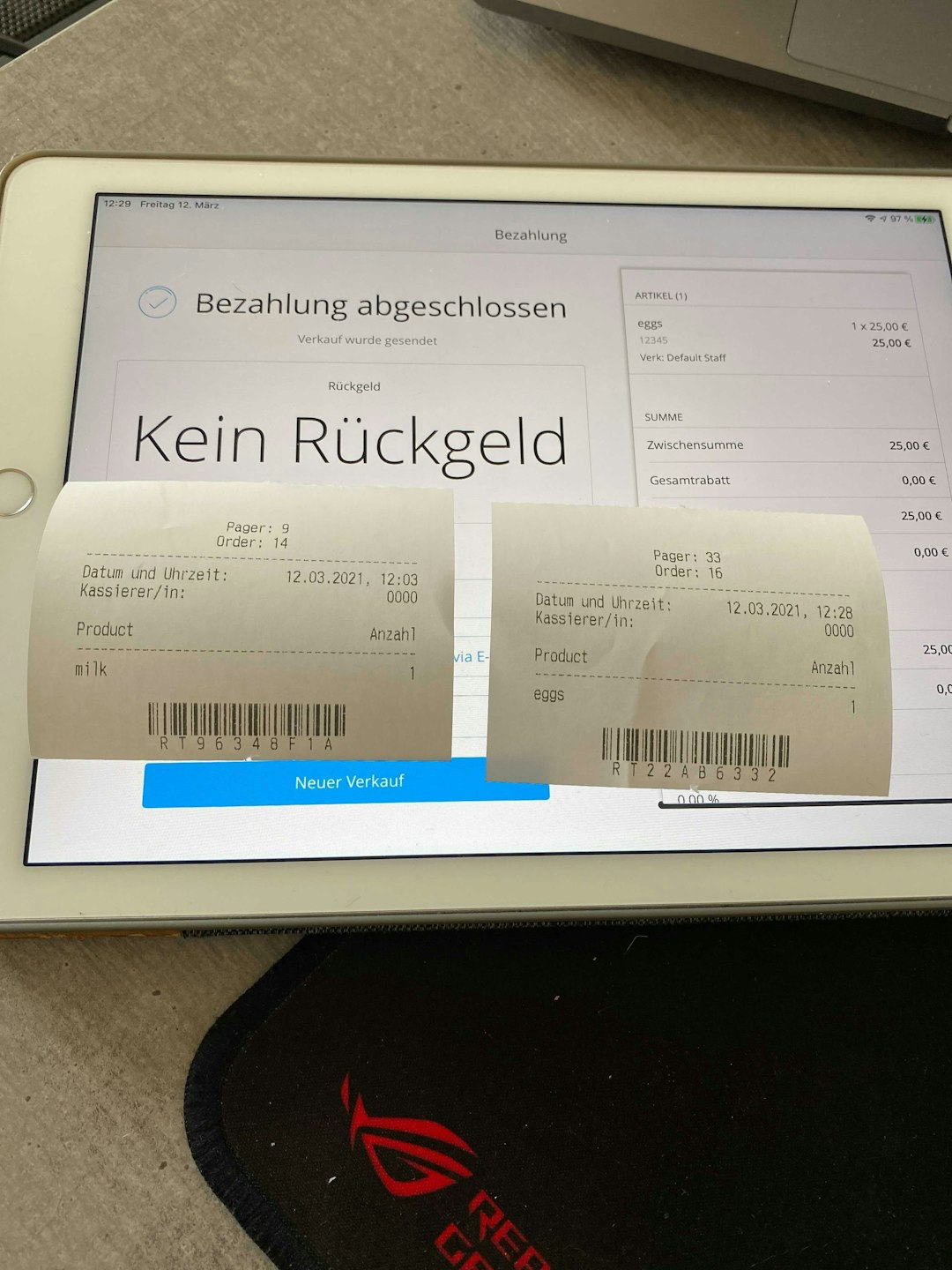
After the shopping cart is checked out, the kitchen and cashier receive an order receipt that includes the pager number. This number is also noted on the customer receipt.
Once the order is ready for pickup, the cashier/waiter can buzz the pager using the central hub.
Was this article helpful?
That’s Great!
Thank you for your feedback
Sorry! We couldn't be helpful
Thank you for your feedback
Feedback sent
We appreciate your effort and will try to fix the article
